
How to set up sFTP for using Certificate Authentication on Linux
These instructions apply to users who are receiving their statements via sFTP. If you elected to receive your statements via sFTP, you would first need to generate an RSA Key pair.
There are many Linux distributions and there are multiple methods to access the IBKR sFTP server. sFTP clients such as Filezilla can be used. In this article we explain how to realize the connection to the IBKR FTP server using Ubuntu Linux and Filezilla.
1. On your Linux machine, click on the Applications icon in the bottom left corner of you screen.
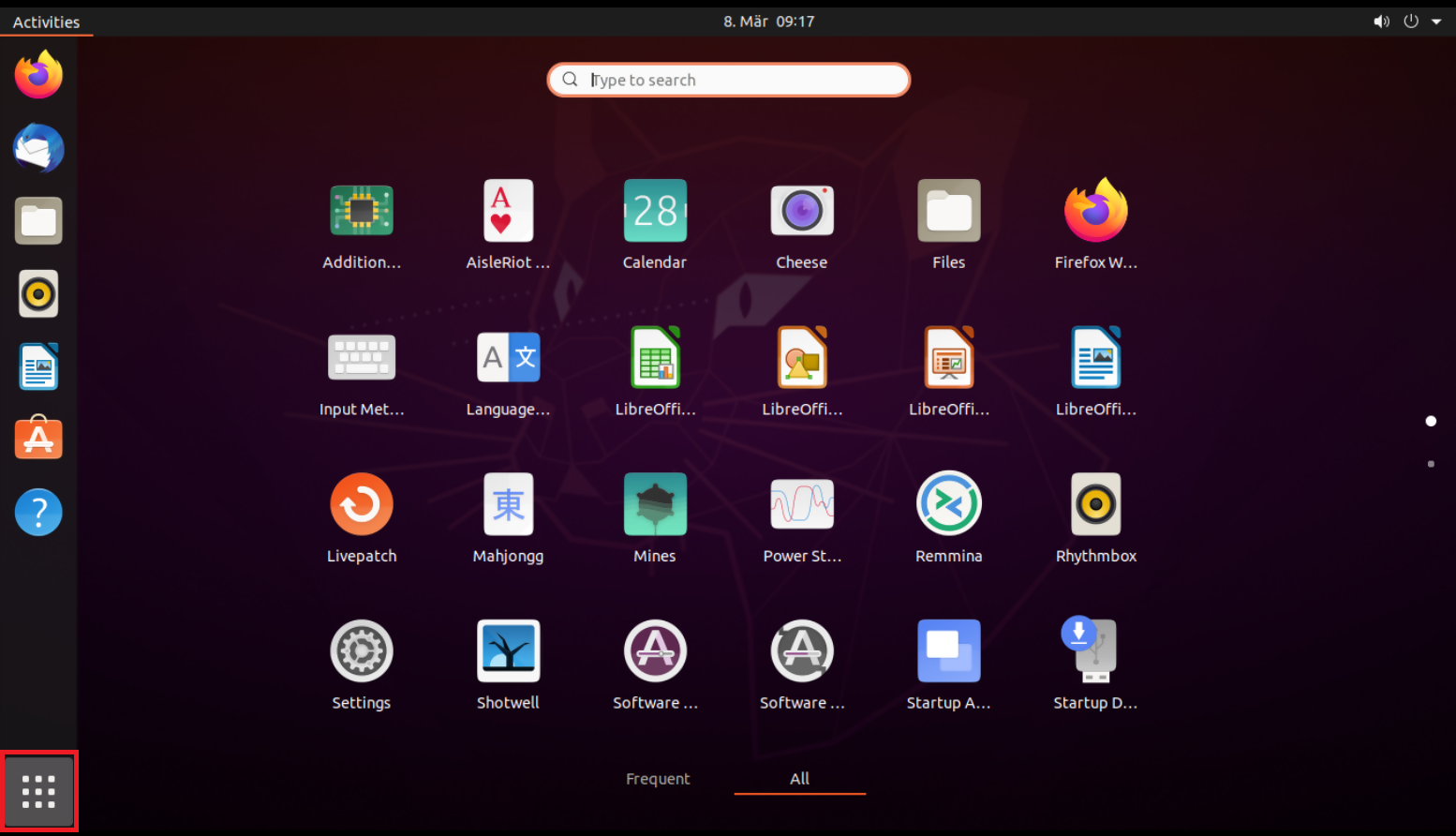
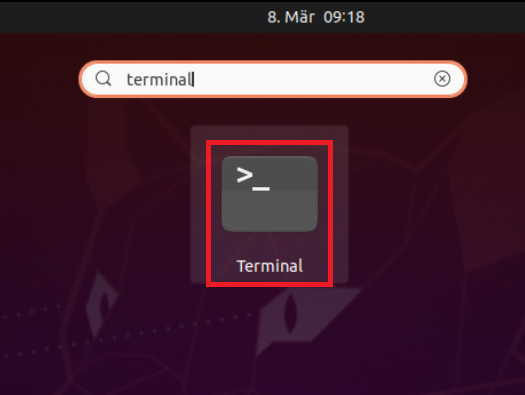
2. In the search box, type terminal and then click on the Terminal icon in the search results.
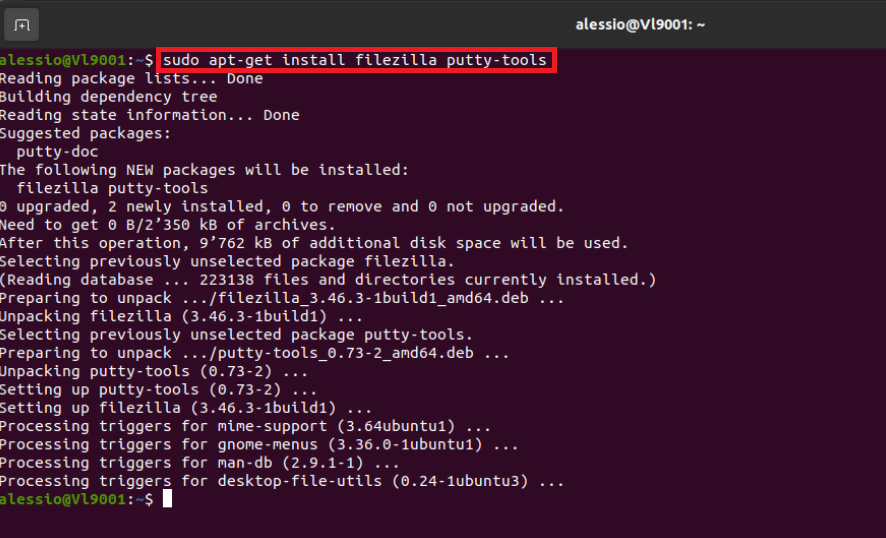
3. In the Terminal window, type sudo apt-get install filezilla putty-tools in order to install the required software. Enter your sudo password when requested.
4. Once the software installation is complete, type puttygen -t rsa -b 2048 -o privatekey.ppk in order to generate the RSA Key pair.
You will be asked to enter a passphrase and type it again to confirm.
PLEASE NOTE: Keeping a secure copy of this password is essential. Any loss of this password will require the whole process to be repeated.

5. Type puttygen -L privatekey.ppk -o public.key in order to export the public part of the Key pair to the file public.key

7. In the search box, type FileZilla and then click on the FileZilla icon in the search results.
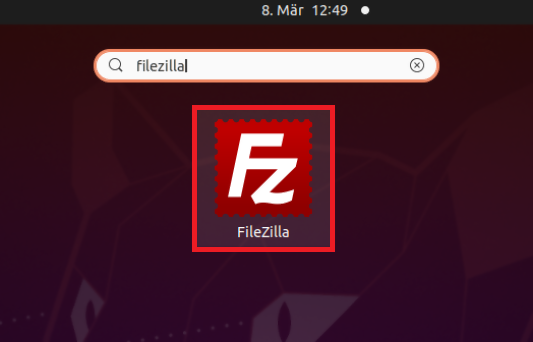
8. Click on the FileZilla top menu File -> Site Manager...
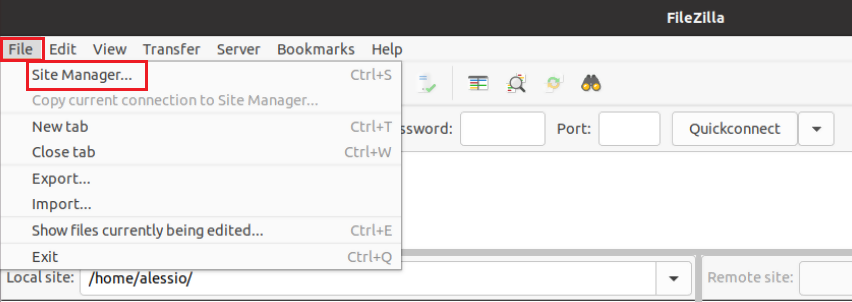
9. In the Site Manager window, click on the button New site to create a new connection.
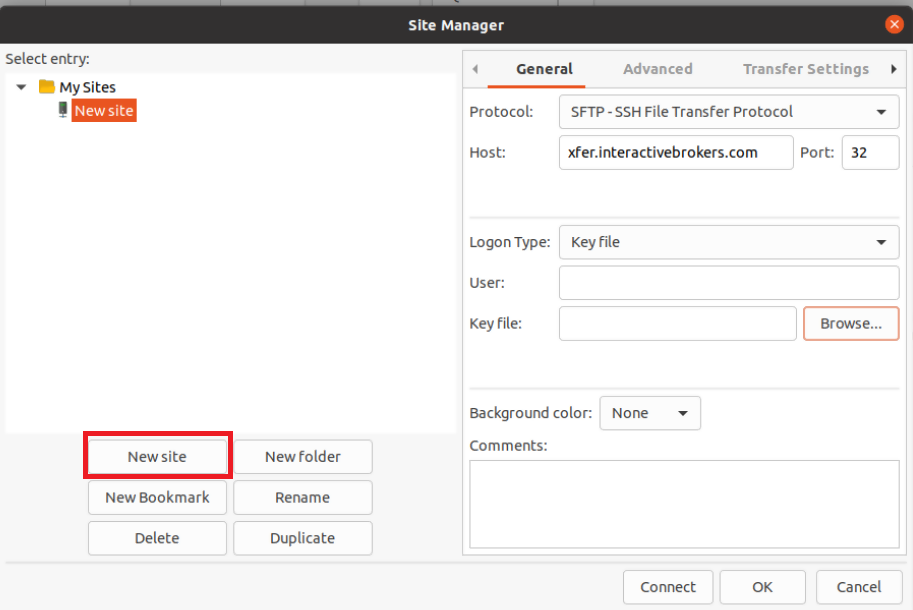
10. In the right panel (called General):
- Select SFTP - SSH File Transfer Protocol as Protocol
- Enter xfer.interactivebrokers.com in the Host field
- Enter 32 in the Port field
- Select Key file as Logon Type
- Enter the username provided to you by Interactive Brokers in the User field
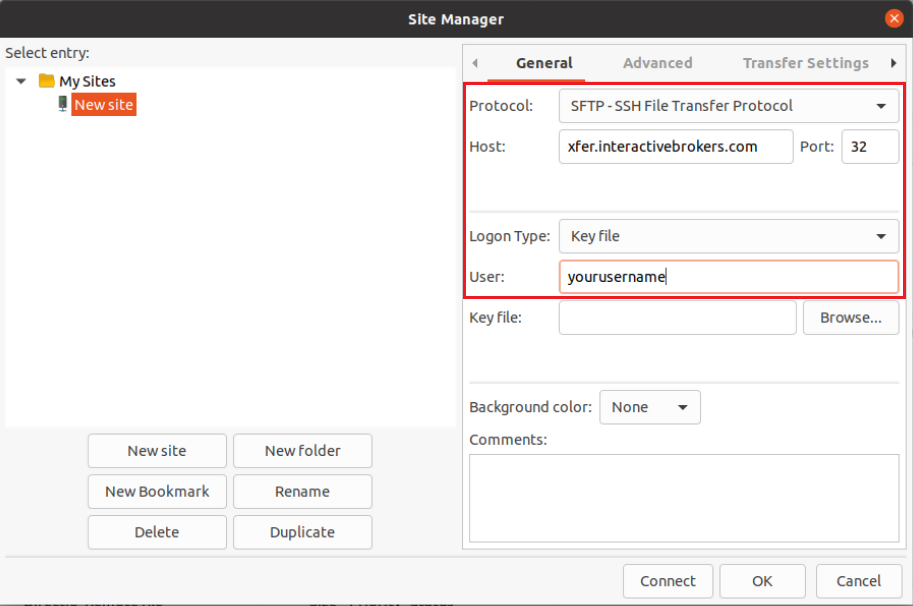
11. Click on Browse next to the Key file field.
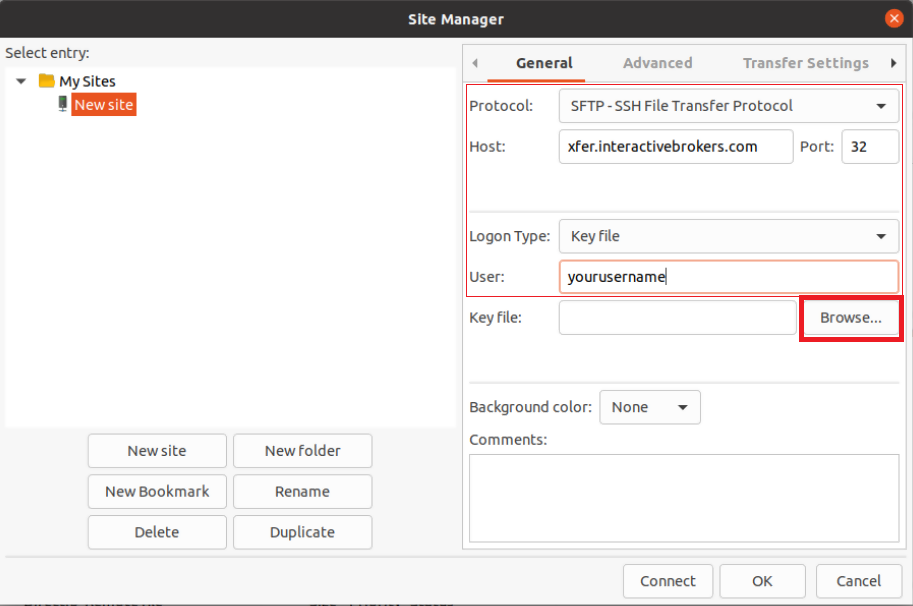
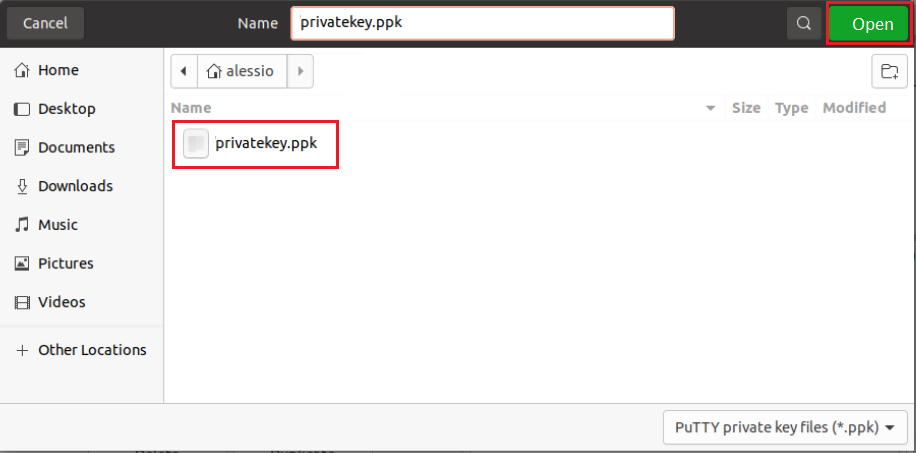
12. Move to the folder where your Key pair was created (normally your user folder: /users/yourusername/). Select the file privatekey.ppk and click on the Open button. This will set it as the Key file in your connection parameters.
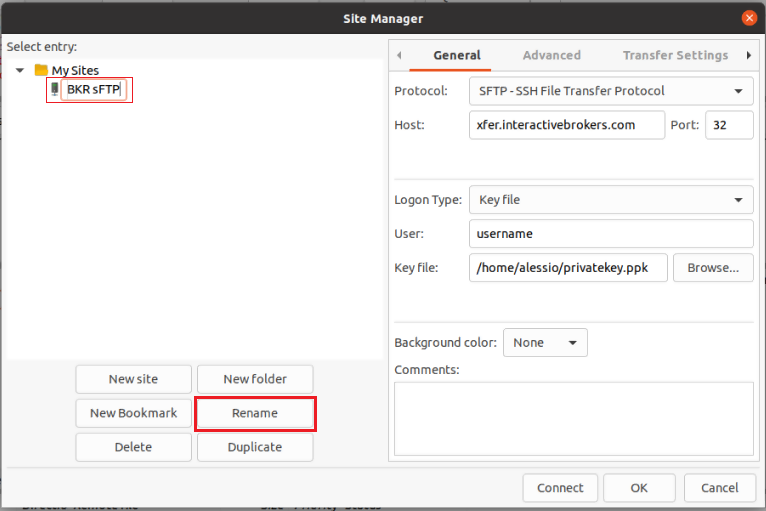
13. Click on Rename and select a name of your preference for this connection (e.g. IBKR sFTP). Press Enter to confirm the name.
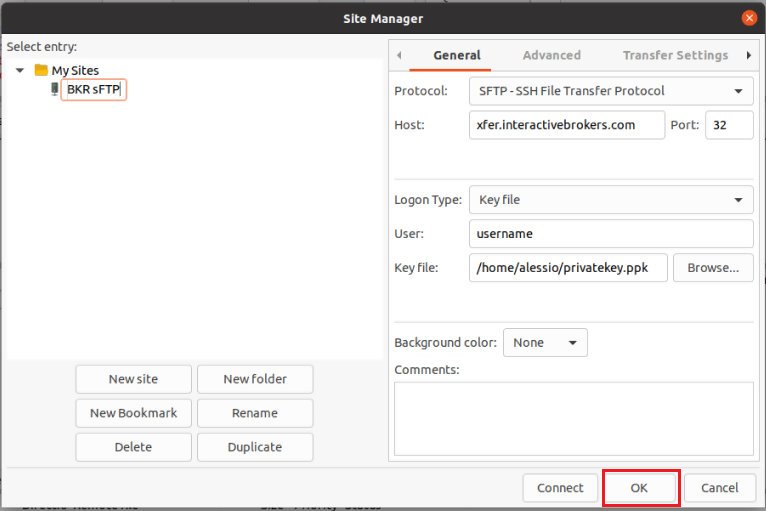
14. Click on OK to save your connection parameters.
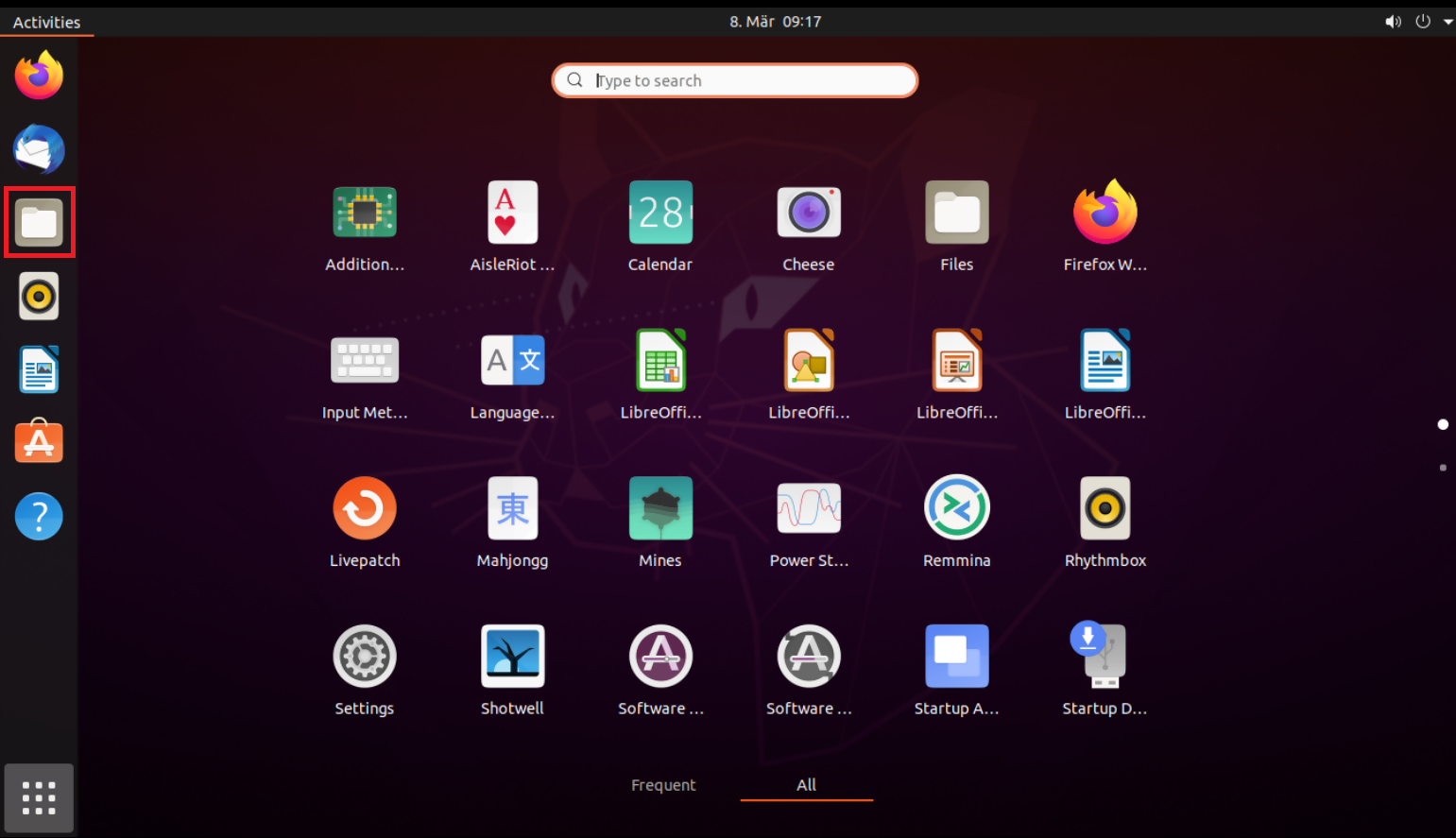
15. Click on the folder icon on the left hand toolbar of your Desktop. This will launch the File application.
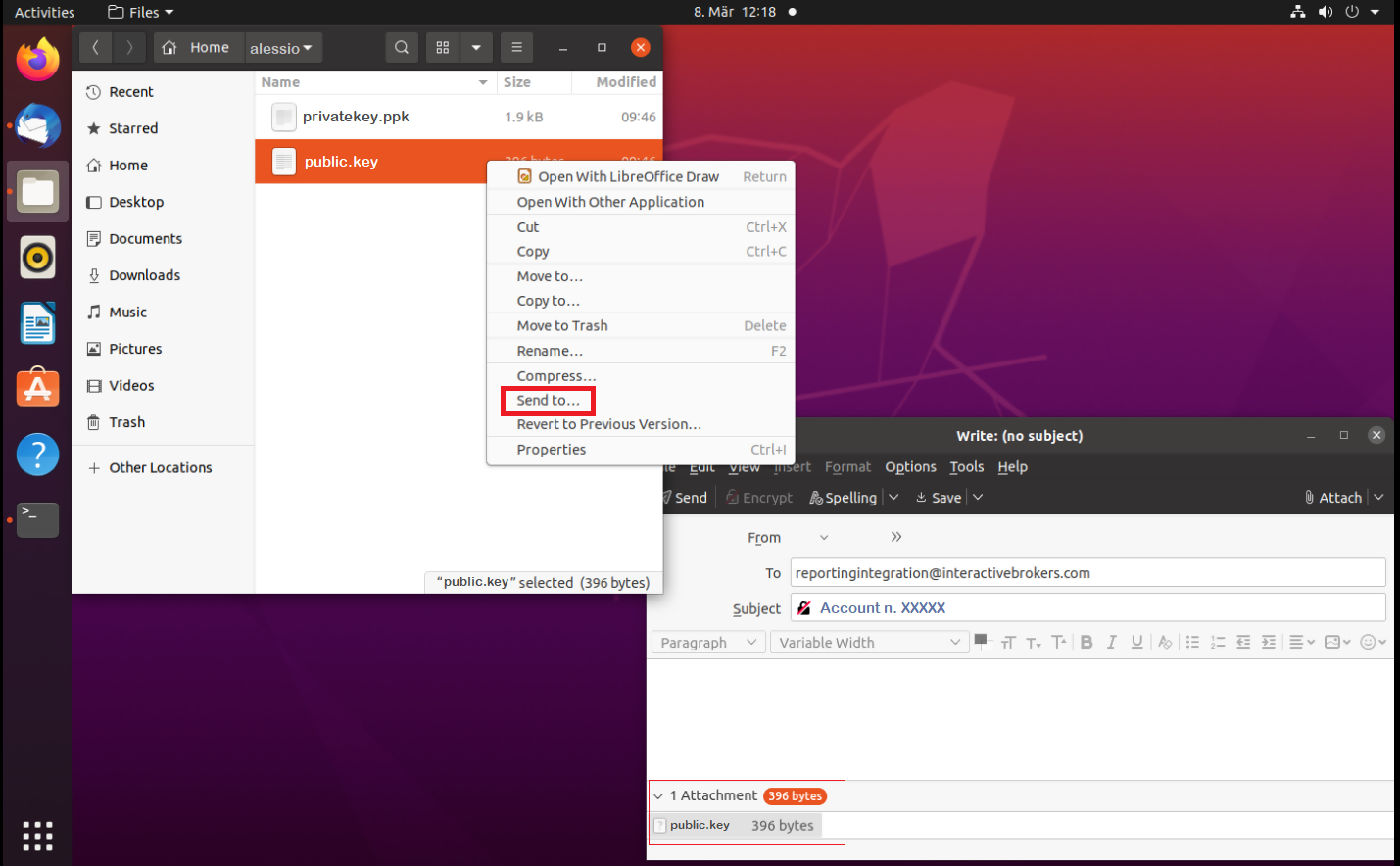
16. Move to the folder where you saved your Key pair (normally your user folder: /users/yourusername/). Right click on the file public.key and select Send to...
The file will be attached to an empty email. Send the email to the Reporting Integration Team, as per IBKB3842.
Important Note: do NOT send us your private key. Send us only your public one
Once IBKR has configured the parameters for your connection on our servers, you will be notified. After that, you will be able to access your sFTP repository by using the Site connection you have created in FileZilla. In case you have not yet set up a Site connection, please follow the steps from 6. to 14. which are a prerequisite to the below steps:
1. Click on the Applications icon in the bottom left corner of you screen.
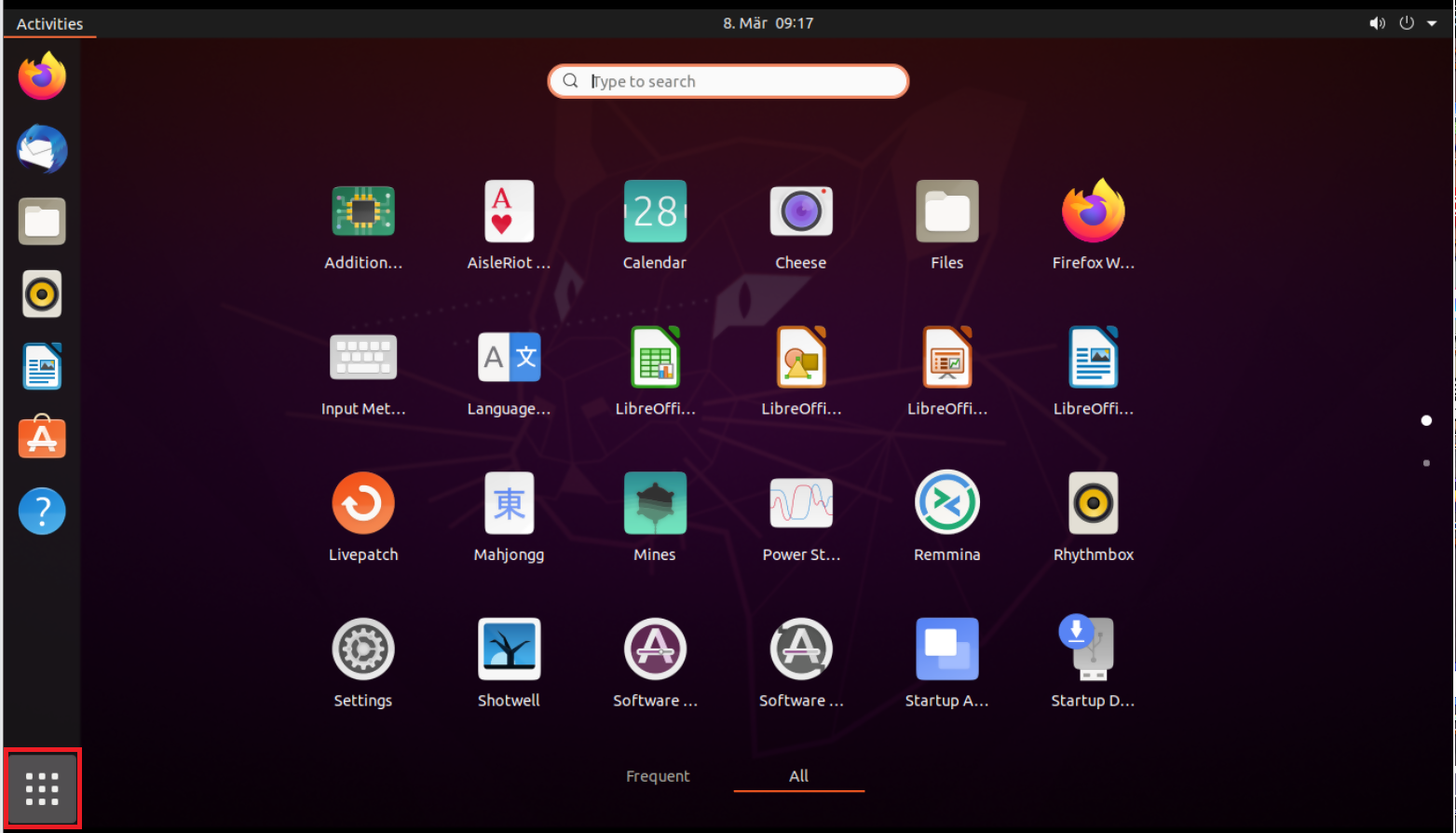
2. In the search box, type FileZilla and then click on the FileZilla icon in the search results.
3. On the FileZilla top toolbar, click the down arrow icon and select the Site connection you previously created (e.g. IBKR sFTP)

4. FileZilla will now establish a connection to our sFTP Server and show the files present in your repository.
Common issues and solutions
A. The Login Credentials Provided are Incorrect
-
Ensure the correct login details are being used to connect to the sFTP server. The username and password you are entering should match the ones you have received from the Reporting Integration Team.
-
Confirm you have configured your sFTP Client to use the Private Key file for the logon authentication (see steps 9. and 10. of the above procedure.)
B. Server Refused Our Key
-
Try accessing the sFTP server using a different Client (CyberDuck, ect.)
-
Ensure the Private Key file being used to Authenticate the server login attempt is related to the Public Key you originally sent to the Reporting Integration Team.
-
Should the above checks be unable to resolve the issue, please generate a new RSA Public/Private Key pair and send only the Public part to the Reporting Integration Team, as per IBKB3842.
C. Connection Timed Out
-
In case you have an antivirus or a security software installed on your machine, make sure it is not blocking the FTP connection attempt. Normally, security software allows to set up exceptions for specific connections in order to whitelist them.
-
Verify that the public IP Address of the machine running the sFTP client, is the same you have originally provided to the Reporting Integration Team for being whitelisted. You can discover your public IP Address by searching the Internet for “what is my IP”. If your current IP Address is not the same you provided to us, please send it to our Reporting Integration Team for being whitelisted.
-
Ask your network administrator/s to confirm that your firewall allows both incoming and outgoing traffic from/to xfer.interactivebrokers.com on port TCP 32.
-
Should the above steps be unable to resolve the issue, please generate a new RSA Public/Private Key pair and send only the new Public part to our Reporting Integration Team, as per IBKB3842.
References
KB3968 - Generate a key pair using GPG for Windows
KB4205 - Generate a key pair using GPG Suite on macOS
KB4108 - Decrypt your Reports using GPG for Windows
KB4210 - Decrypting Reports using your PGP Key pair on macOS
KB4407 - Generate RSA Key Pair on Windows
KB3968 - Generate a key pair using GPG for Windows
KB4205 - Generate a key pair using GPG Suite on macOS
KB4108 - Decrypt your Reports using GPG for Windows
KB4210 - Decrypting Reports using your PGP Key pair on macOS
KB4407 - Generate RSA Key Pair on Windows
KB4578 - How to Access your Reports using FTP on Windows
KB4580 - How to Access your Reports using FTP on MacOS
KB4409 - How to set up sFTP for using Certificate Authentication on Windows
KB4410 - How to set up sFTP for using Certificate Authentication on macOS
KB4411 - How to backup your public/private Key pair
KB4323 - How to transfer your public/private key pair from one computer to another
KB4410 - How to set up sFTP for using Certificate Authentication on macOS
KB4411 - How to backup your public/private Key pair
KB4323 - How to transfer your public/private key pair from one computer to another
I am unable to scan the QR Code in Client Portal. How can I add a User to IBKR Mobile Authentication (IB Key) for Android?
Requirements:
- The IBKR Mobile app must be installed and IBKR Mobile Authentication (IB Key) already activated on this Android device.
- For more information on the installation and activation on Android devices, please consult KB2277.
Instructions:
1) On your Android device, open the IBKR Mobile app.
1.a) If the app opens with the login screen (Figure 1), tap on Services on the top-left corner (red arrow) and proceed with step 2)
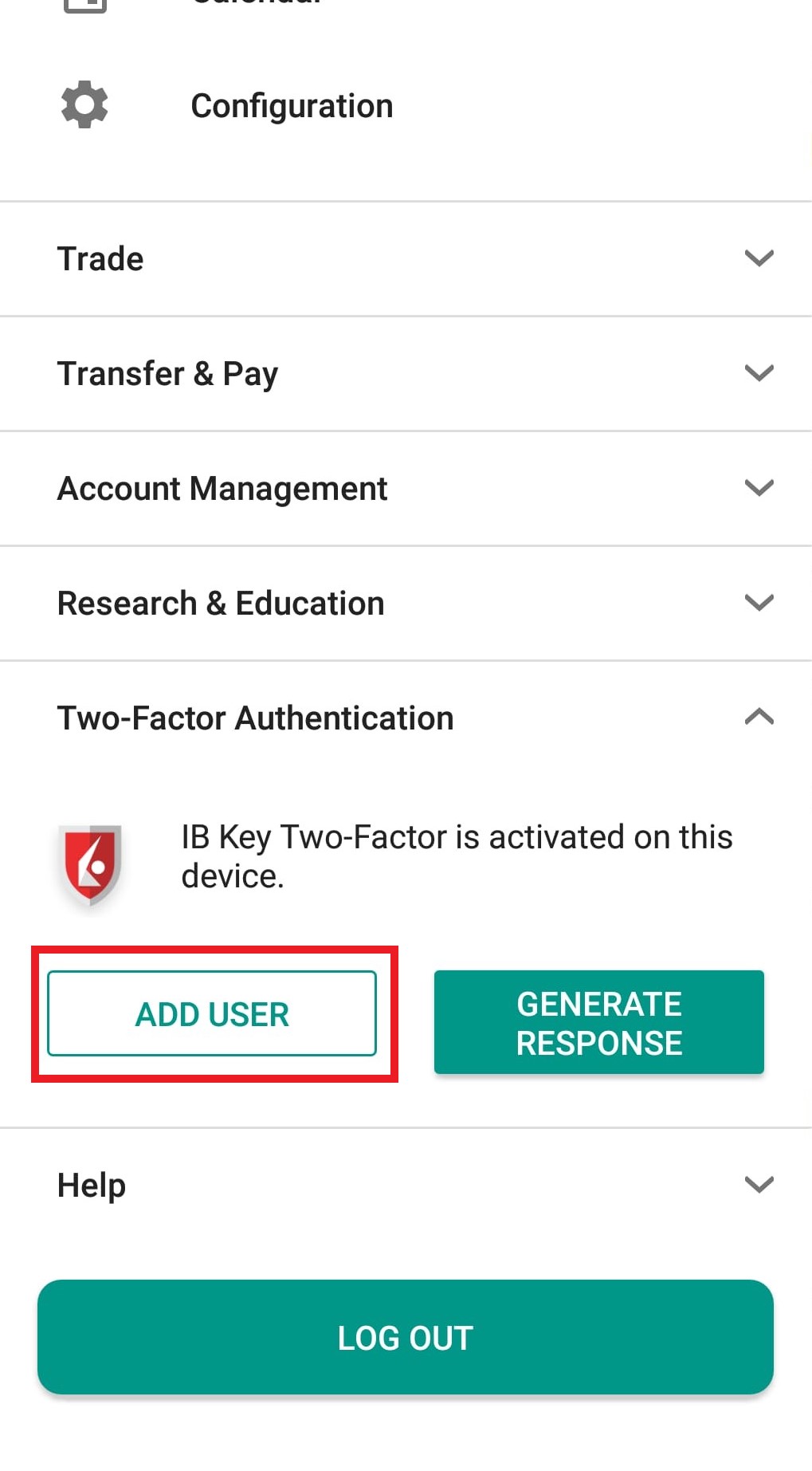
1.b) If the app opens with your Home Page, Portfolio, Watchlists, or similar, tap on More on the top-left corner (Figure 2). Then tap on Two-Factor Authentication (Figure 3), followed by Add User (Figure 4) and proceed with step 3)
Figure 1 Figure 2 Figure 3
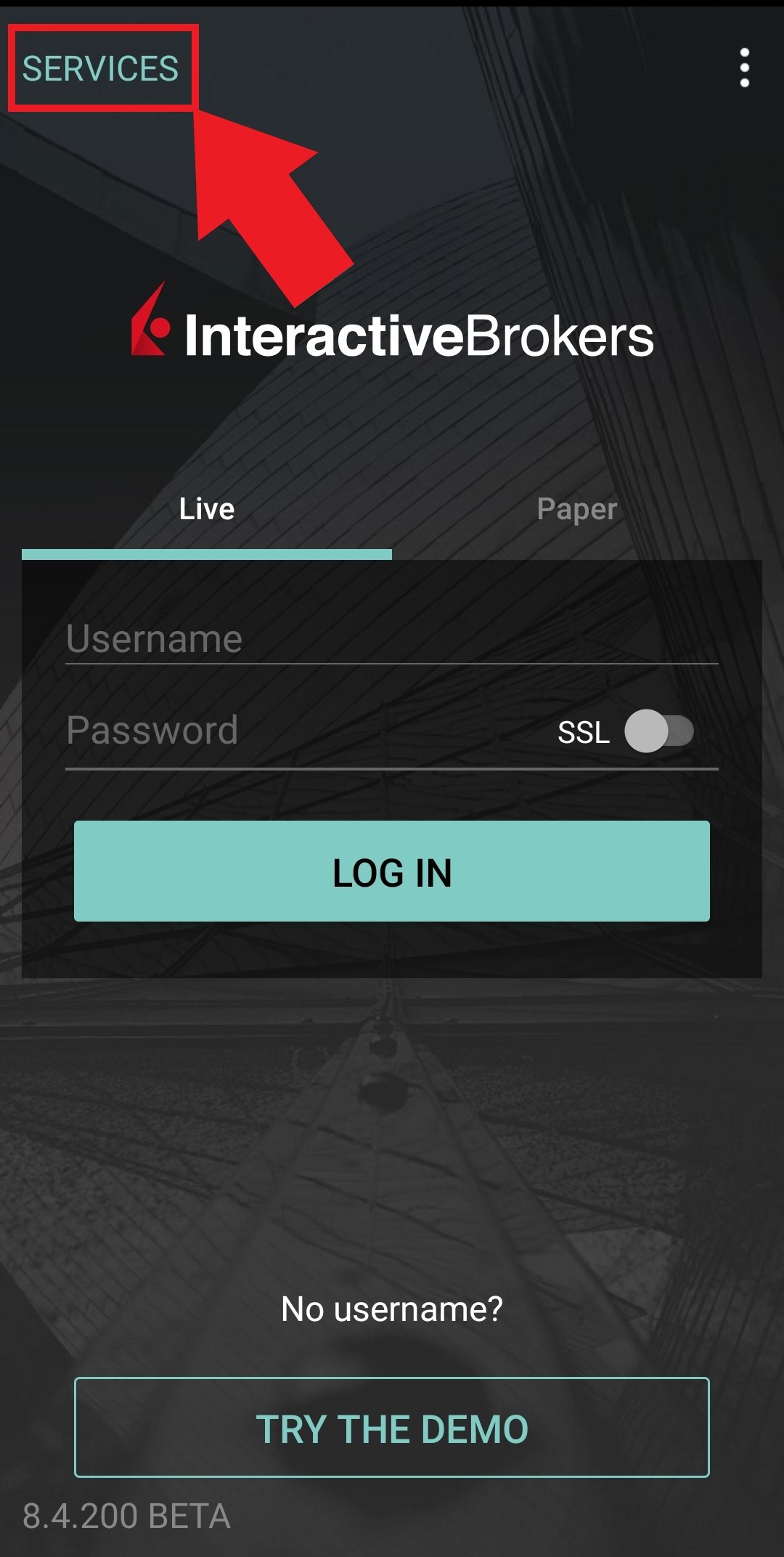
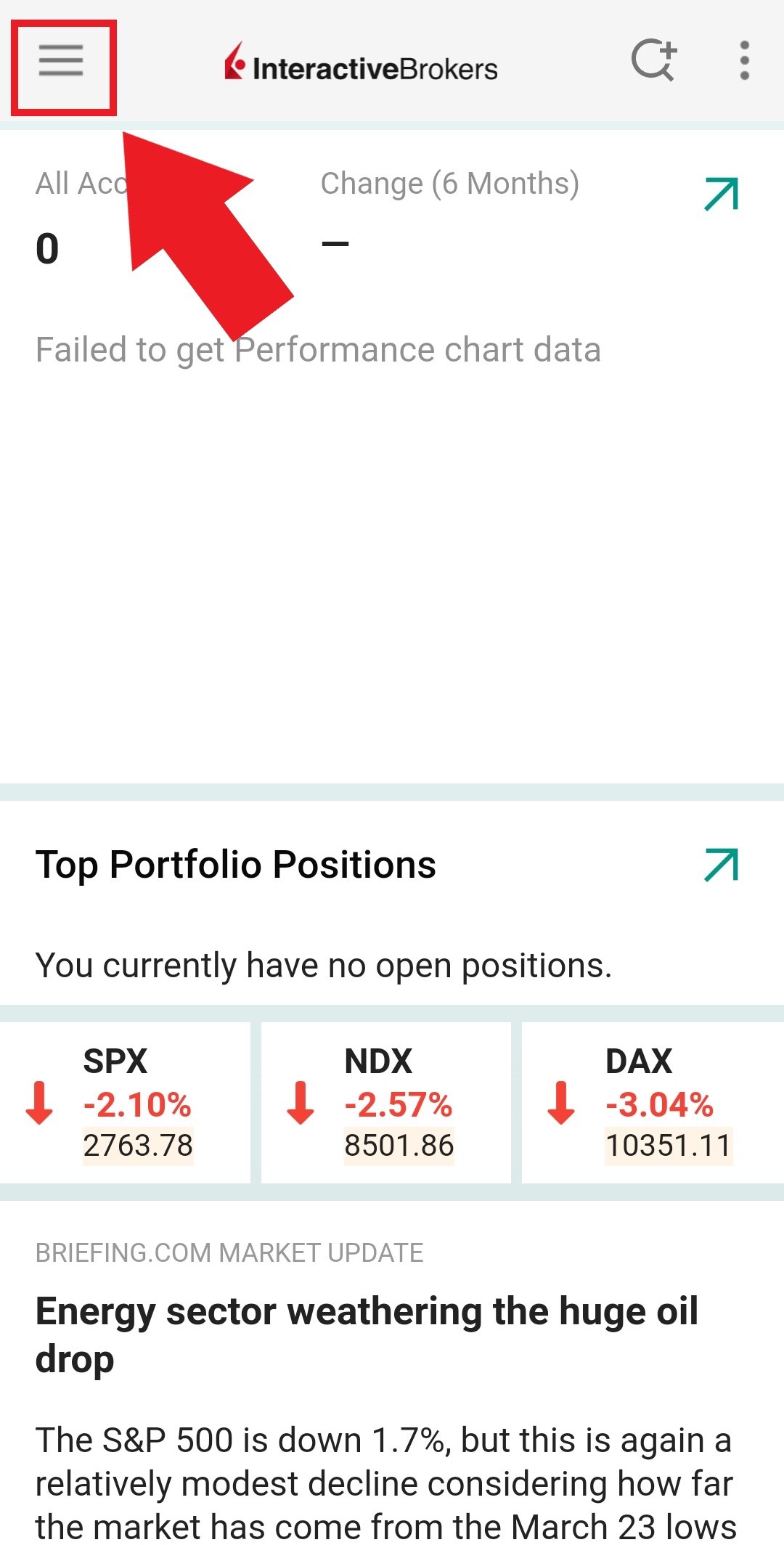
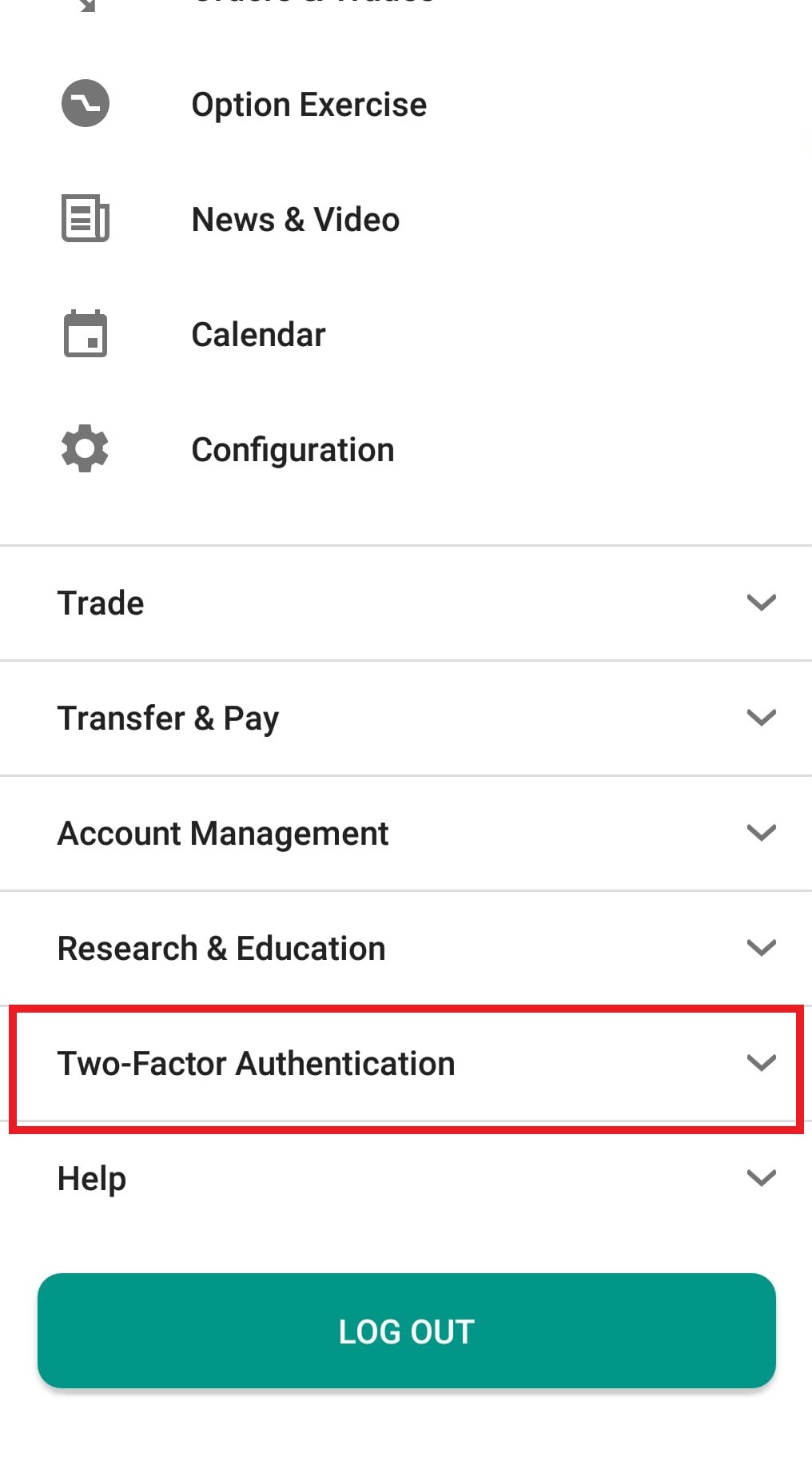
Figure 4
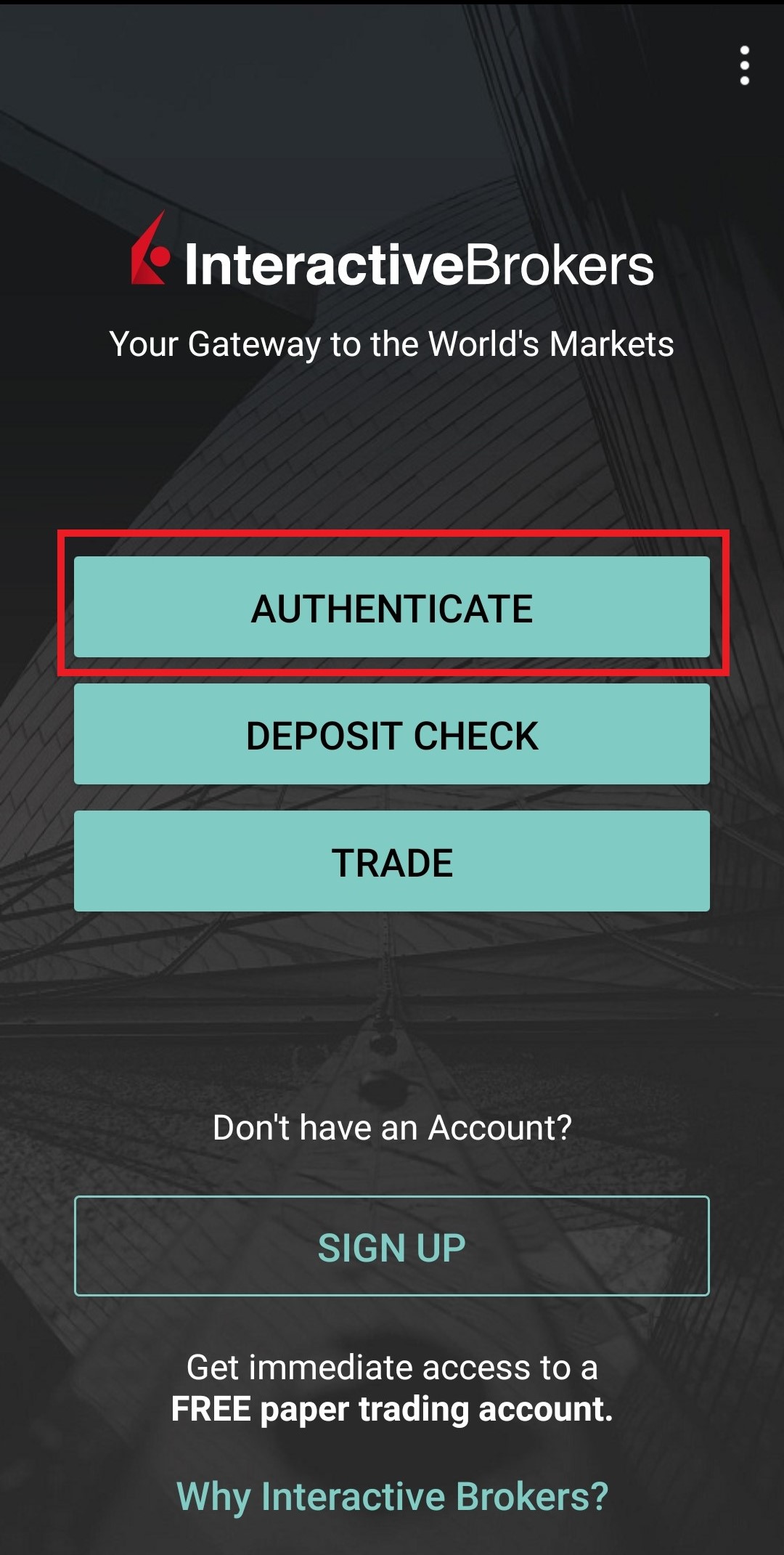
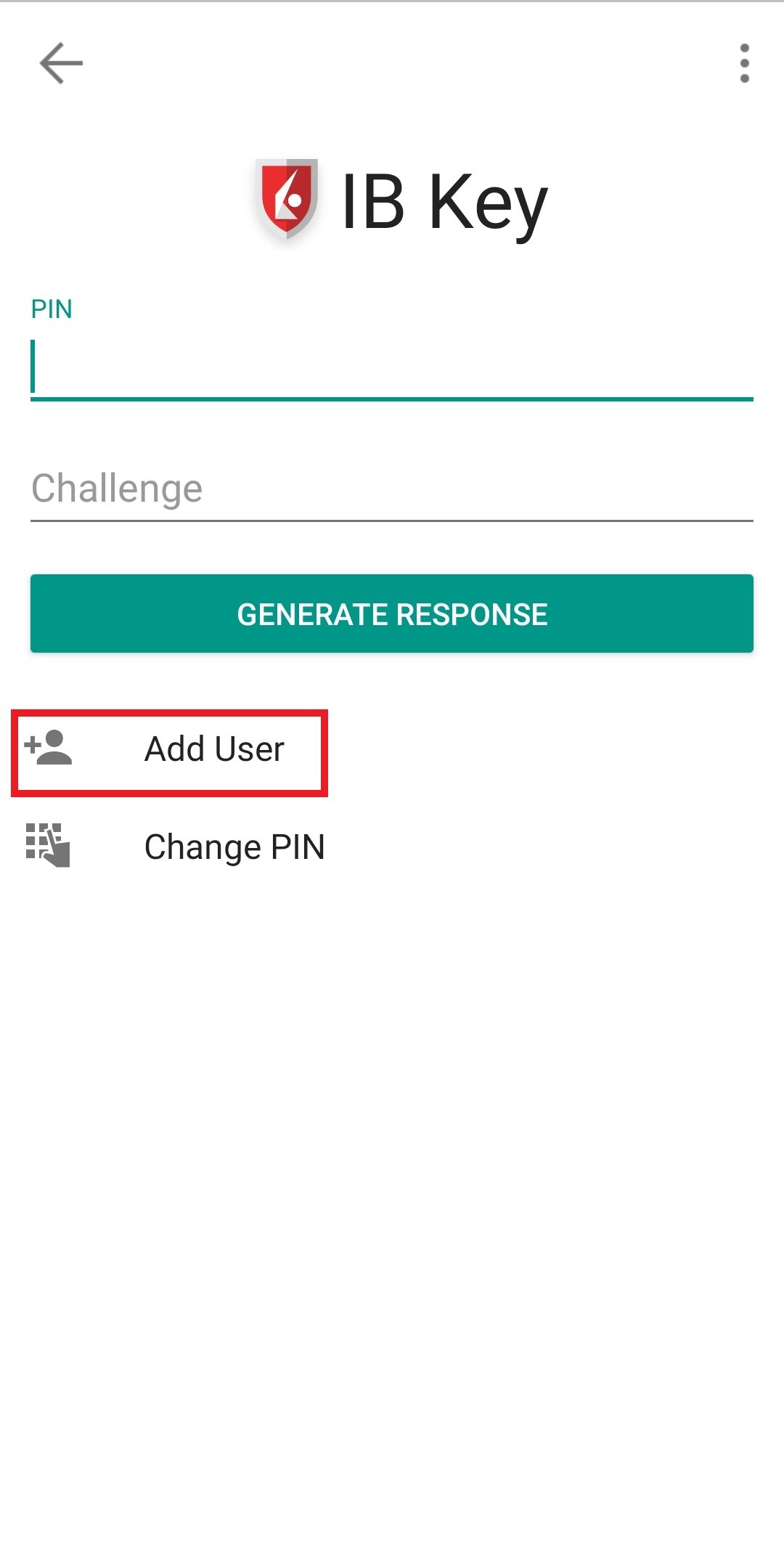
2) Tap on AUTHENTICATE (Figure 5) and then on Add User (Figure 6).
Figure 5 Figure 6
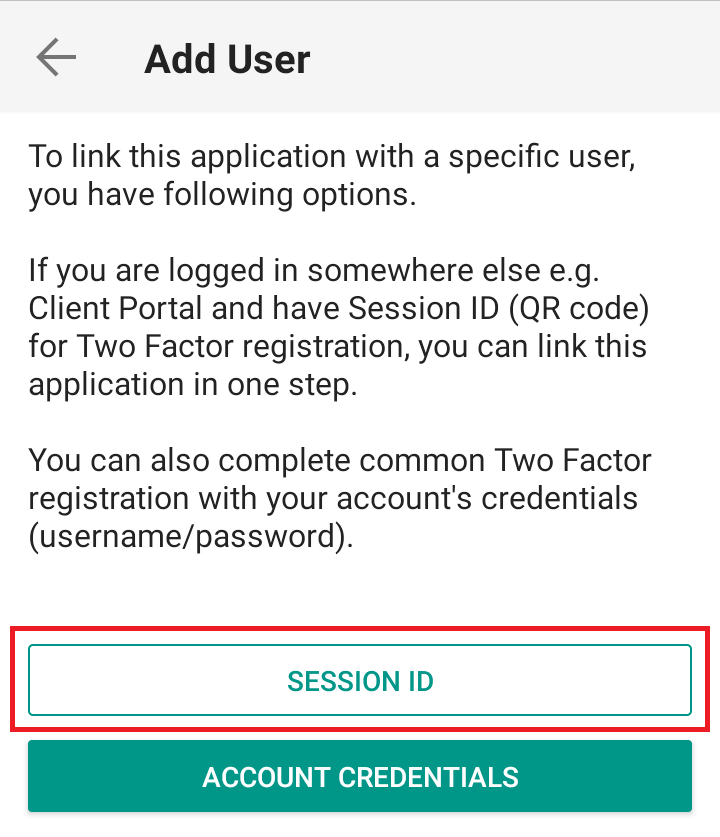
3) Read the instructions and then tap on SESSION ID (Figure 7).
Figure 7
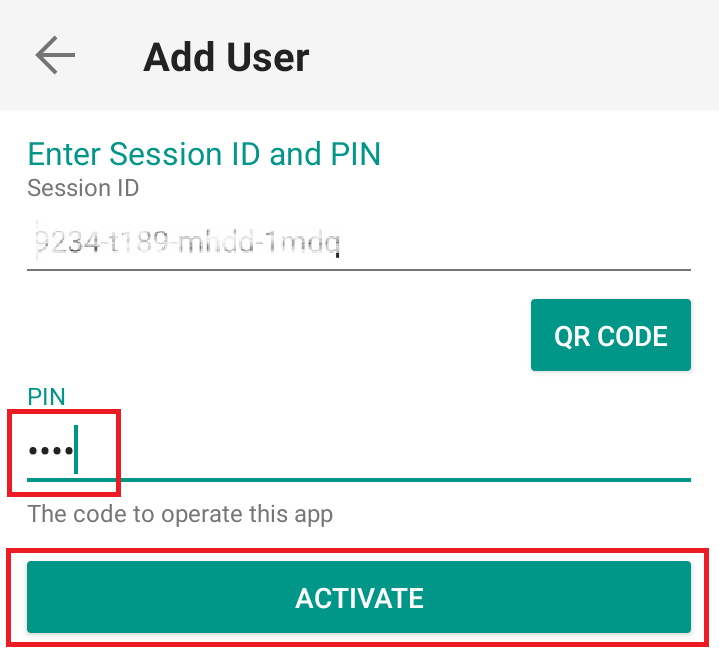
4) Type the alphanumeric string present below the QR code in the Session ID field (Figure 8).
Figure 8
.png)
5) Provide your PIN then tap ACTIVATE (Figure 9).
Figure 9
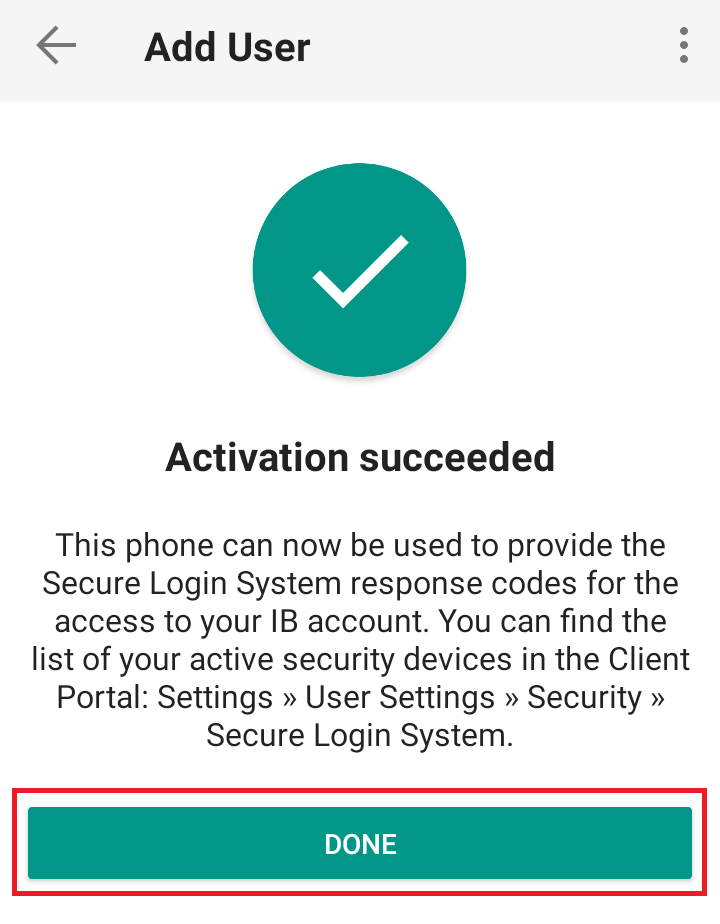
6) You will receive a message indicating the successful activation of IBKR Mobile Authentication (IB Key). Tap DONE to confirm (Figure 10).
Figure 10
Possible Issues and Solutions
- During the IBKR Mobile Authentication (IB Key) activation, I receive an error message "An error has occurred. Please try again."
Figure 11
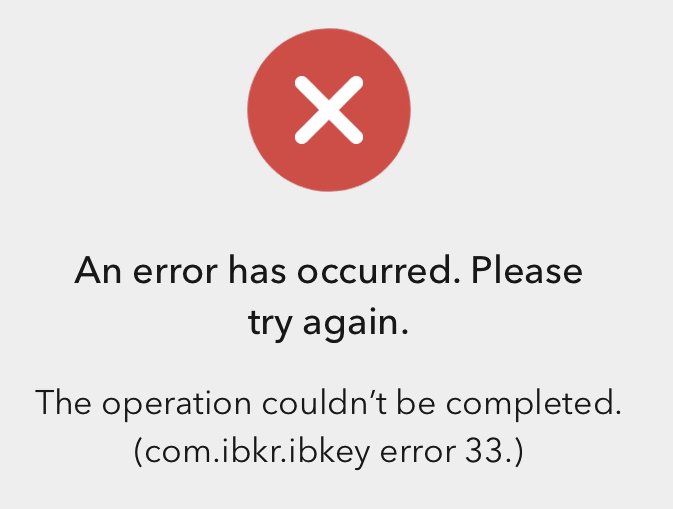
This error message (Figure 11) may indicate you are attempting to activate the IBKR Mobile Authentication (IB Key) for a user which was already enrolled. Please try to log that user in to the Client Portal again. If you receive a notification on your smartphone once you have entered the credentials and you are able to complete the authentication once you tap on that notification, then the user was already enrolled and you no longer need to follow the steps on this article.
Alternatively, the error message may be displayed when the QR code shown in the Client Portal was already used to attempt an activation and is expired. In this case, please log out of the Client Portal and log back in to obtain a fresh QR code.
I am unable to scan the QR Code in Client Portal. How can I add a User to IBKR Mobile Authentication (IB Key) for iPhone?
Requirements:
- The IBKR Mobile app must be installed and IBKR Mobile Authentication (IB Key) already activated on this iOS device.
- For more information on the installation and activation on iOS devices, please refer to KB2278.
Instructions:
1) On your iOS device, open the IBKR Mobile app.
1.a) If the app opens with the login screen (Figure 1), tap on Services on the top-left corner (red arrow) and proceed with step 2)
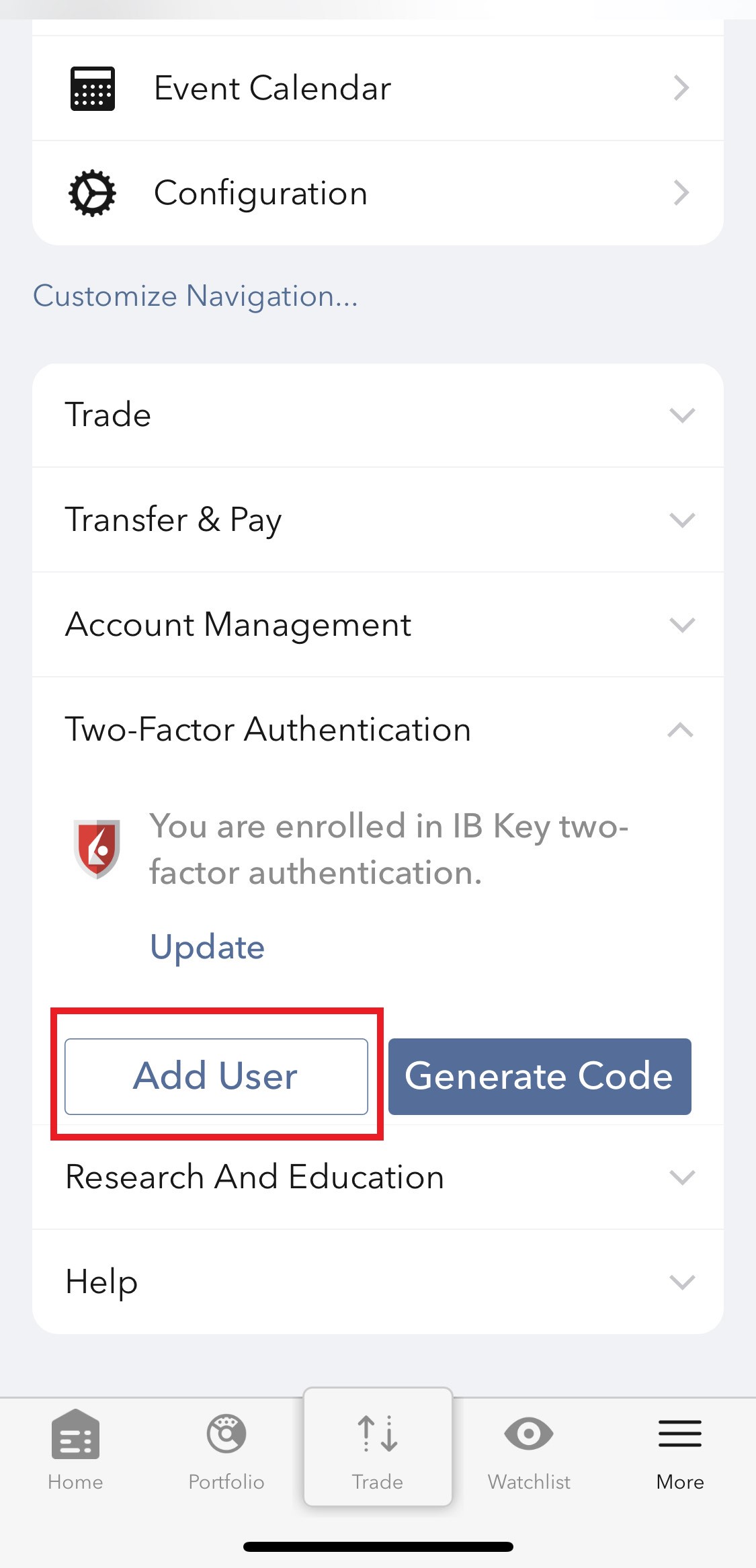
1.b) If the app opens with your Home Page, Portfolio, Watchlists, or similar, tap on More on the bottom-right corner (Figure 2). Then tap on Two-Factor Authentication (Figure 3), followed by Add User (Figure 4) and proceed with step 3)
Figure 1 Figure 2 Figure 3
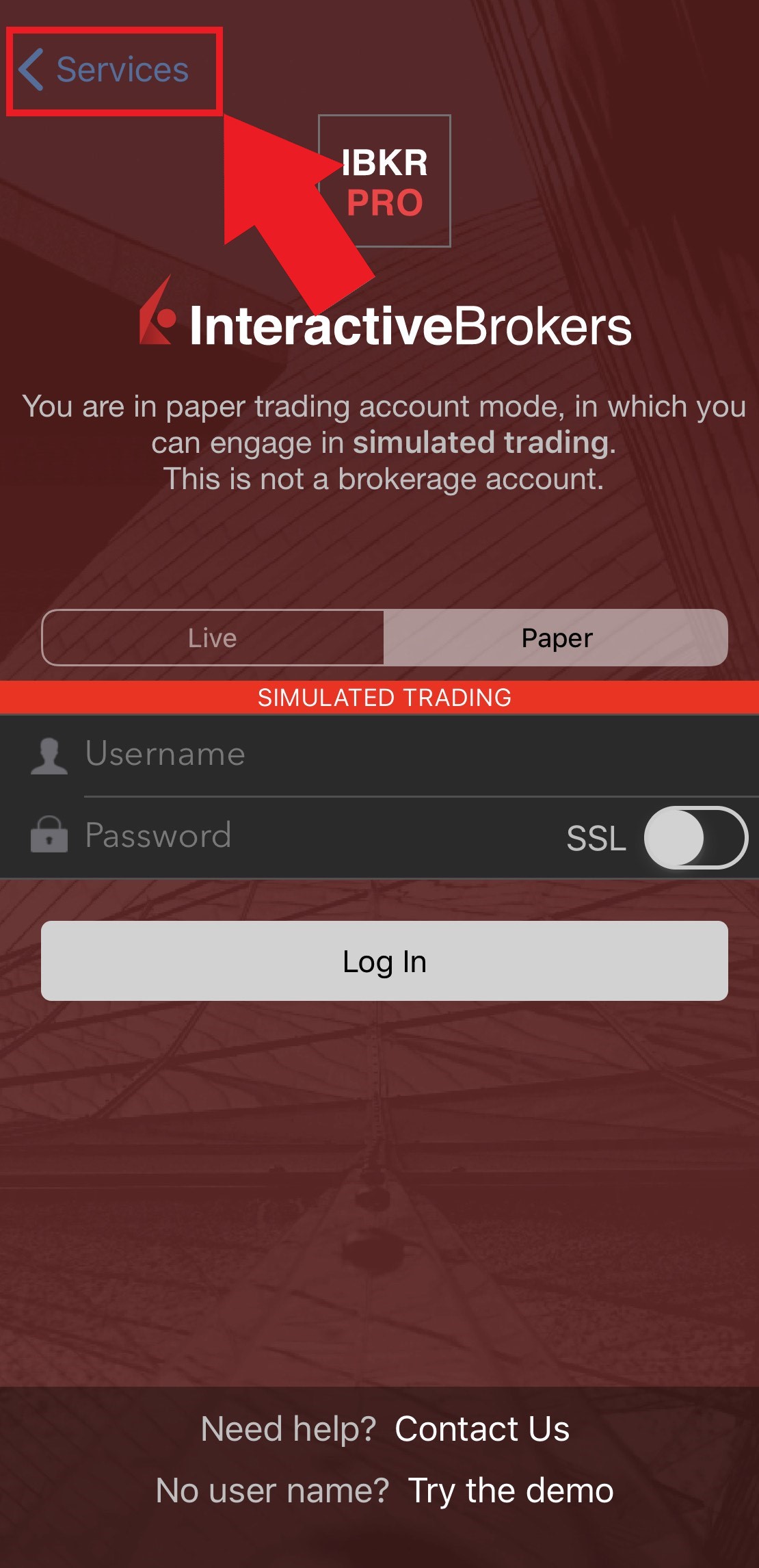
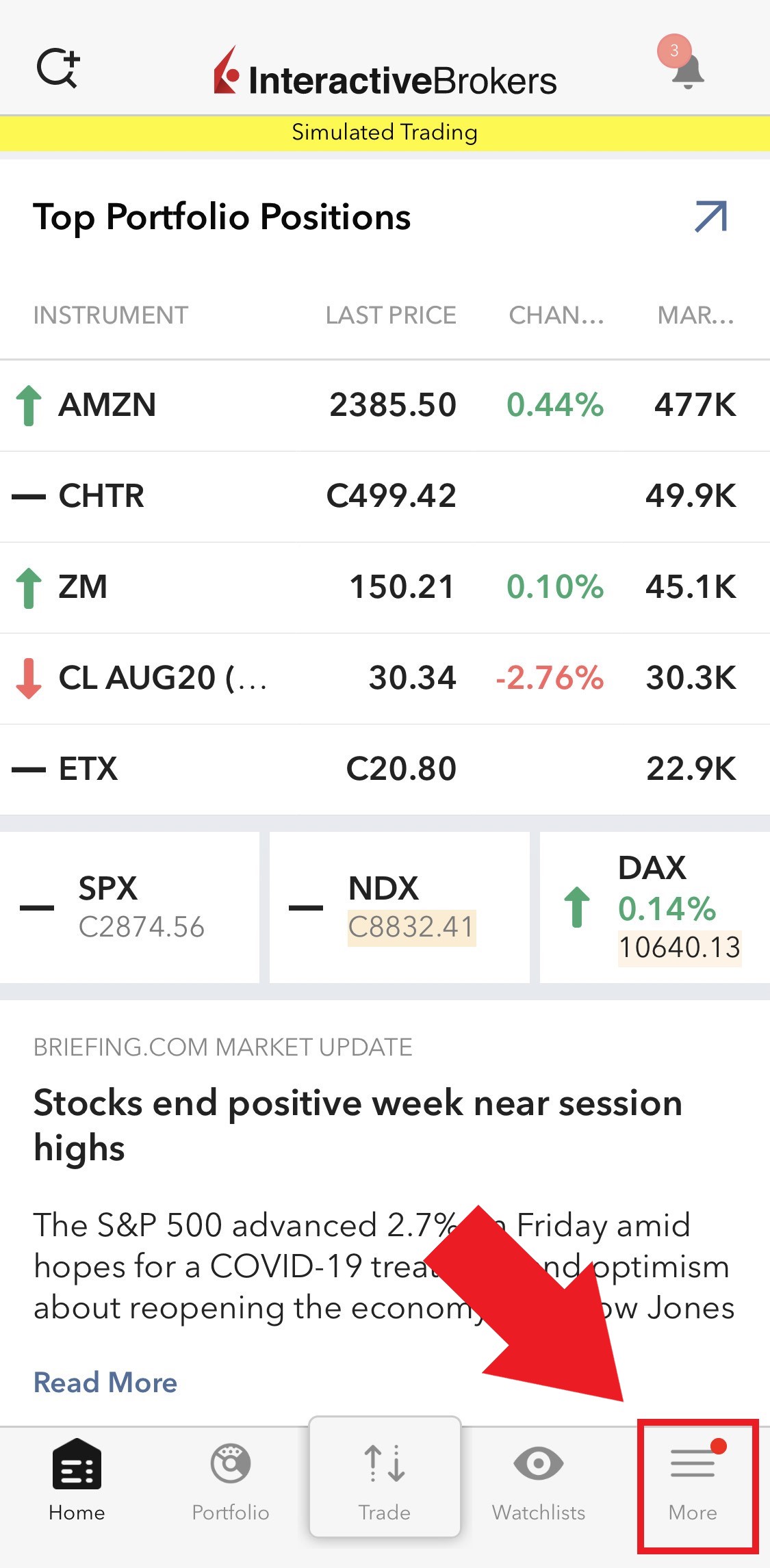
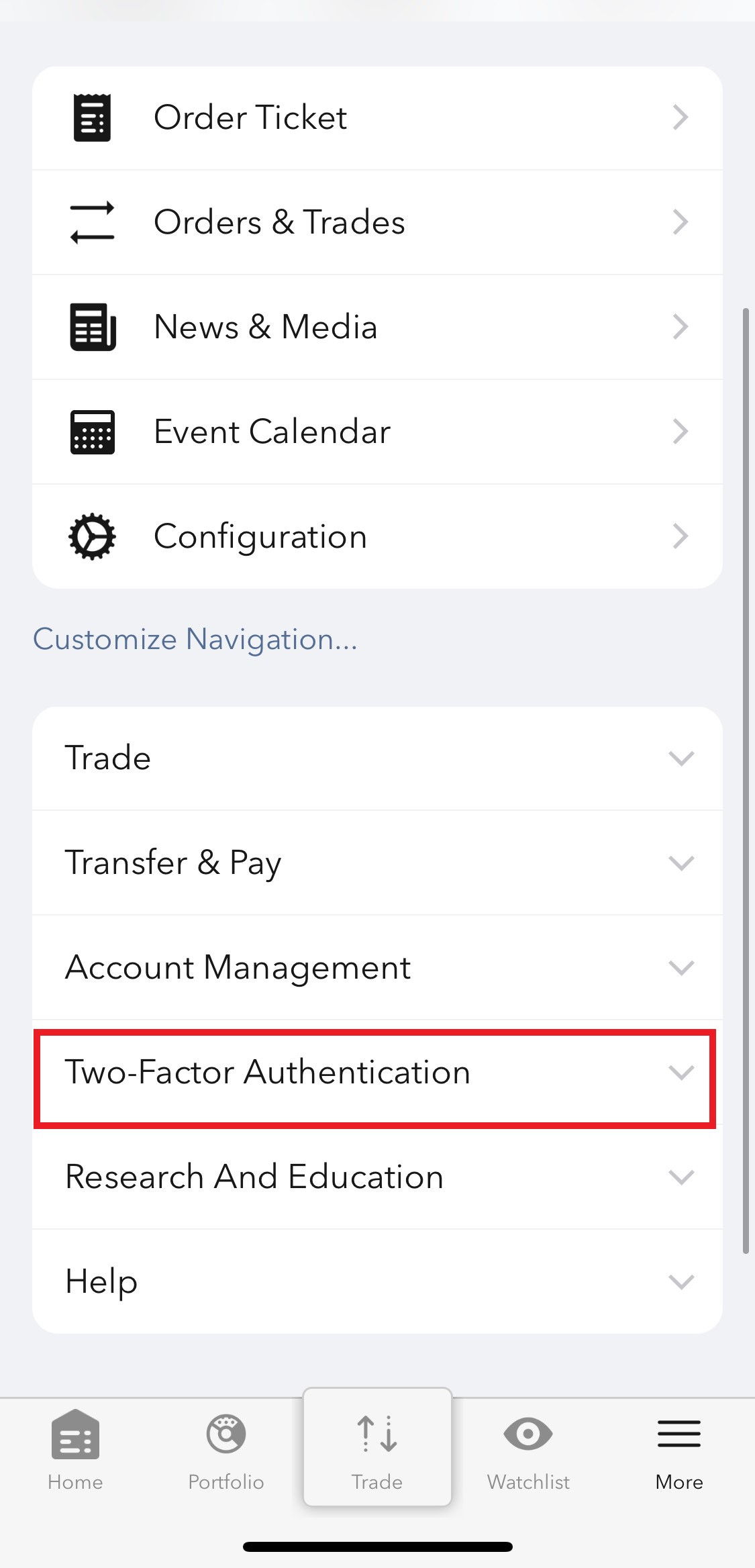
Figure 4
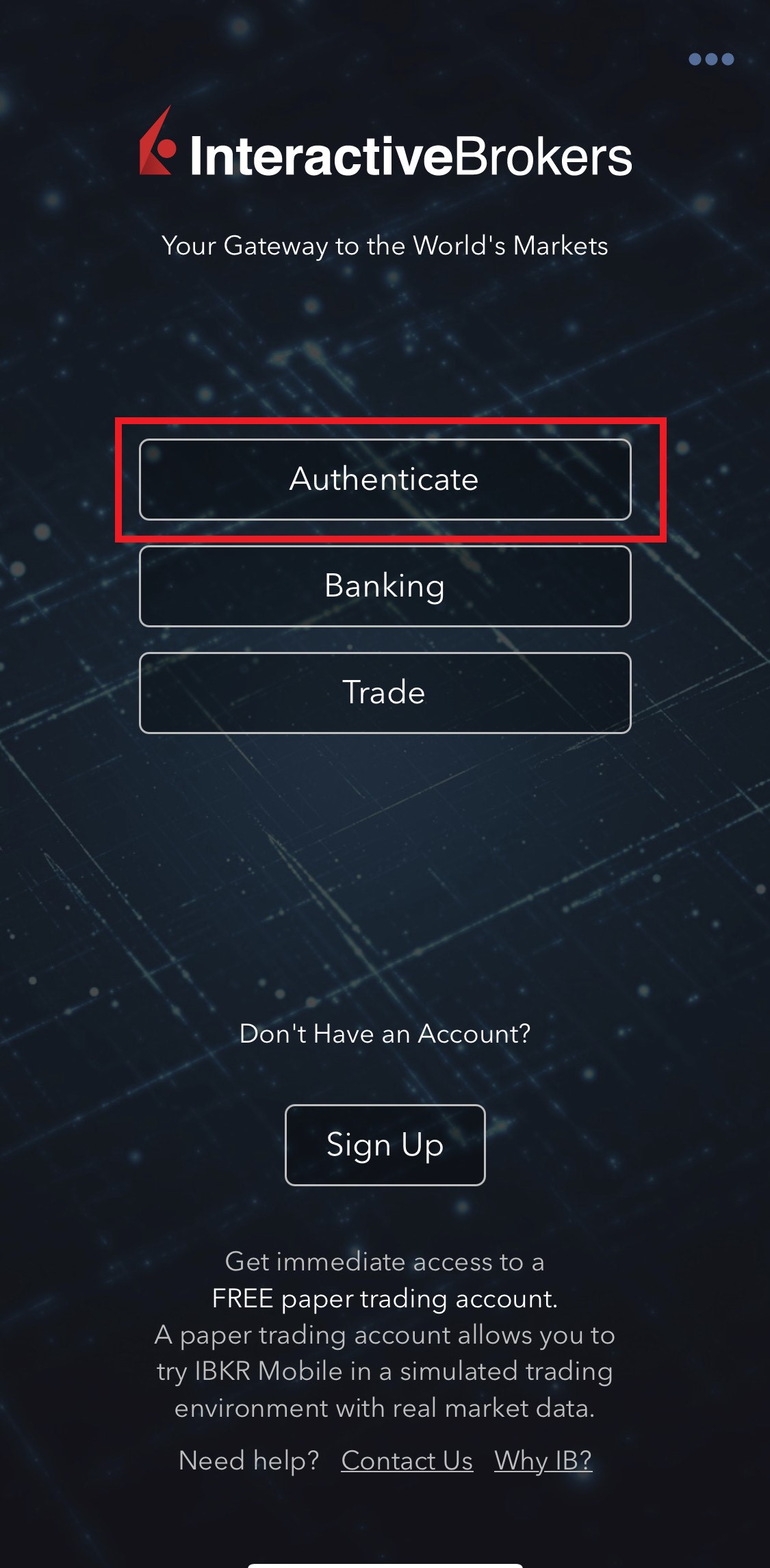
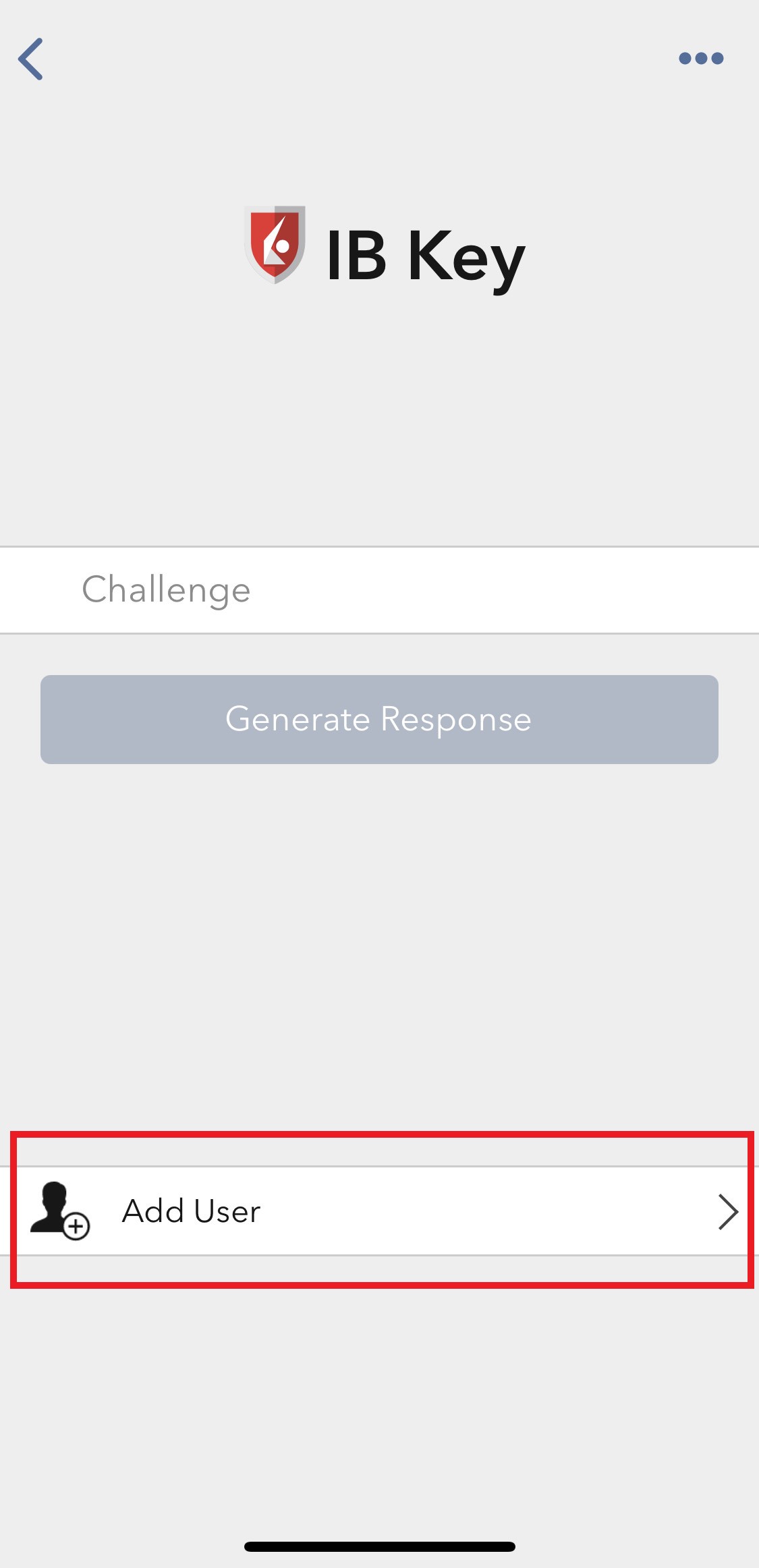
2) Tap on Authenticate (Figure 5) and then on Add User (Figure 6).
Figure 5 Figure 6
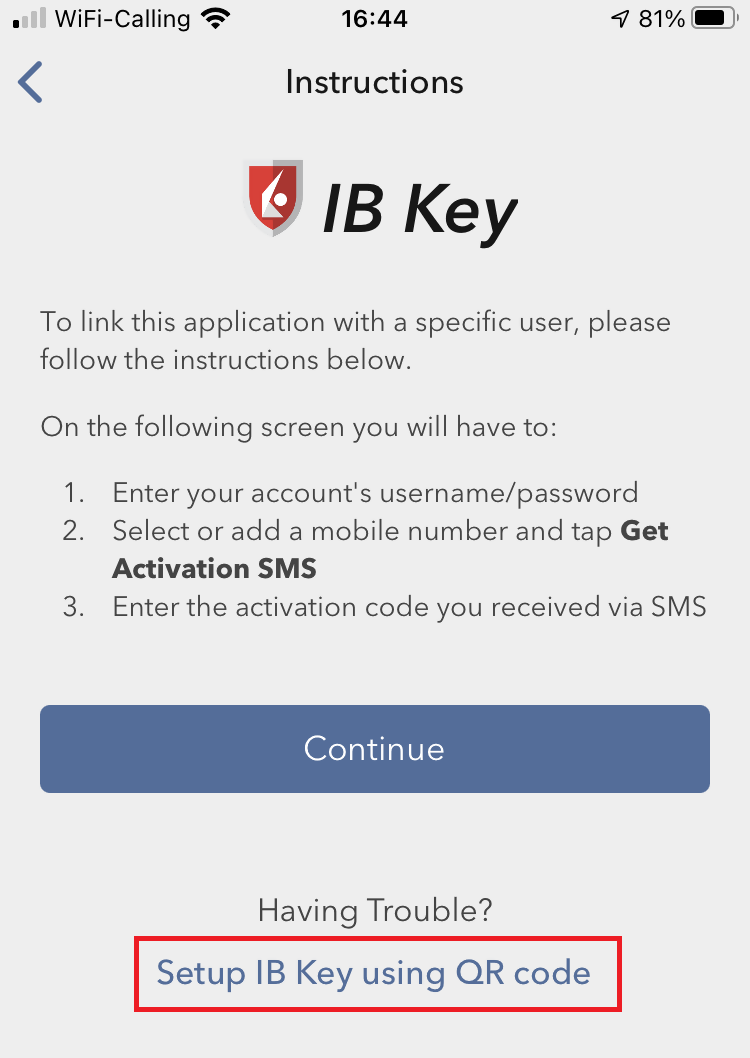
3) Tap Setup IB Key using QR code (Figure 7).
Figure 7
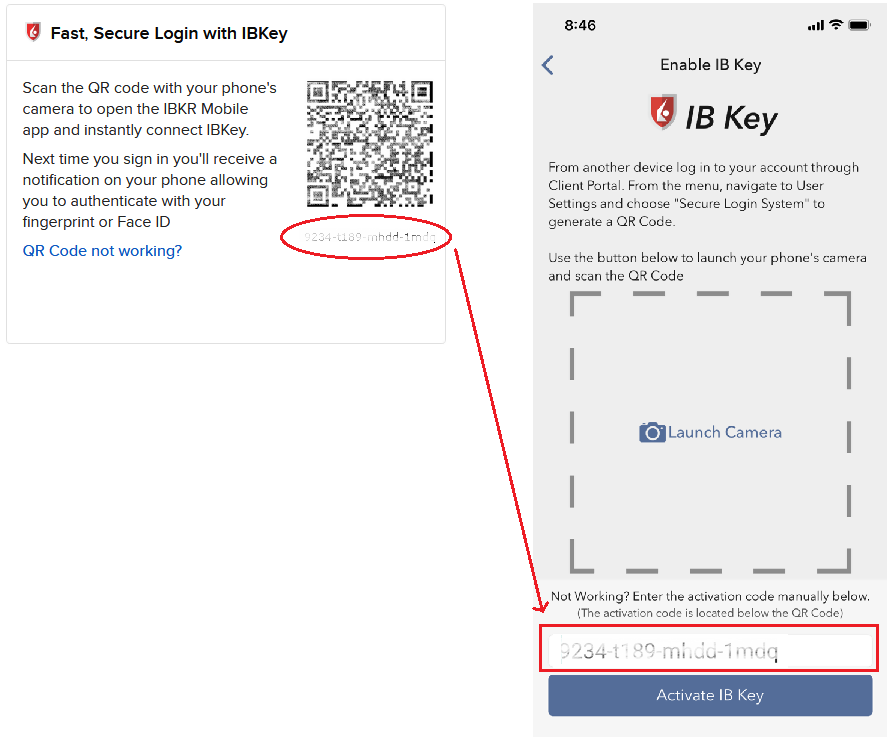
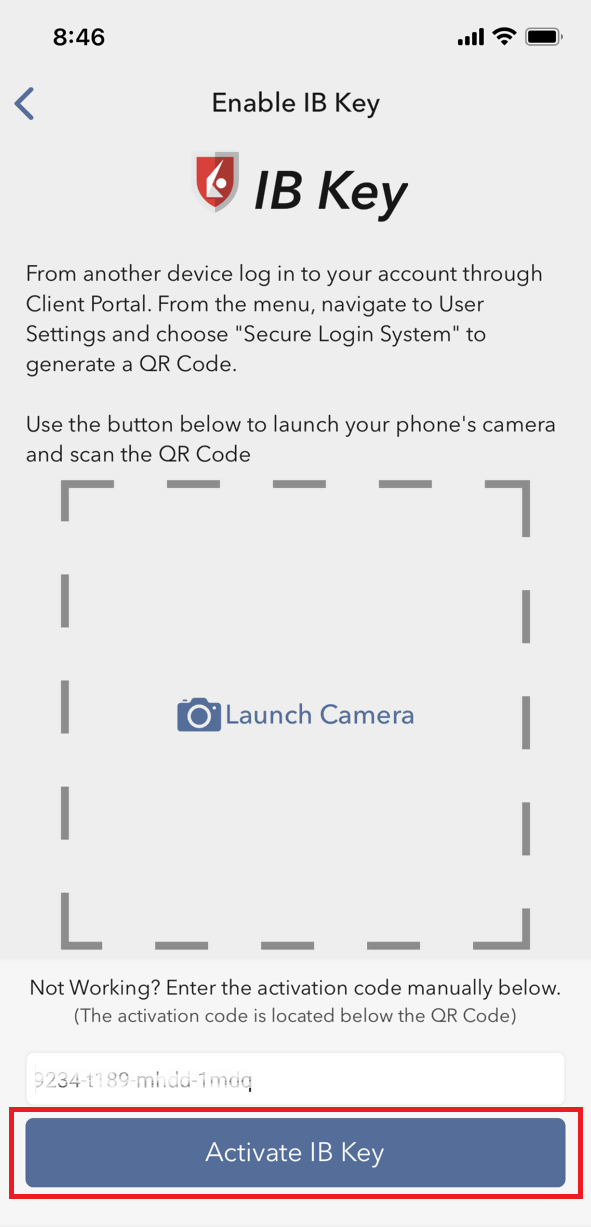
4) Type the alphanumeric string present below the QR code in the Activation Code field (Figure 8).
Figure 8
8) Tap Activate IB Key (Figure 9).
Figure 9
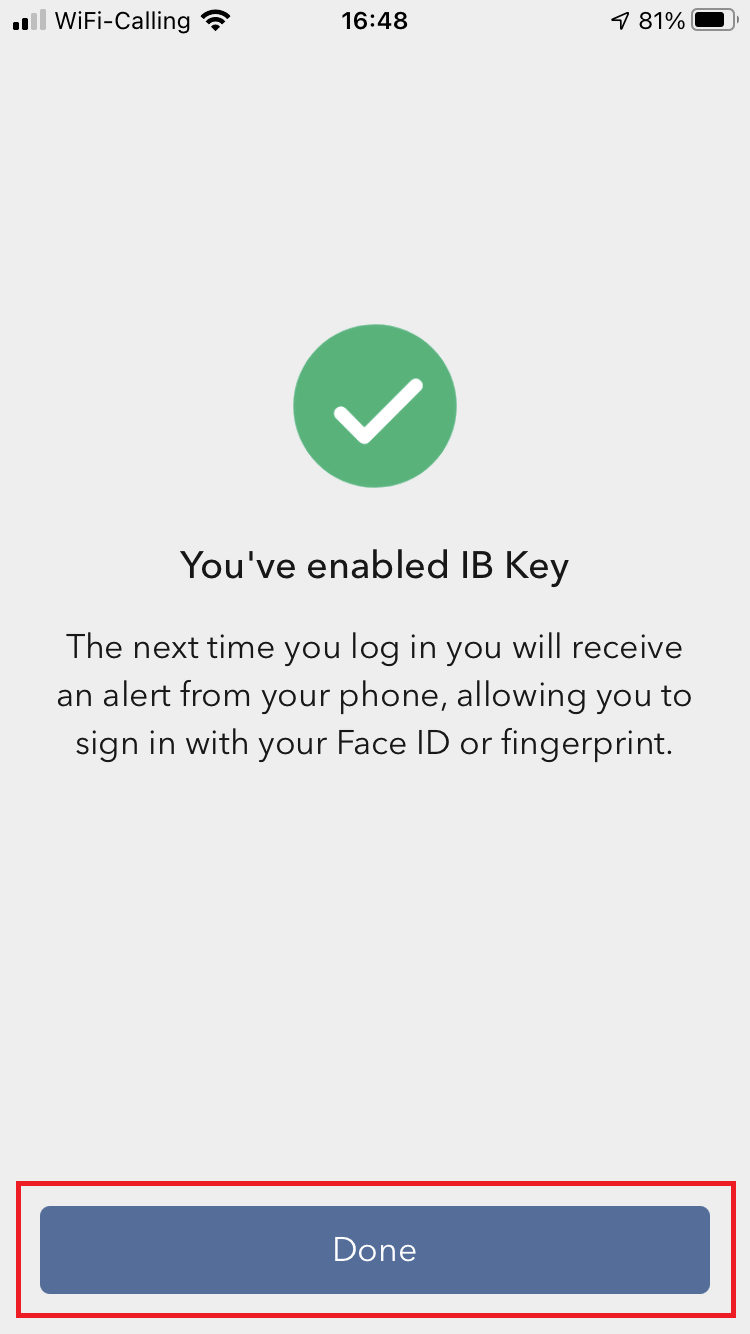
9) You will receive a message indicating the successful activation of IBKR Mobile Authentication (IB Key). Tap DONE to confirm (Figure 10).
Figure 10
Possible issues and solutions
- During the IBKR Mobile Authentication (IB Key) activation, I receive an error message "An error has occurred. Please try again."
Figure 11
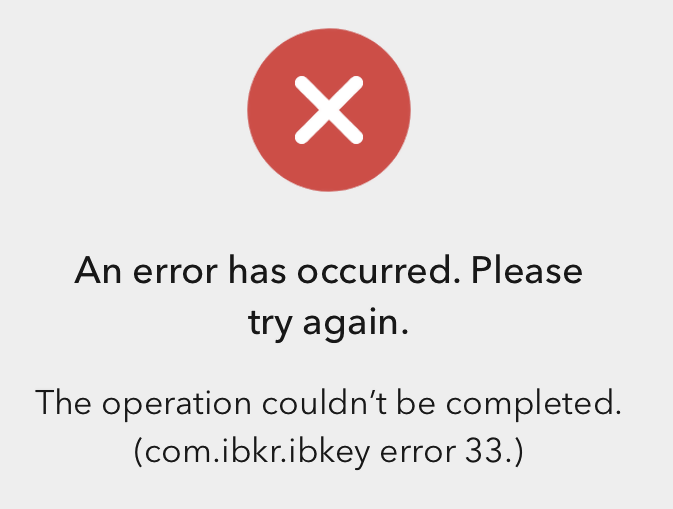
This error message (Figure 11) may indicate you are attempting to activate the IBKR Mobile Authentication (IB Key) for a user which was already enrolled. Please try to log that user in to the Client Portal again. If you receive a notification on your smartphone once you have entered the credentials and you are able to complete the authentication once you tap on that notification, then the user was already enrolled and you no longer need to follow the steps on this article.
Alternatively, the error message may be displayed when the QR code shown in the Client Portal was already used to attempt an activation and is expired. In this case, please log out of the Client Portal and log back in to obtain a fresh QR code.
References:
- See KB2260 for instruction on how to activate and operate IBKR Mobile Authentication (IB Key).
- See KB2748 for instructions on how to recover IBKR Mobile Authentication (IB Key).
- See KB3236 for instructions on how to enable notifications for the IBKR Mobile app.
- See KB3234 for troubleshooting missing IBKR Mobile notifications.
- See KB3073 for instructions on how to migrate the IBKR Mobile Authentication (IB Key) to a new smartphone.
I want to add a User to IBKR Mobile Authentication (IB Key) for Android with the QR Code from Client Portal
Requirements:
- The IBKR Mobile app must be installed and IBKR Mobile Authentication (IB Key) already activated on this Android device.
- For more information on the installation and activation on Android devices, please consult the IBKR Knowledge Base.
Instructions:
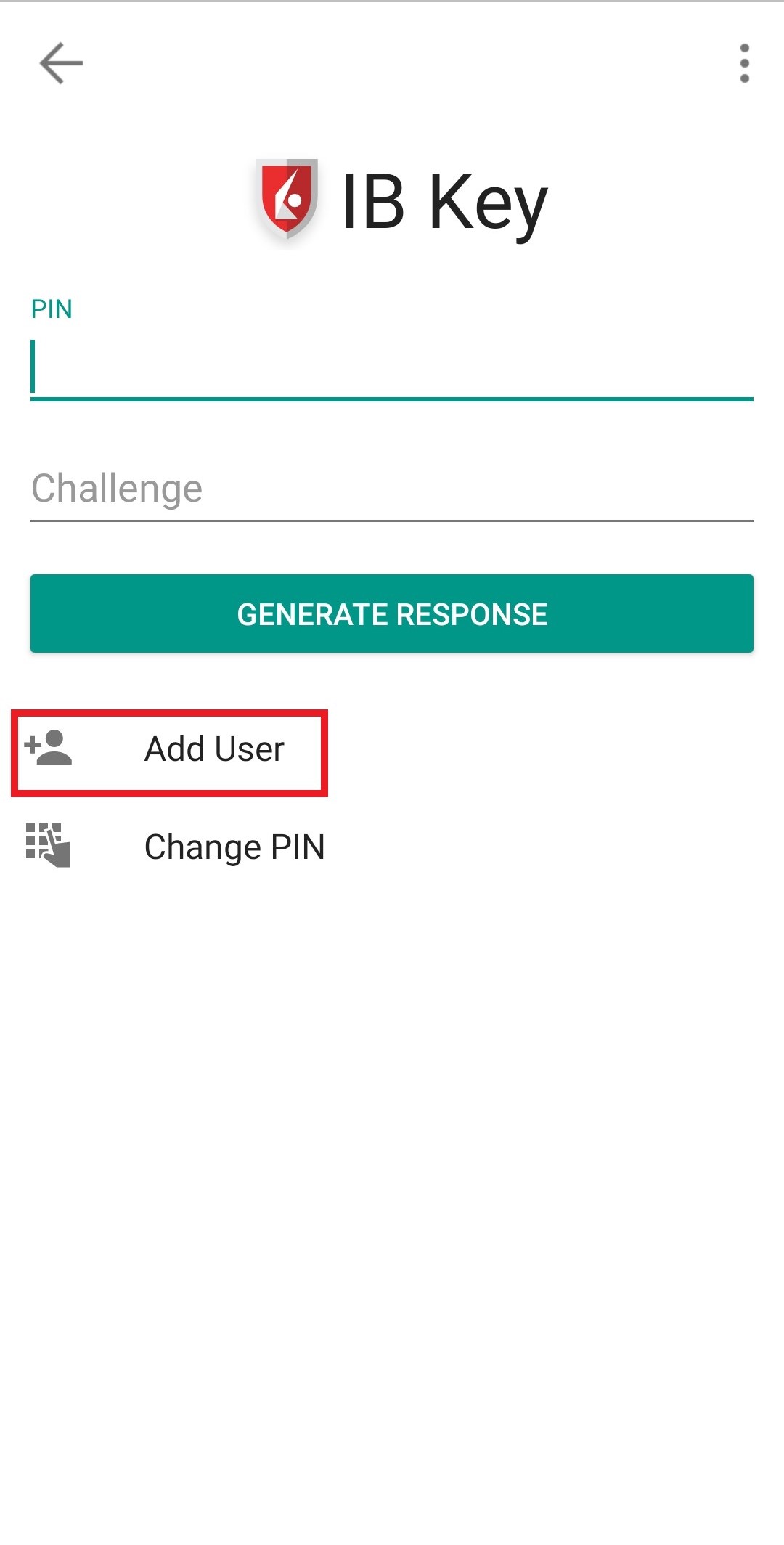
1) On your Android device, open the IBKR Mobile app.
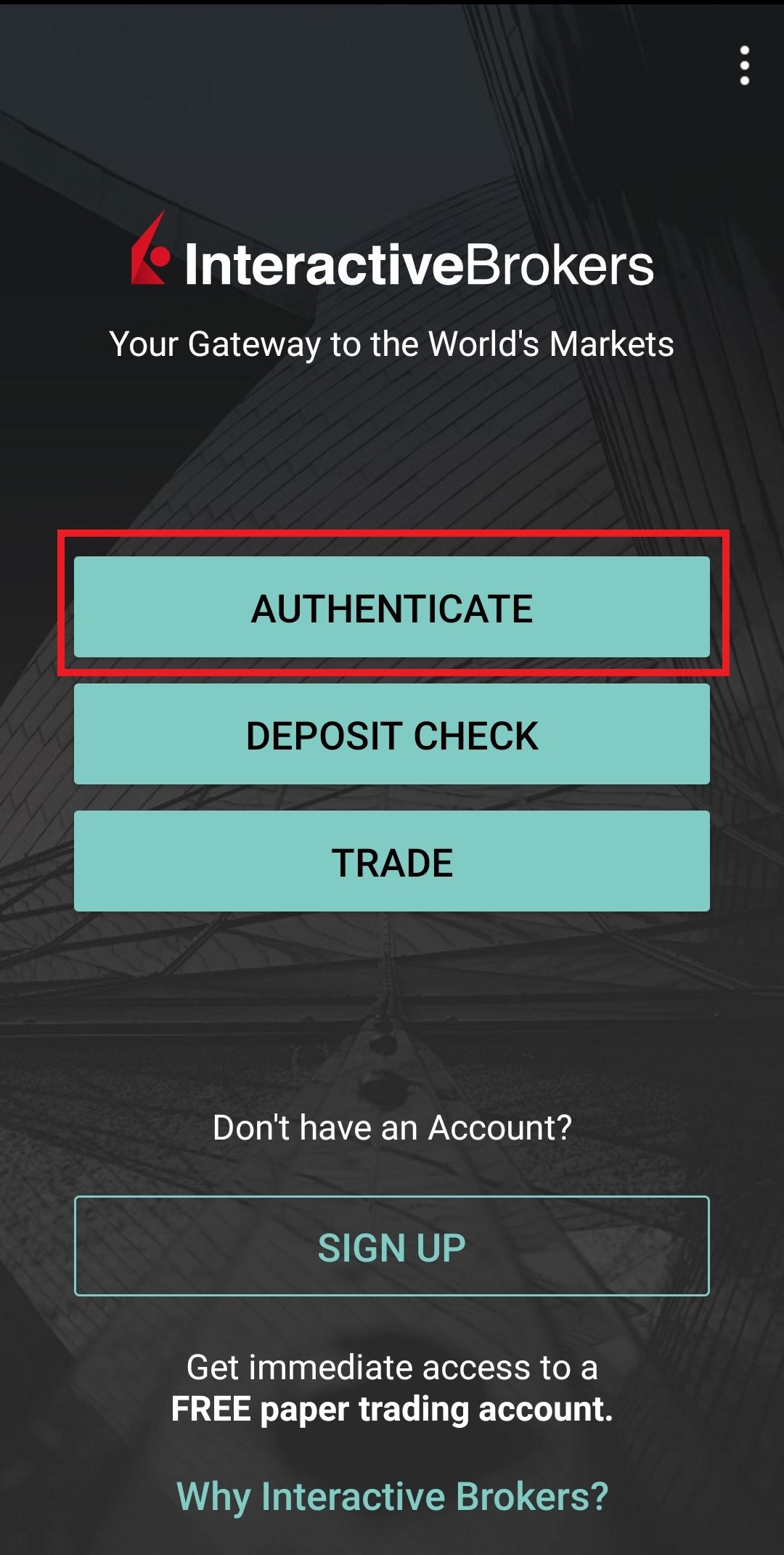
1.a) If the app opens with the login screen (Figure 1), tap on Services on the top-left corner (red arrow) and proceed with step 2)
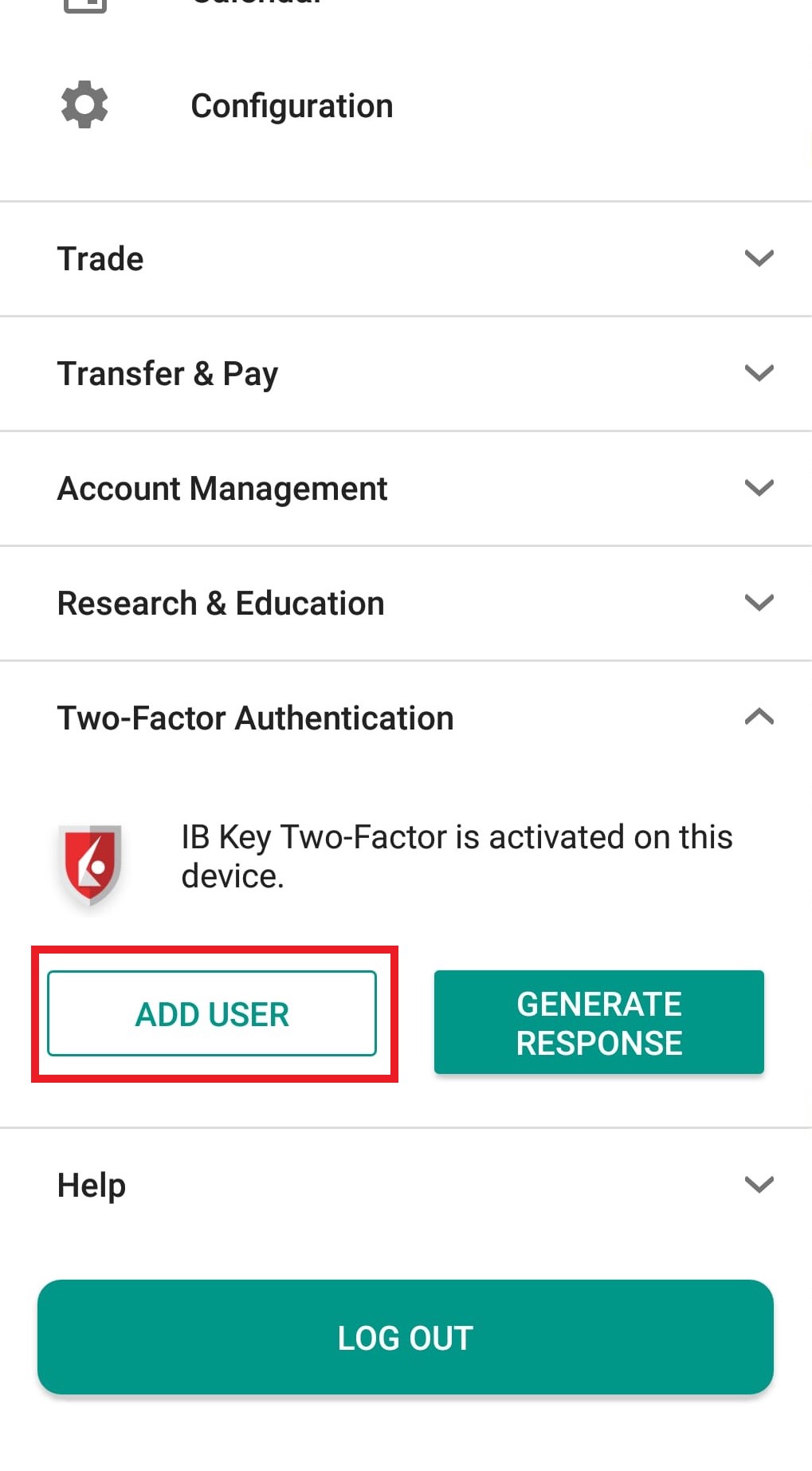
1.b) If the app opens with your Home Page, Portfolio, Watchlists, or similar, tap on More on the top-left corner (Figure 2). Then tap on Two-Factor Authentication (Figure 3), followed by Add User (Figure 4) and proceed with step 3)
Figure 1 Figure 2 Figure 3
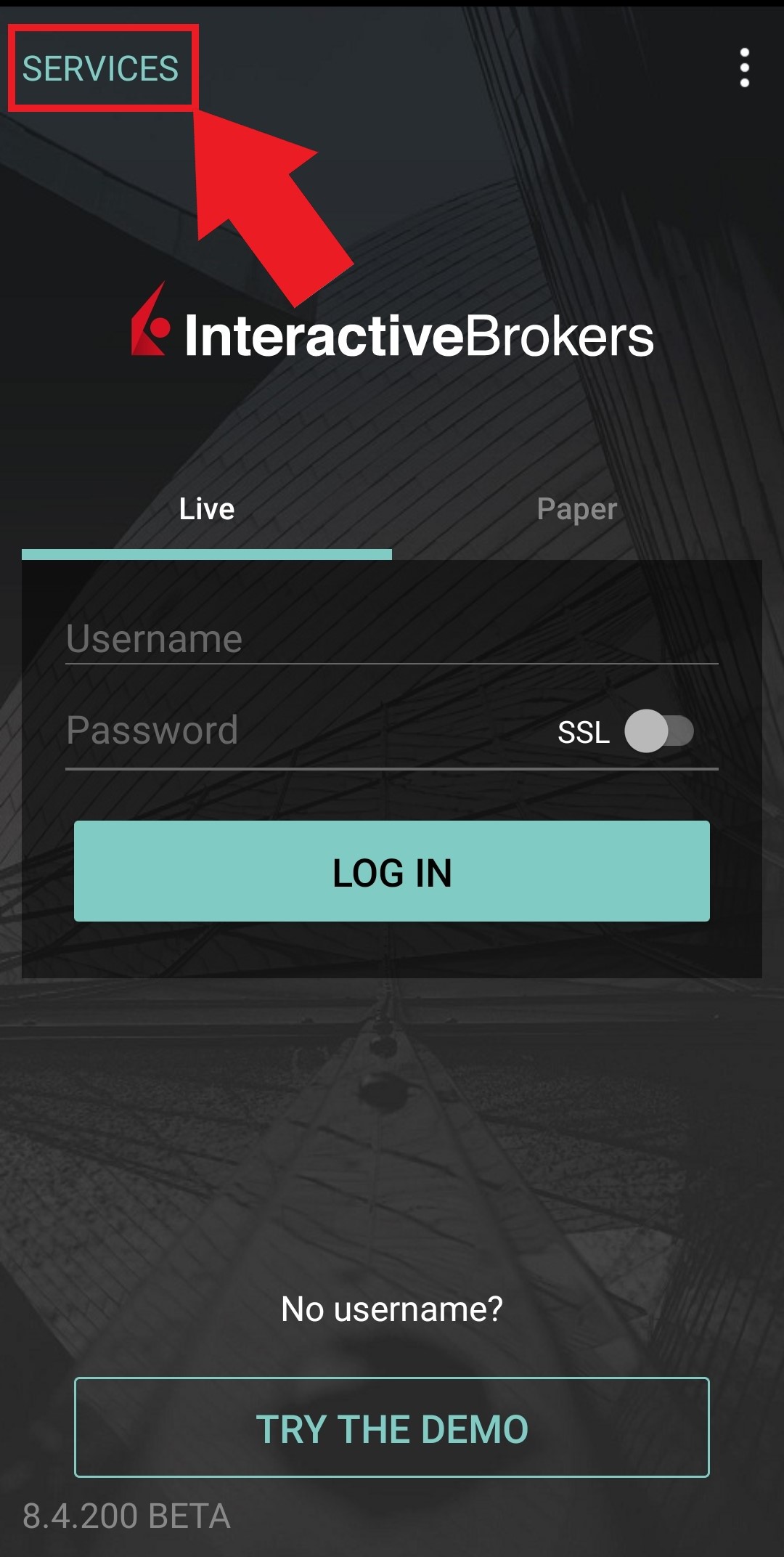
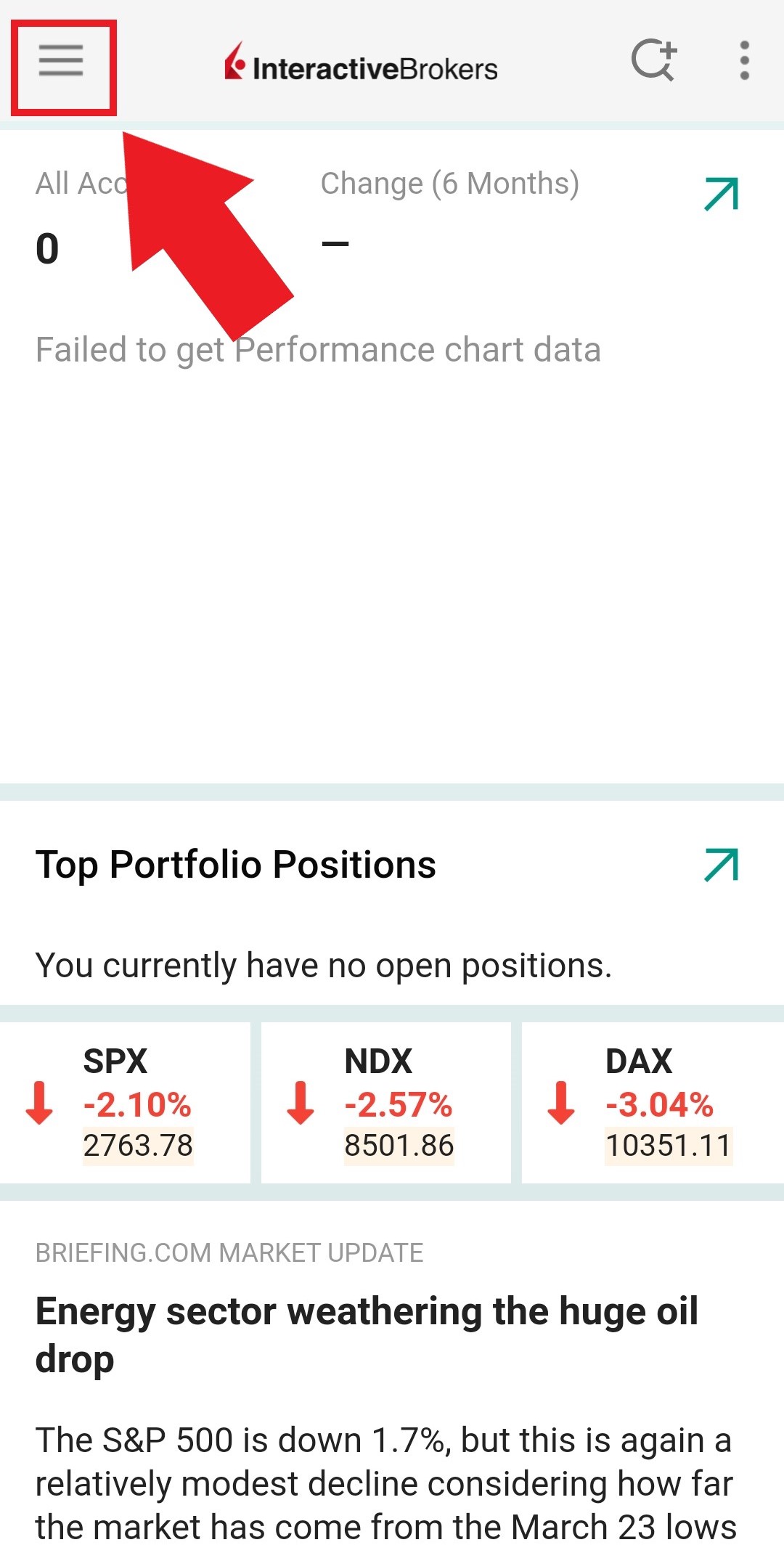
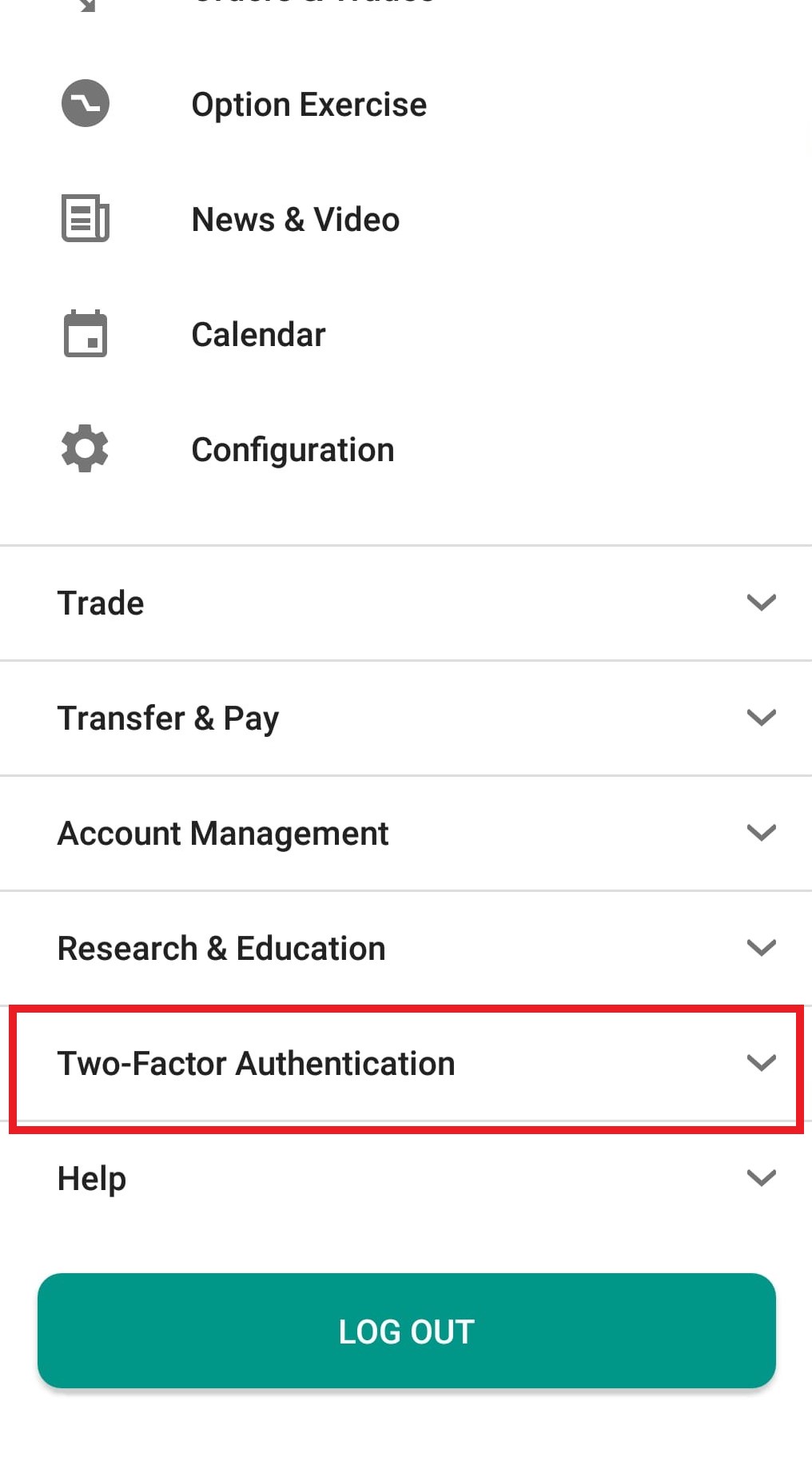
Figure 4
2) Tap on Authenticate (Figure 5) and then on Add User (Figure 6).
Figure 5 Figure 6
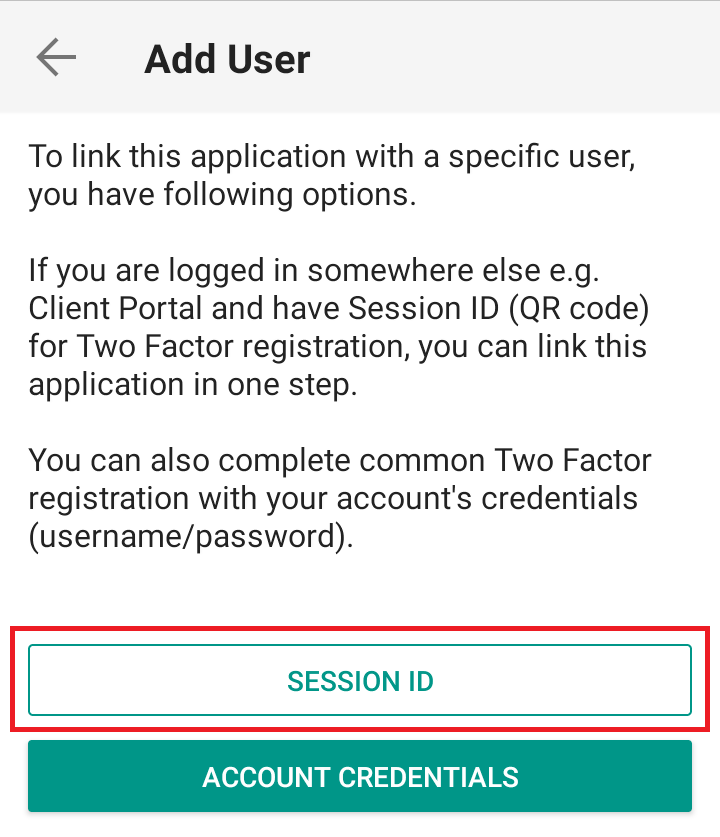
3) Read the instructions and then tap on SESSION ID (Figure 7).
Figure 7
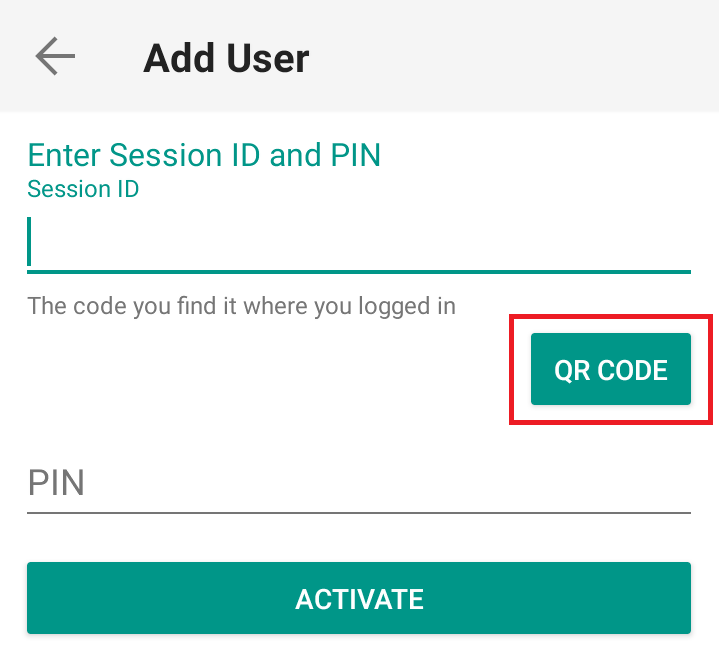
4) Tap QR CODE (Figure 8).
Figure 8
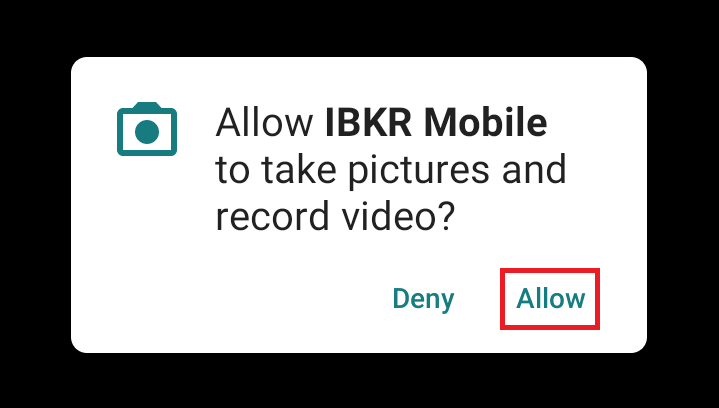
5) Tap Allow if asked for permission to use the phone camera (Figure 9).
Figure 9
6) Point the lens of your smartphone camera towards the QR code (Figure 10). You don't need to "take a picture." When the code is in focus, it is automatically captured. If your phone does not seem to recognize the QR code try to move your phone closer or farther away to the QR code in order to gain focus. If your phone does not recognize the QR code, please see the section Possible Issues and solutions at the bottom of this article.
Figure 10
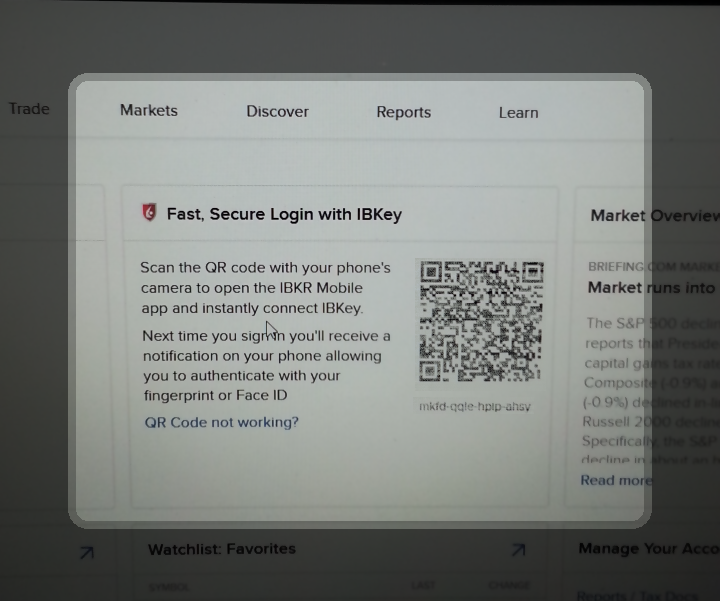
7) Provide your PIN then tap on ACTIVATE (Figure 11).
Figure 11
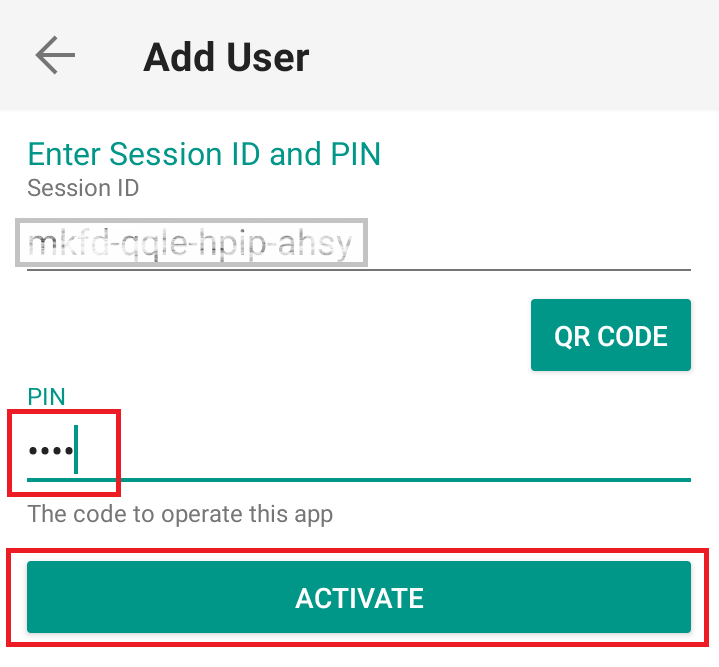
8) You will receive a message indicating the successful activation of IBKR Mobile Authentication (IB Key). Tap DONE to confirm (Figure 12).
Figure 12
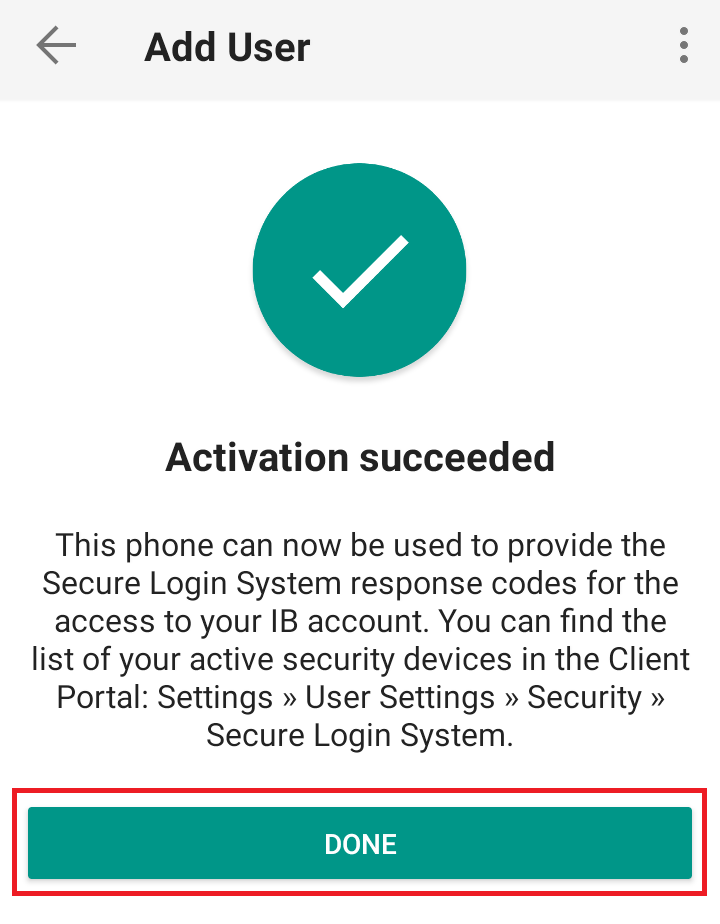
Possible issues and solutions
- My smartphone did not manage to read the QR code. What should I do?
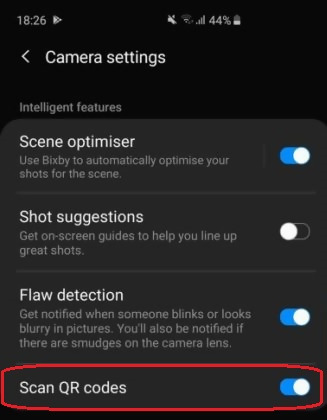
Make sure you have activated the switch "Scan QR codes" from the Camera Settings of your smartphone (Figure 13).
Figure 13
- My phone activates the front camera. How can I switch to the rear one?
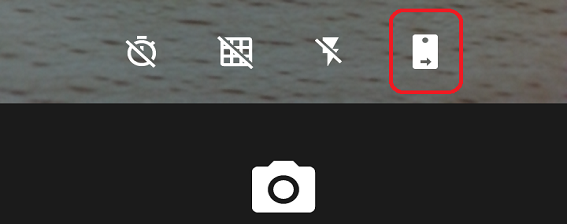
Usually there is a specific button in the camera view to switch from front to rear lenses (Figure 14).
Figure 14
- During the IBKR Mobile Authentication (IB Key) activation, I receive an error message "An error has occurred. Please try again."
Figure 15
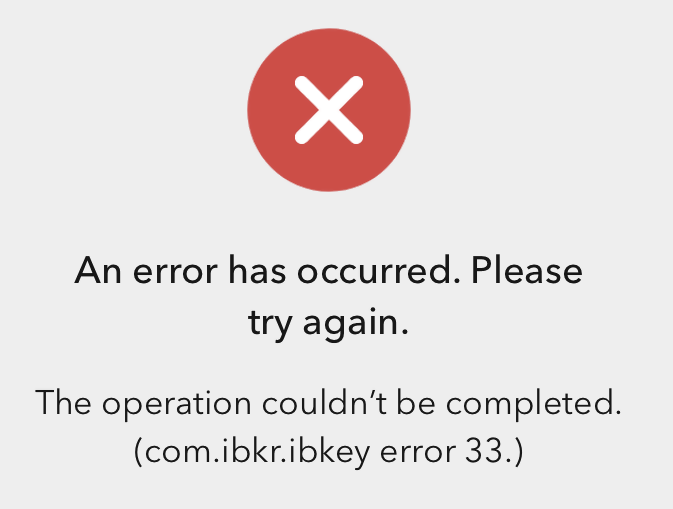
This error message (Figure 15) may indicate you are attempting to activate the IBKR Mobile Authentication (IB Key) for a user which was already enrolled. Please try to log that user in to the Client Portal again. If you receive a notification on your smartphone once you have entered the credentials and you are able to complete the authentication once you tap on that notification, then the user was already enrolled and you no longer need to follow the steps on this article.
Alternatively, the error message may be displayed when the QR code shown in the Client Portal was already used to attempt an activation and is expired. In this case, please log out of the Client Portal and log back in to obtain a fresh QR code.
References:
- See KB2260 for instruction on how to activate and operate IBKR Mobile Authentication (IB Key).
- See KB2748 for instructions on how to recover IBKR Mobile Authentication (IB Key).
- See KB3236 for instructions on how to enable notifications for the IBKR Mobile app.
- See KB3234 for troubleshooting missing IBKR Mobile notifications.
- See KB3073 for instructions on how to migrate the IBKR Mobile Authentication (IB Key) to a new smartphone.
I want to add a User to IBKR Mobile Authentication (IB Key) for iPhone with the QR Code from Client Portal
Requirements:
- The IBKR Mobile app must be installed and IBKR Mobile Authentication (IB Key) already activated on this iOS device.
- For more information on the installation and activation on iOS devices, please refer to the IBKR Knowledge Base.
Instructions:
1) On your iOS device, open the IBKR Mobile app.
1.a) If the app opens with the login screen (Figure 1), tap on Services on the top-left corner (red arrow) and proceed with step 2)
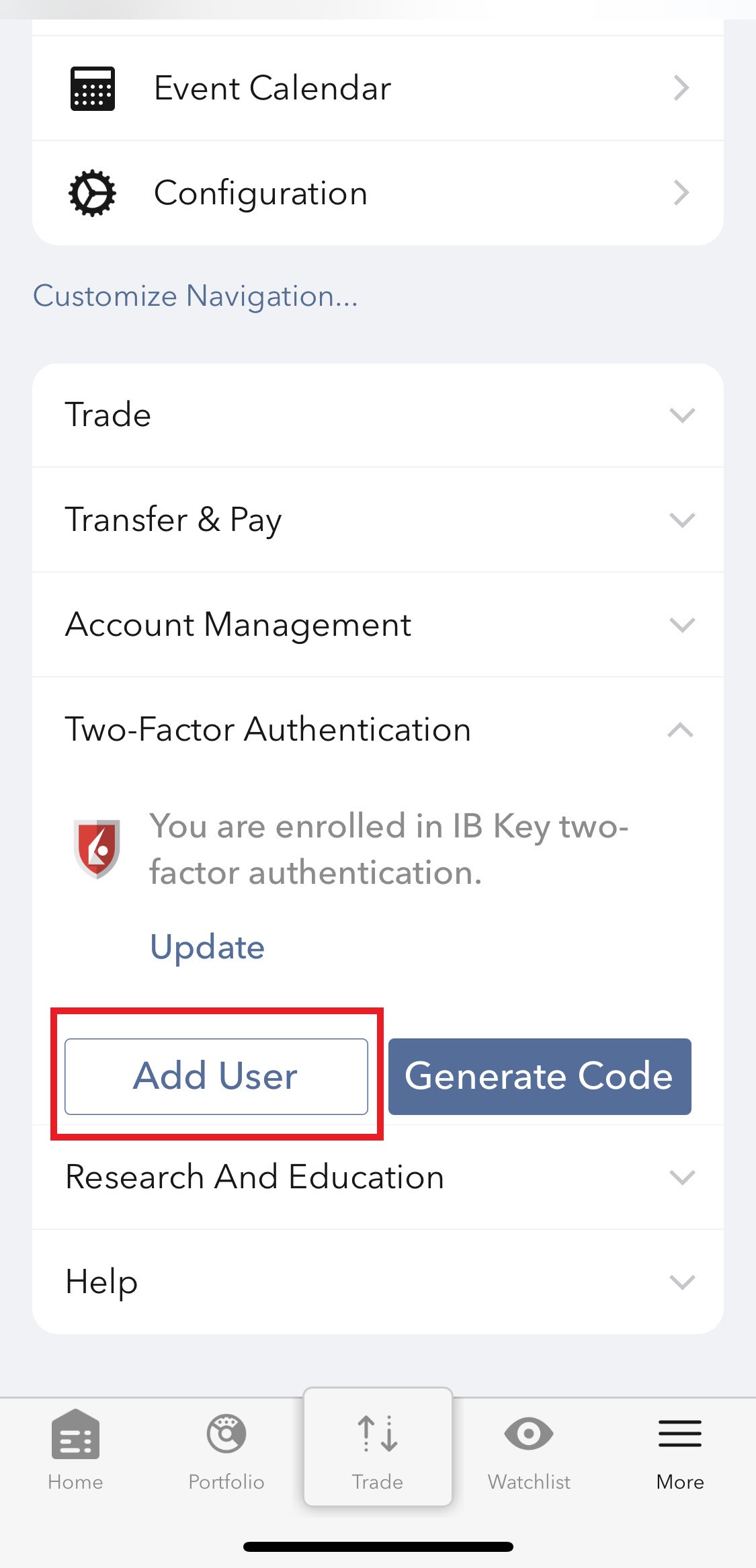
1.b) If the app opens with your Home Page, Portfolio, Watchlists, or similar, tap on More on the bottom-right corner (Figure 2). Then tap on Two-Factor Authentication (Figure 3), followed by Add User (Figure 4) and proceed with step 3)
Figure 1 Figure 2 Figure 3
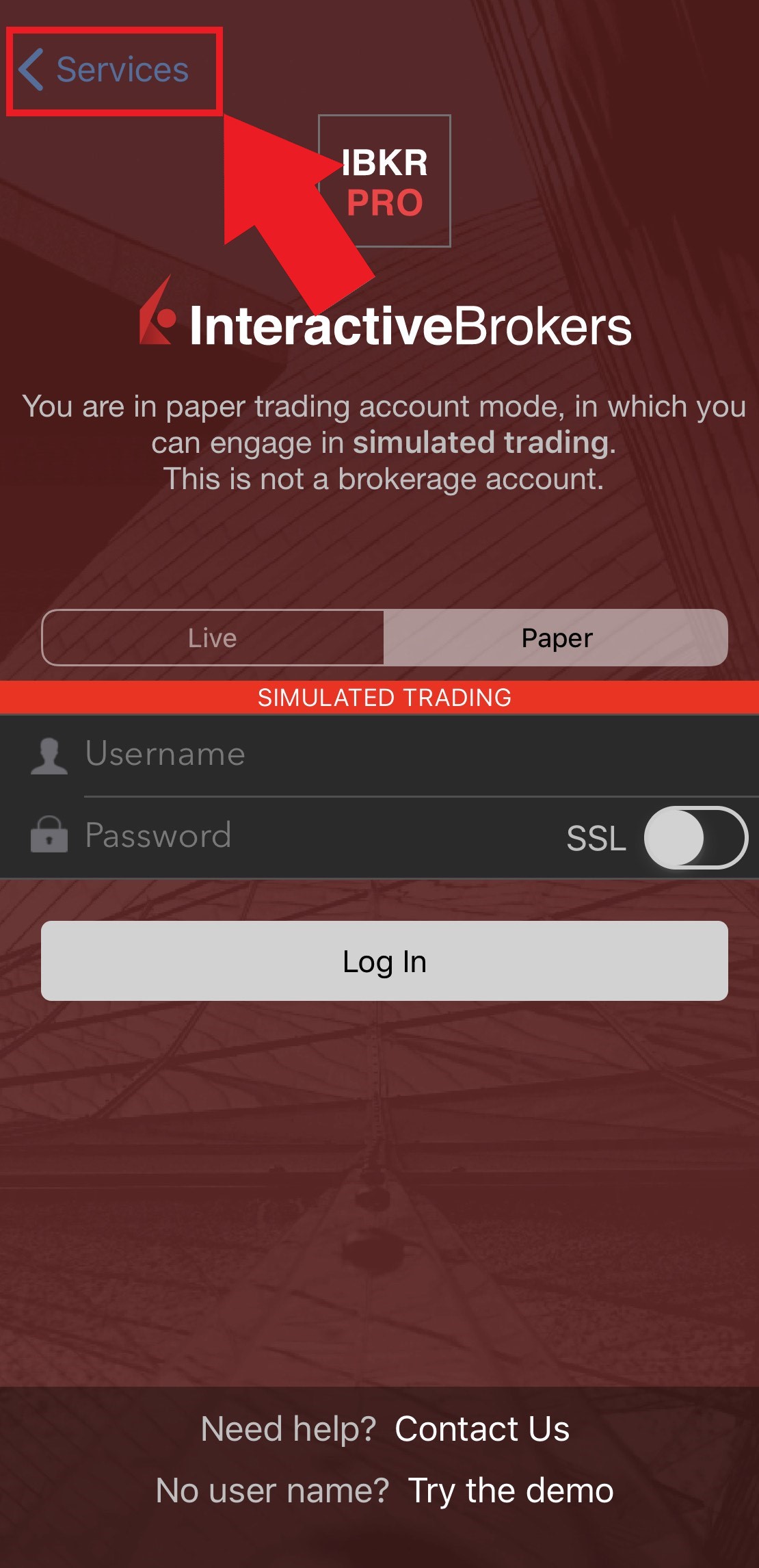
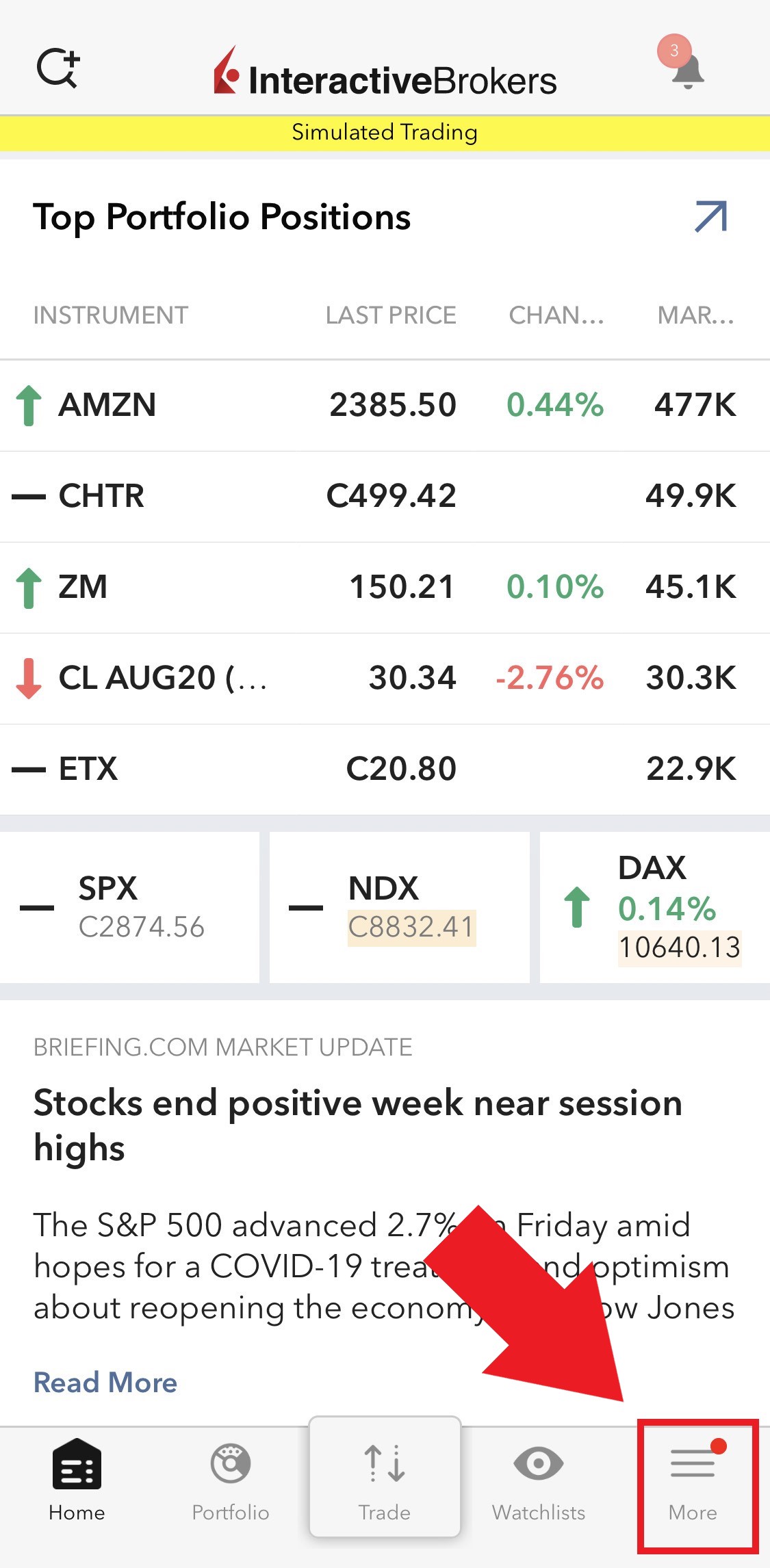
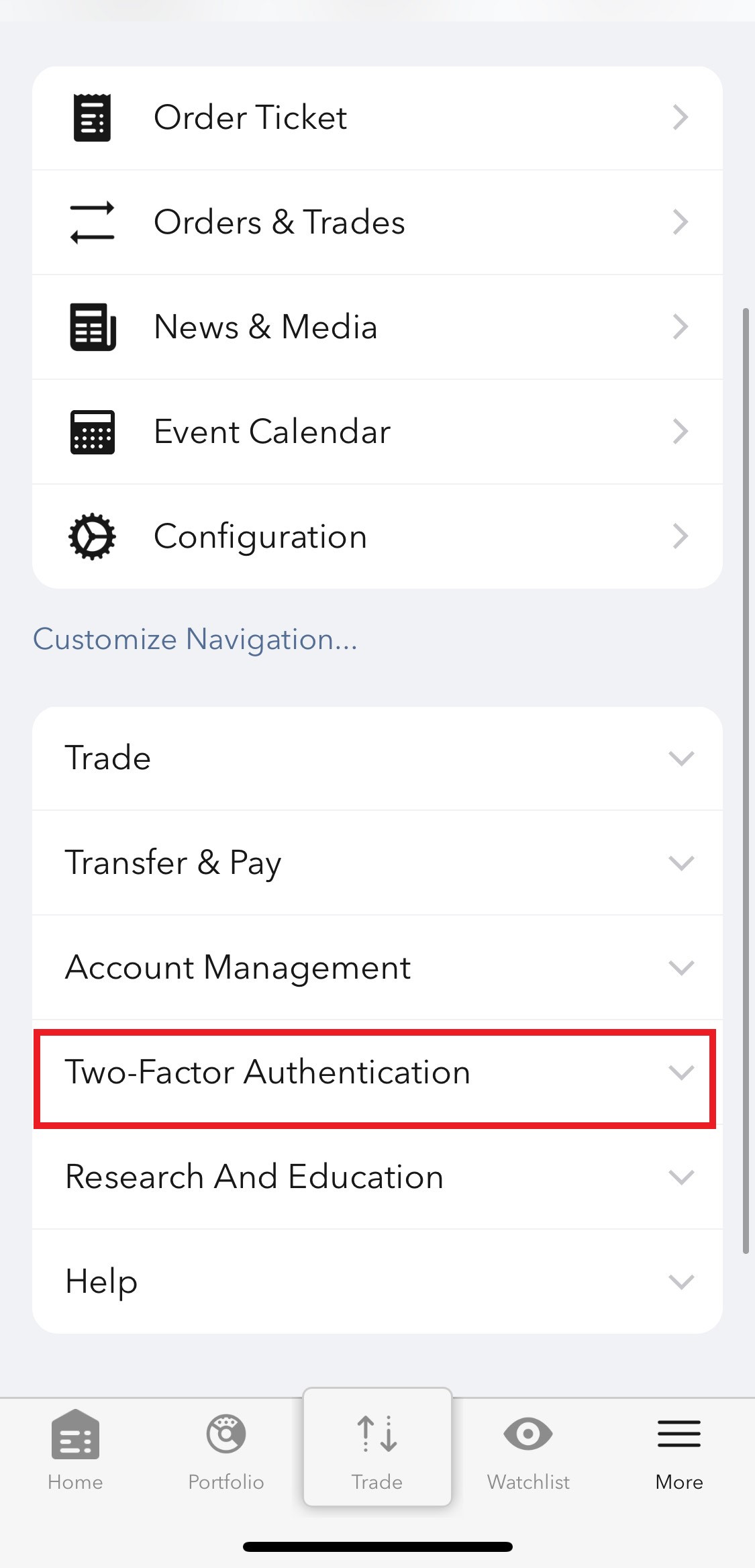
Figure 4
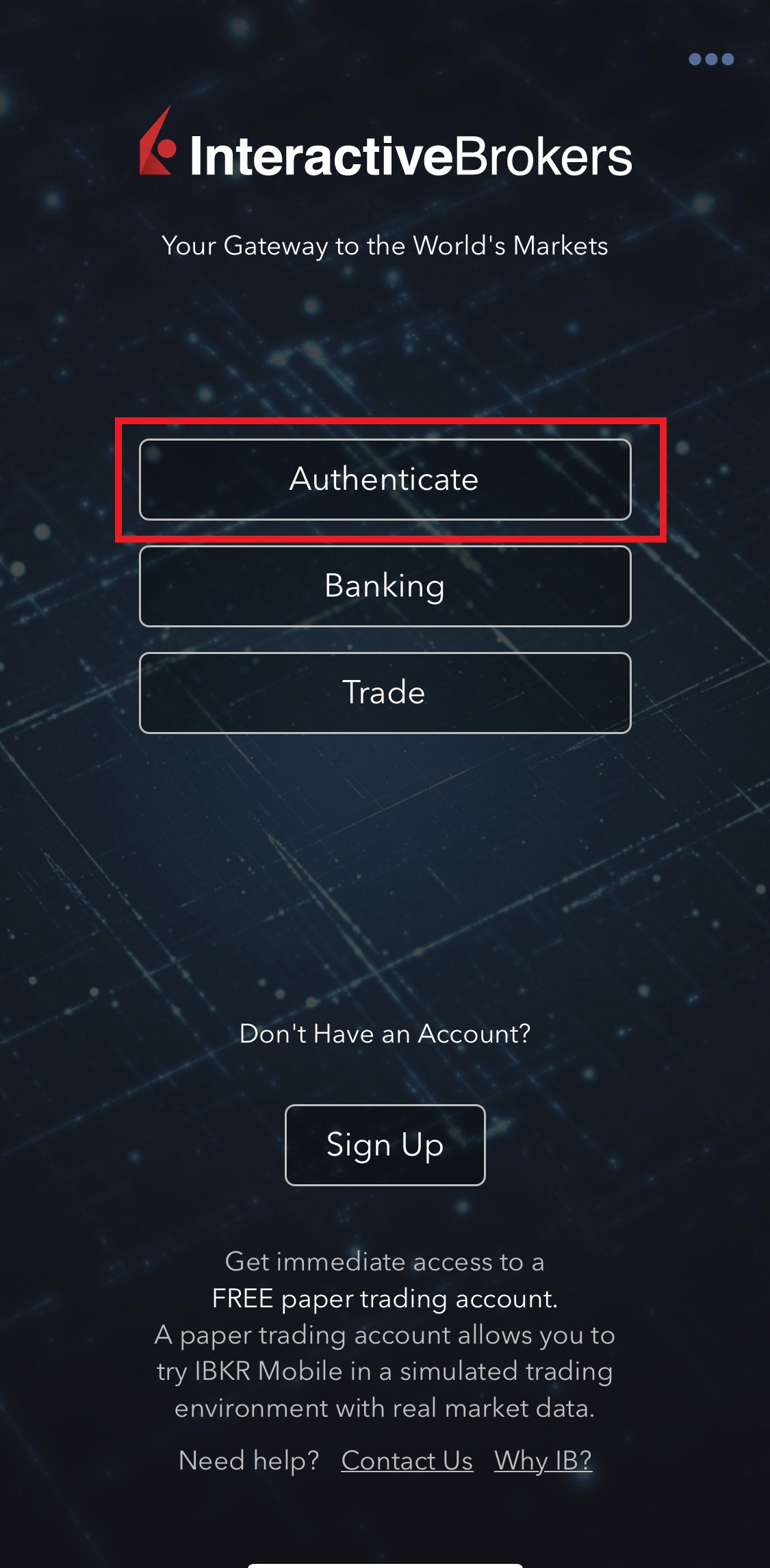
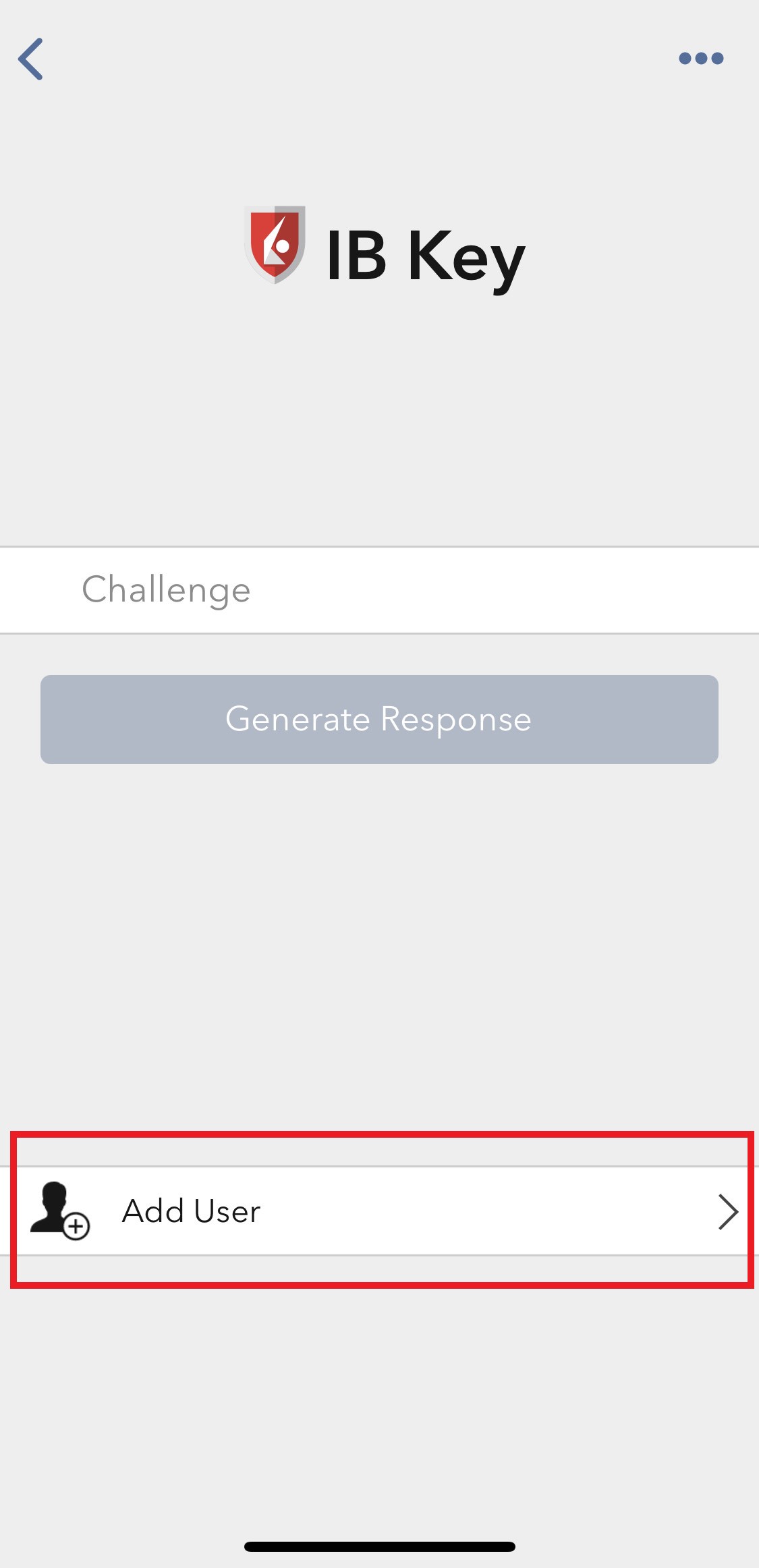
2) Tap on Authenticate (Figure 5) and then on Add User (Figure 6).
Figure 5 Figure 6
3) Tap Setup IB Key using QR code (Figure 7).
Figure 7
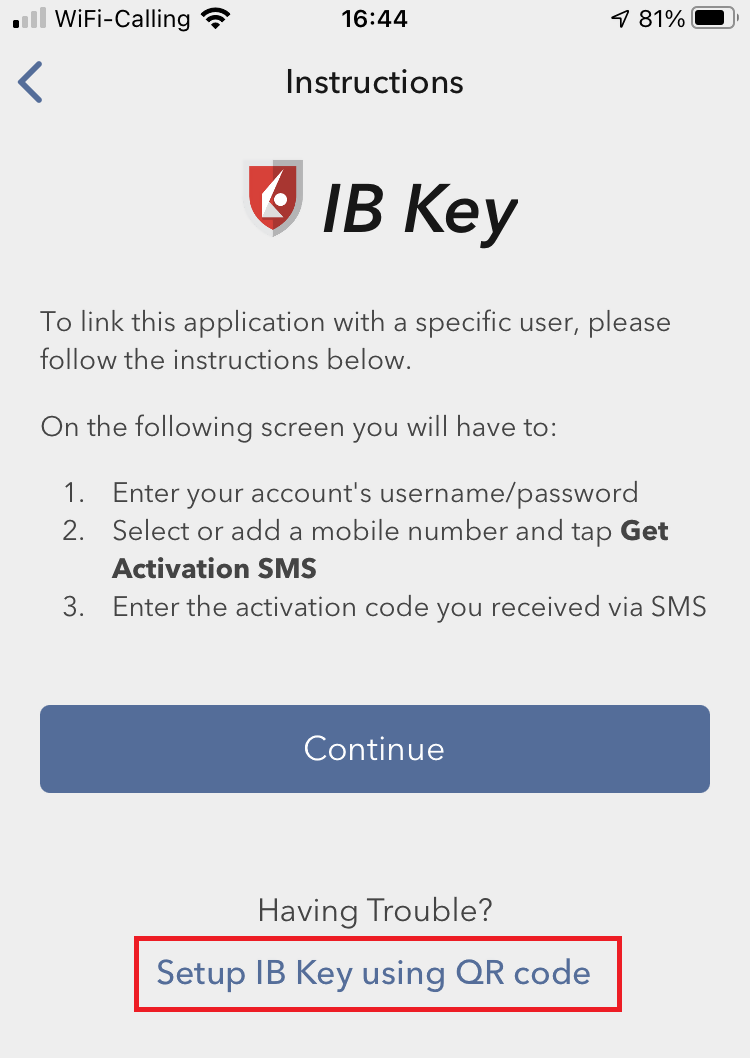
4) Tap Launch Camera (Figure 8).
Figure 8
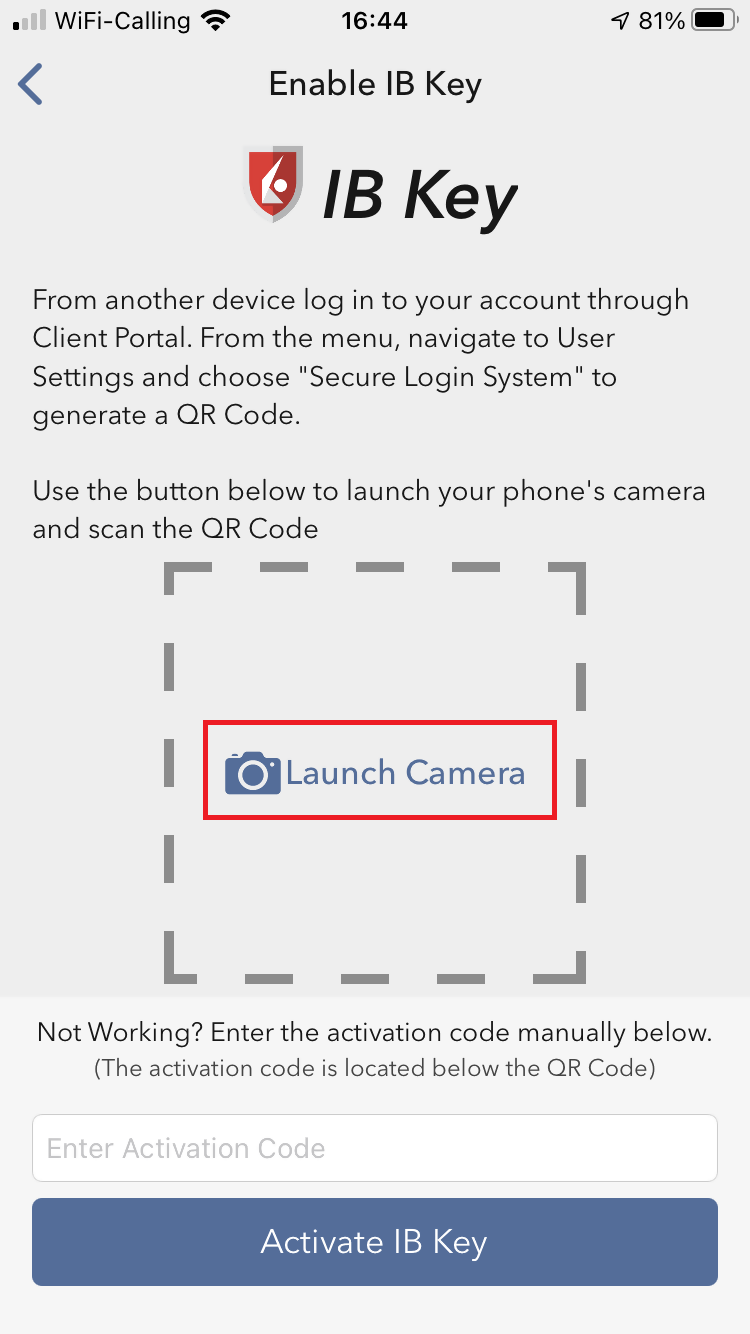
5) Tap OK if you are asked for permission to use camera (Figure 9).
Figure 9
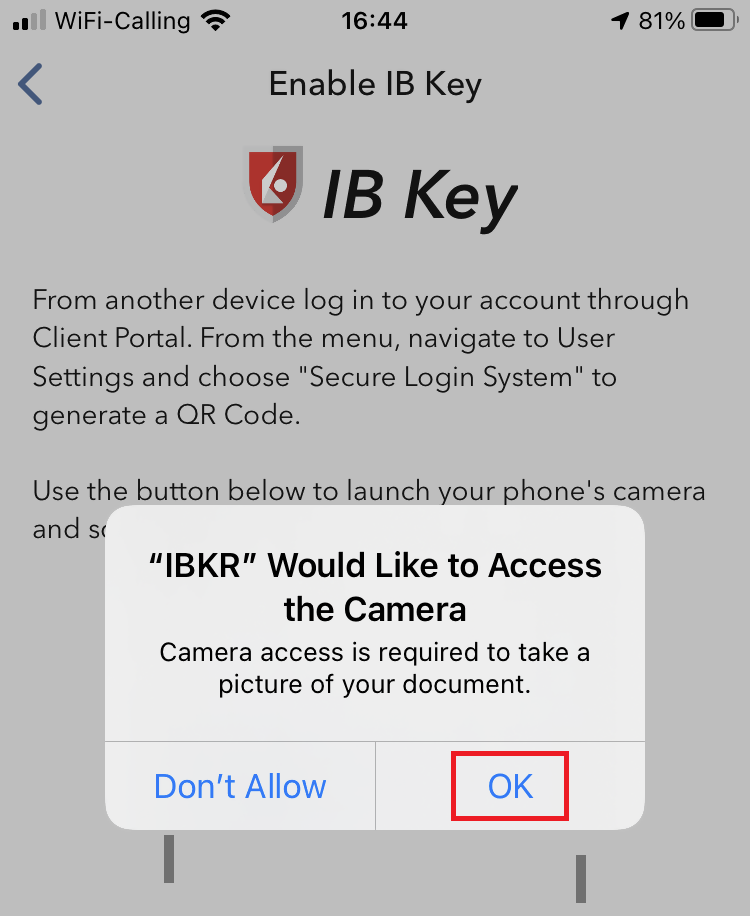
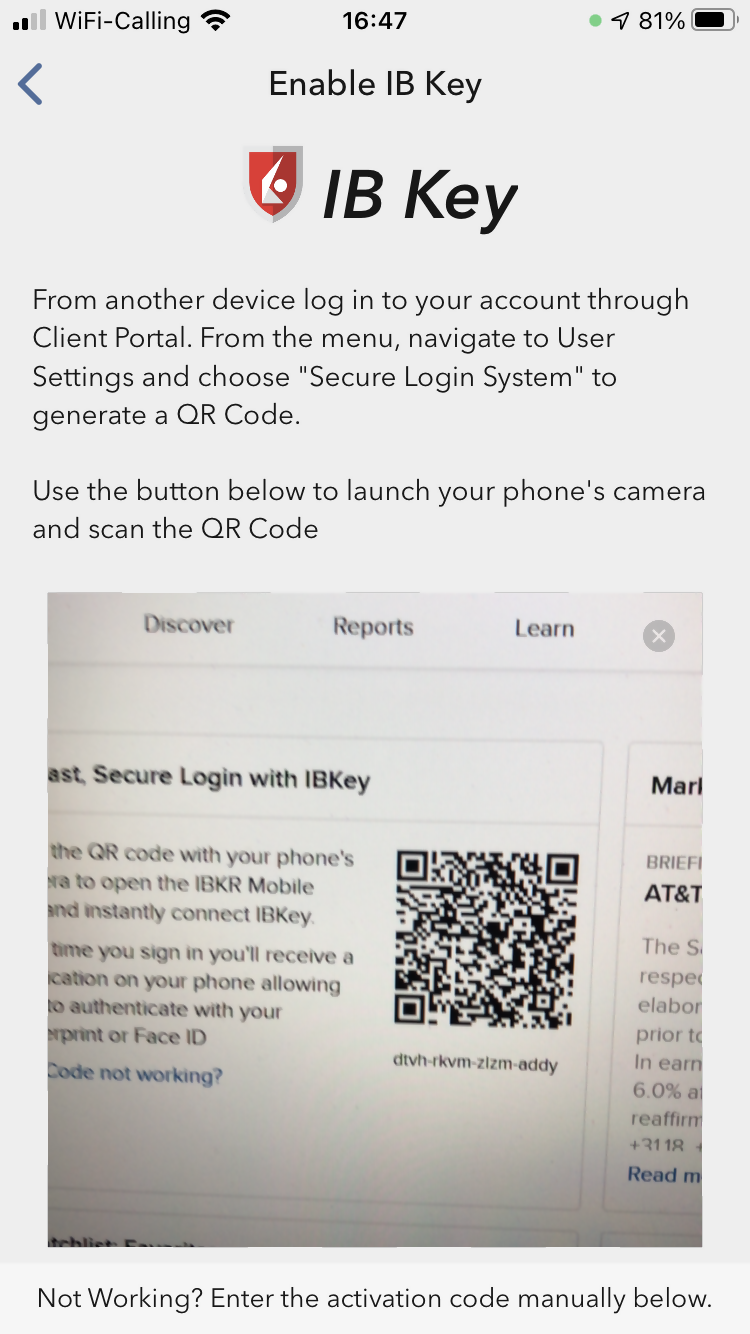
6) Point the lens of your smartphone camera towards the QR code (Figure 10). You don't need to "take a picture." When the code is in focus, it is automatically captured. If your phone does not seem to recognize the QR code try to move your phone closer or farther away to the QR code in order to gain focus. If your phone does not recognize the QR code, please see the section Possible Issues and solutions at the bottom of this article.
Figure 10
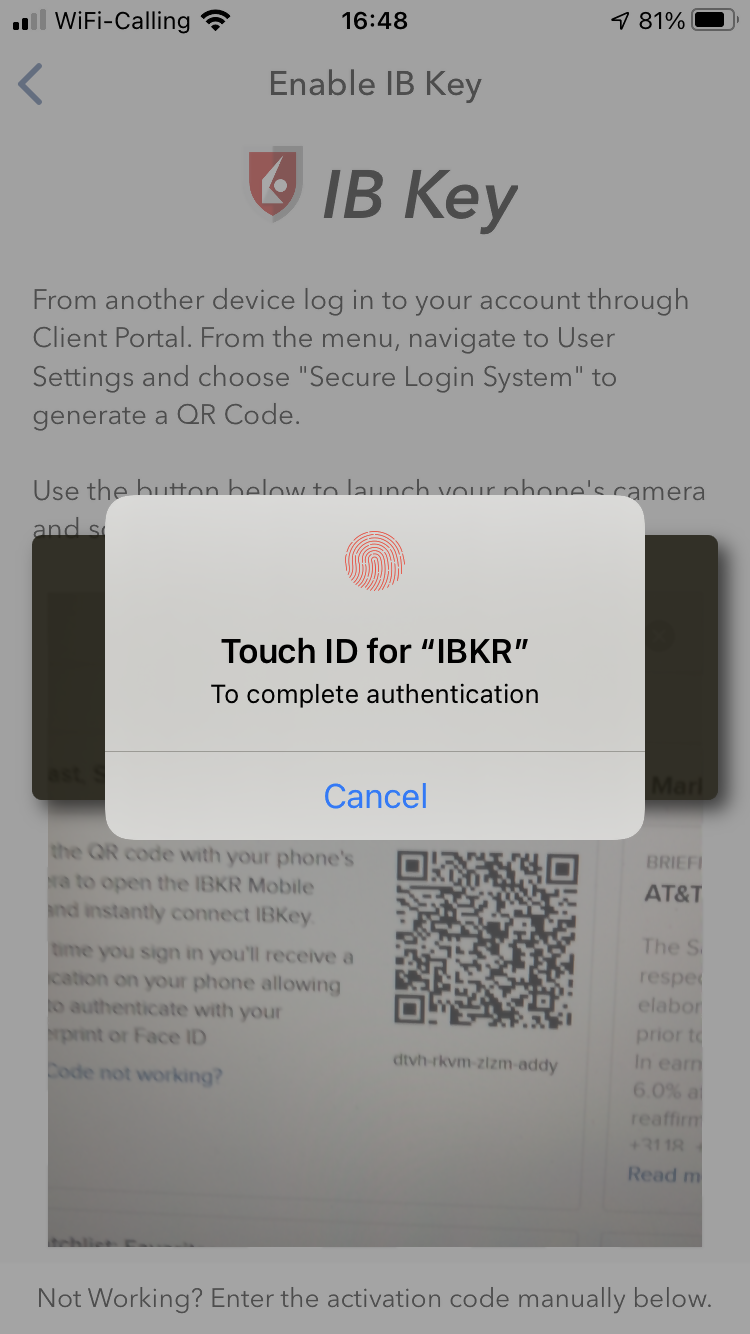
7) You will be asked to provide the security element you use to unlock your phone (FaceID, Fingerprint or Passcode). Please provide it (Figure 11).
Figure 11
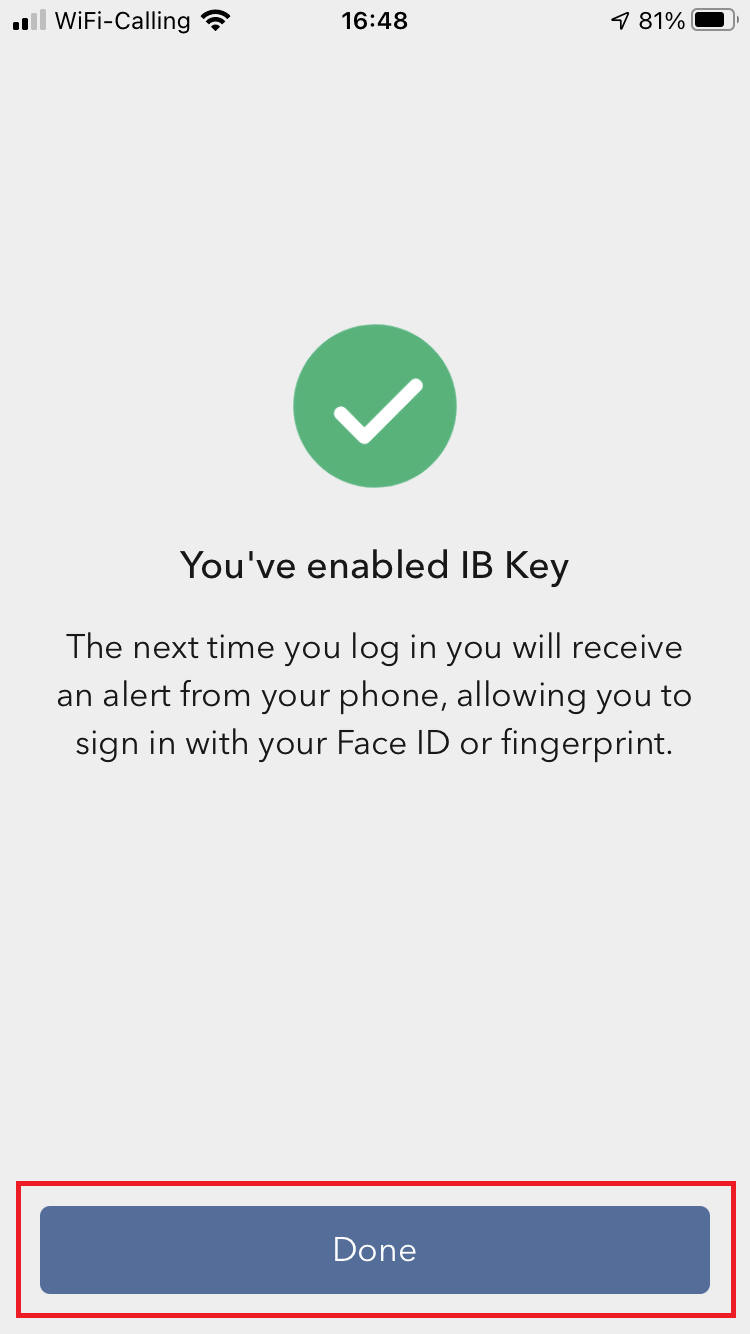
8) You will receive a message indicating the successful activation of IBKR Mobile Authentication (IB Key). Tap Done to confirm (Figure 12).
Figure 12
Possible issues and solutions
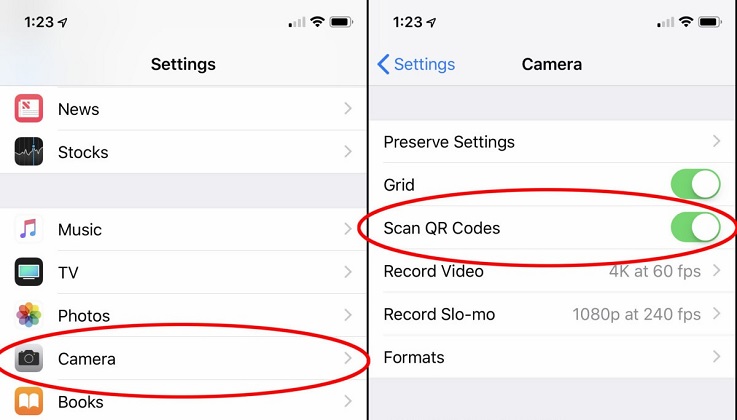
- My smartphone did not manage to read the QR code. What should I do?
Make sure you have activated the switch "Scan QR codes" from the Camera Settings of your smartphone (Figure 13).
Figure 13
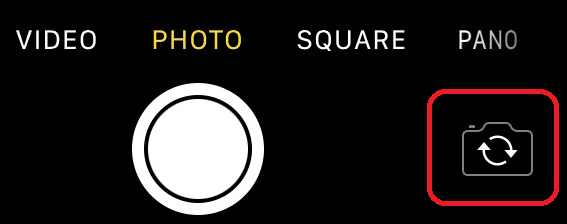
- My phone activates the front camera. How can I switch to the rear one?
Usually there is a specific button in the camera view to switch from front to rear lenses (Figure 14).
Figure 14
- During the IBKR Mobile Authentication (IB Key) activation, I receive an error message "An error has occurred. Please try again."
Figure 15
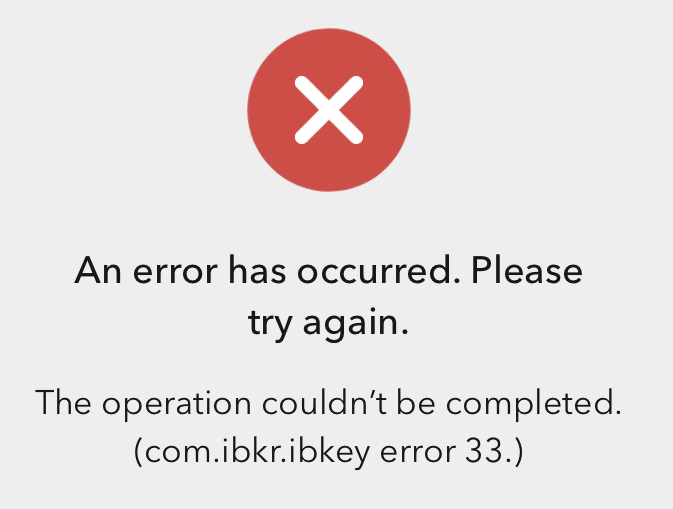
This error message (Figure 15) may indicate you are attempting to activate the IBKR Mobile Authentication (IB Key) for a user which was already enrolled. Please try to log that user in to the Client Portal again. If you receive a notification on your smartphone once you have entered the credentials and you are able to complete the authentication once you tap on that notification, then the user was already enrolled and you no longer need to follow the steps on this article.
Alternatively, the error message may be displayed when the QR code shown in the Client Portal was already used to attempt an activation and is expired. In this case, please log out of the Client Portal and log back in to obtain a fresh QR code.
References:
- See KB2260 for instruction on how to activate and operate IBKR Mobile Authentication (IB Key).
- See KB2748 for instructions on how to recover IBKR Mobile Authentication (IB Key).
- See KB3236 for instructions on how to enable notifications for the IBKR Mobile app.
- See KB3234 for troubleshooting missing IBKR Mobile notifications.
- See KB3073 for instructions on how to migrate the IBKR Mobile Authentication (IB Key) to a new smartphone.
I am unable to scan the QR Code in Client Portal. How can I activate IBKR Mobile Authentication (IB Key) for iPhone?
Requirements:
- Your iOS device must have Touch ID (fingerprint reader) or Face ID (facial recognition).
- The device's Operating System version must be iOS 11.0 or later.
- The device must have either Touch ID, Face ID or Passcode enabled. Touch ID or Face ID is the recommended choice. Refer to Set up Touch ID or Set up Face ID for directions.
You can download IBKR Mobile app on your iPhone directly from the App Store.

Instructions:
1) On your iPhone tap the App Store  icon.
icon.
2) Tap the Search icon (magnifying glass) in the lower right corner,
Figure 2

3) Tap in the search bar at the top, type IBKR Mobile. The search results should automatically appear below the search box.
Figure 3
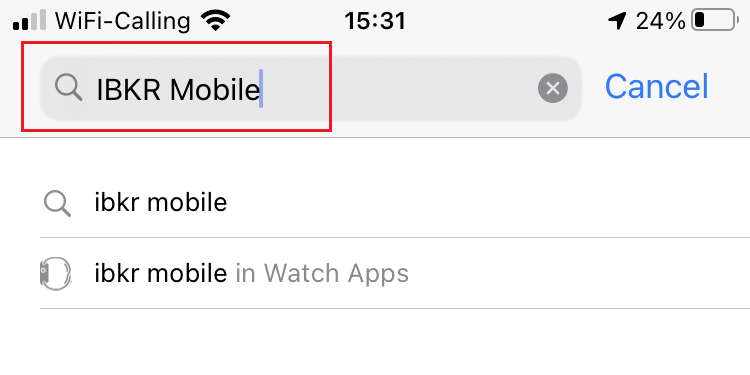
4) Select the IBKR Mobile from Interactive Brokers LLC and tap on the download icon GET (if prompted, enter your Apple ID password or provide your FaceID / Fingerprint).
Figure 4
.png)
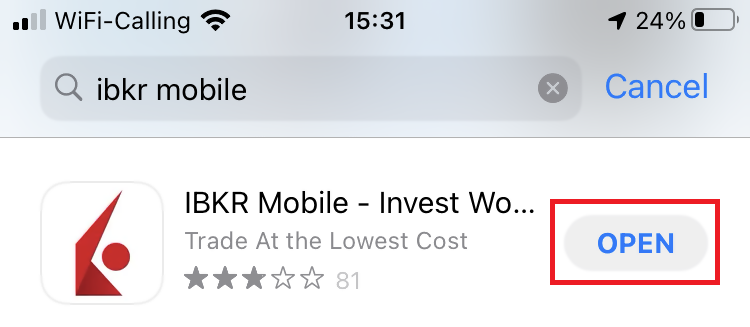
5) Once the installation has completed, tap OPEN to launch the IBKR Mobile app.
Figure 5
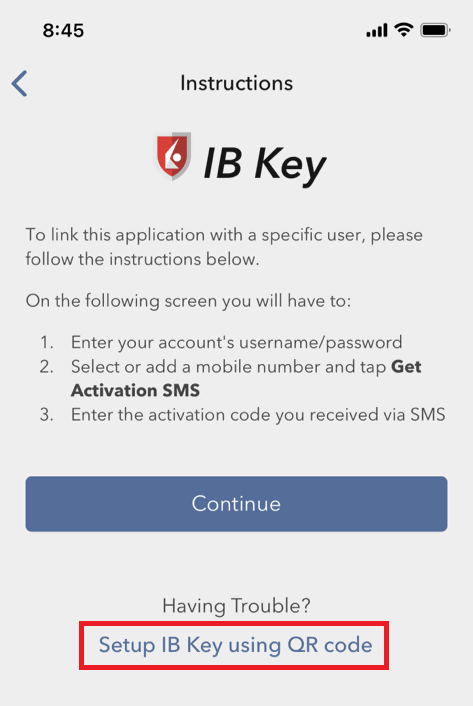
6) Tap Setup IB Key using QR code.
Figure 6
7) Type the alphanumeric string present below the QR code in the Activation Code field.
Figure 7
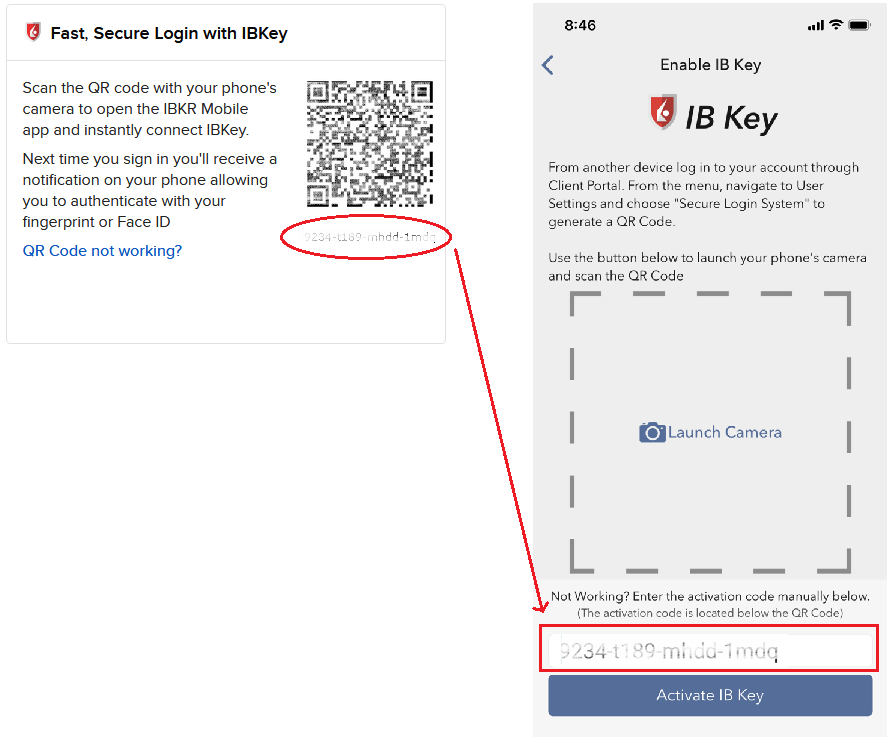
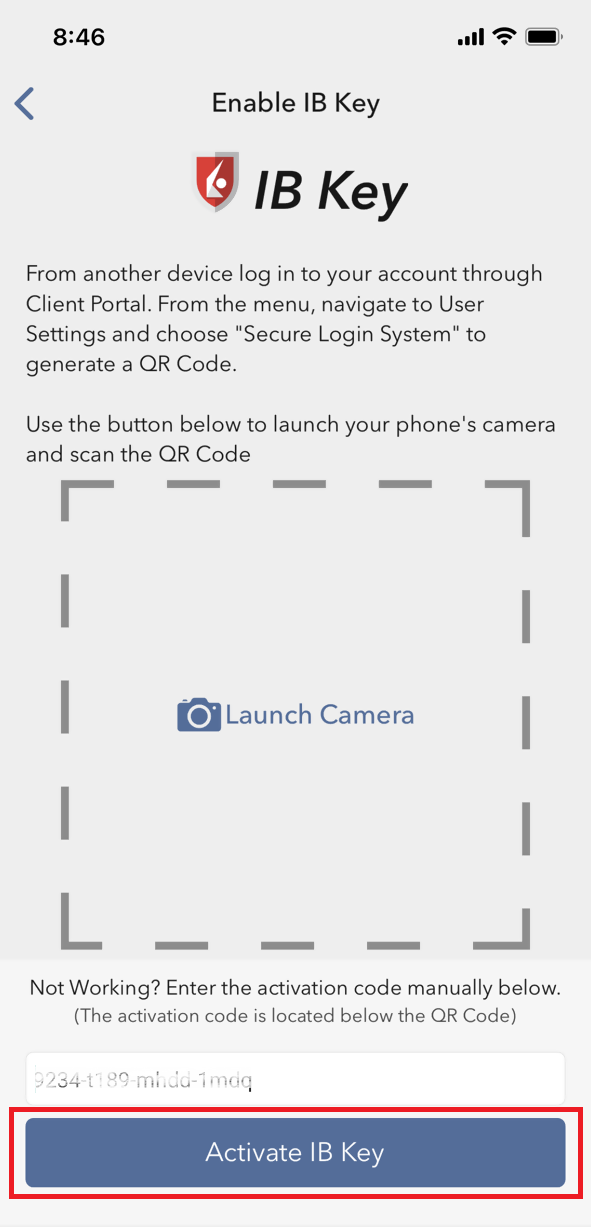
8) Tap Activate IB Key
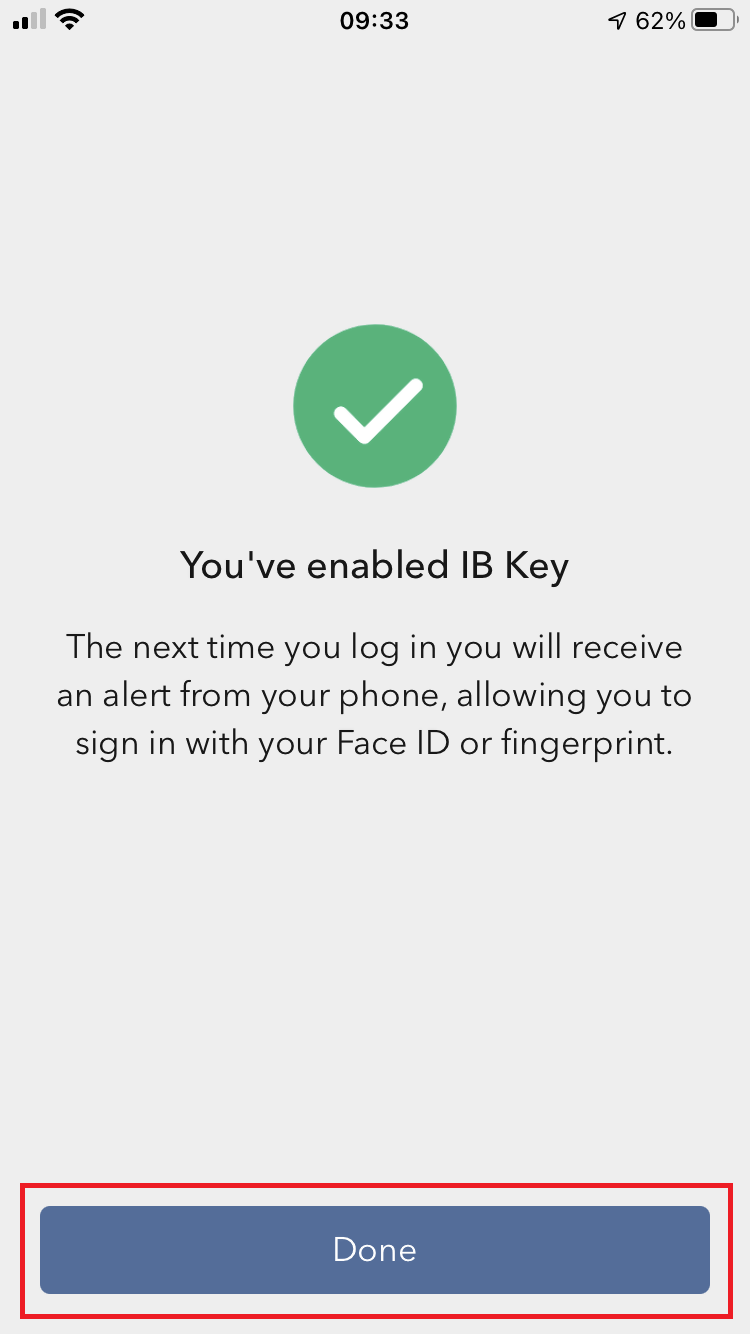
9) You will receive a message confirming the successful activation of IBKR Mobile Authentication (IB Key). Tap DONE to complete the procedure
Figure 9
References:
- See KB2260 for instruction on how to activate and operate IBKR Mobile Authentication (IB Key).
- See KB2748 for instructions on how to recover IBKR Mobile Authentication (IB Key).
- See KB3236 for instructions on how to enable notifications for the IBKR Mobile app.
- See KB3234 for troubleshooting missing IBKR Mobile notifications.
- See KB3073 for instructions on how to migrate the IBKR Mobile Authentication (IB Key) to a new smartphone.
I am unable to scan the QR Code in Client Portal. How can I activate IBKR Mobile Authentication (IB Key) for Android?
Requirements:
- Your Android Phone must not be rooted.
- The Android OS version must be 6.0 or later.
You can download the IBKR Mobile app on your smartphone directly from;
Google Play Store , 360 Mobile Assistant or Baidu Mobile Assistant.



Instructions:
1) On your Android phone tap on the Play Store  app.
app.
2) Tap on the search bar at the top, type IBKR Mobile then tap the magnifying glass to search.
Figure 2
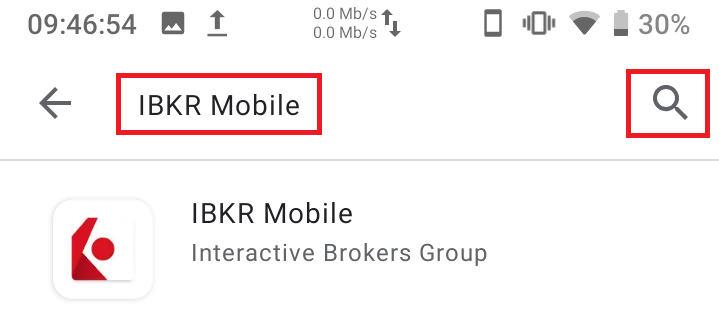
3) Locate and select the app IBKR Mobile from Interactive Brokers Group, then tap on Install to the right.
Figure 3
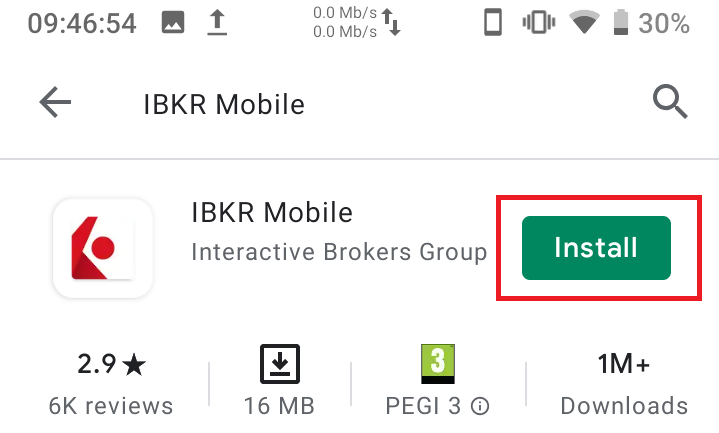
4) Once the installation completes, tap on Open to launch the IBKR Mobile app.
Figure 4
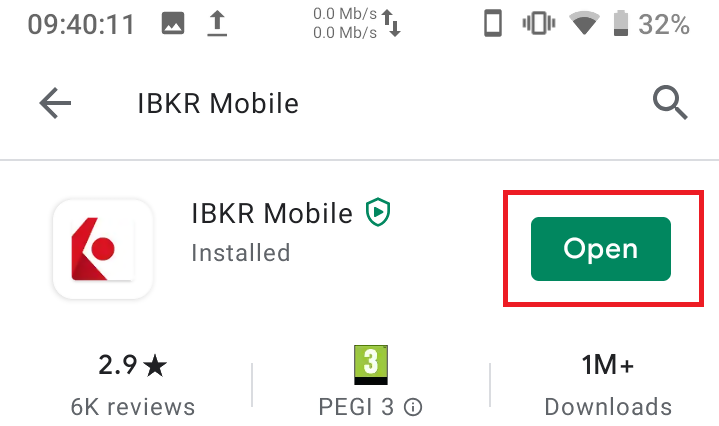
5) Tap REGISTER TWO-FACTOR
Figure 5
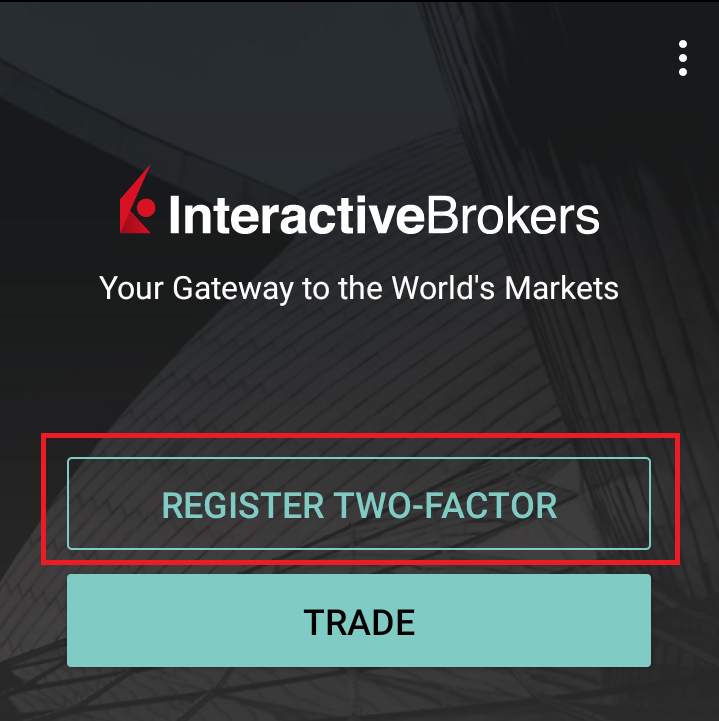
6) Tap SESSION ID
Figure 6
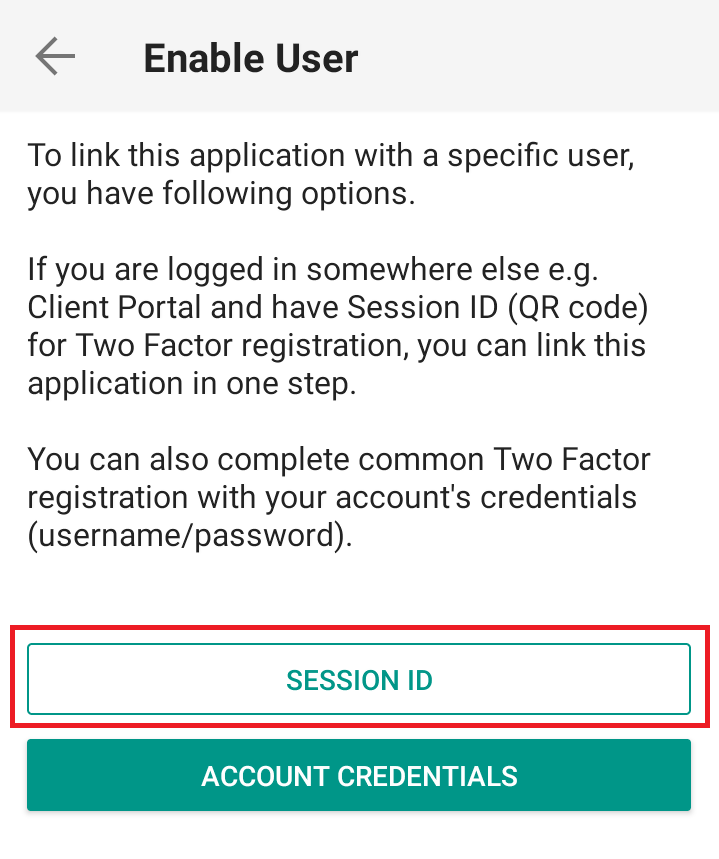
7) Type the alphanumeric string present below the QR code in the Session ID field
Figure 7
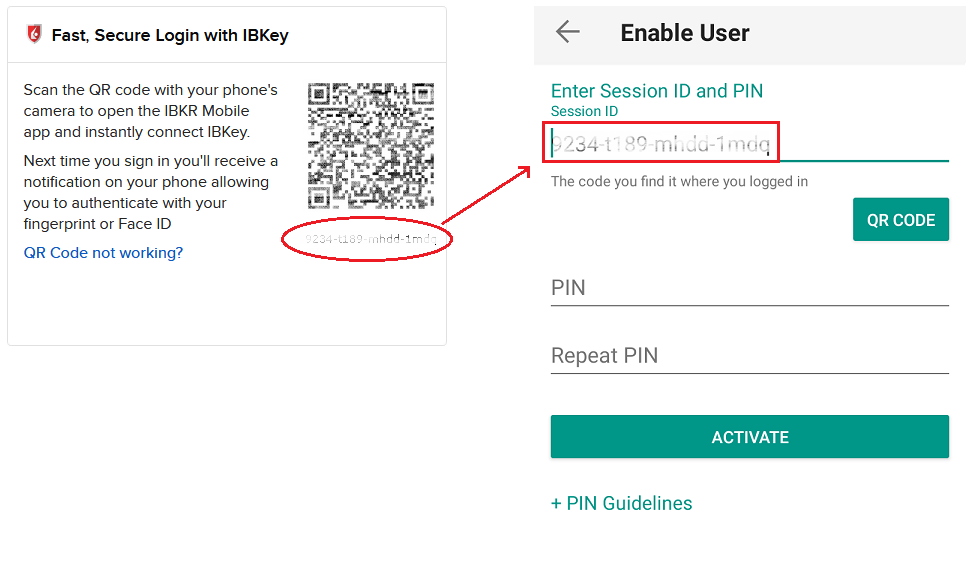
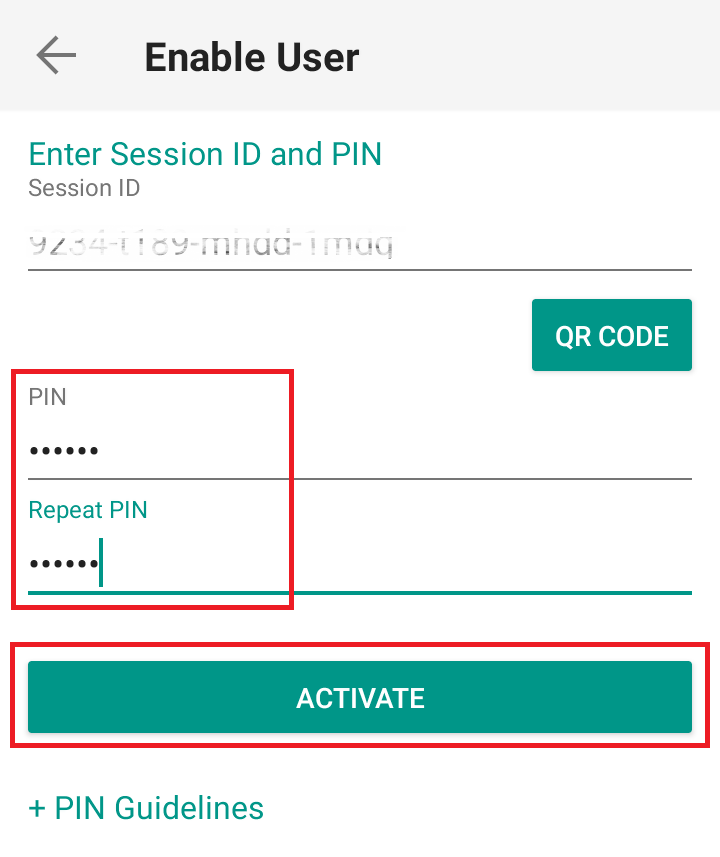
8) Create a PIN of your preference then tap ACTIVATE. The PIN must be at least 4 and up to 6 characters (letters, numbers and special characters allowed). Tap +PIN Guidelines or refer to KB2269 for additional guidelines.
Figure 8
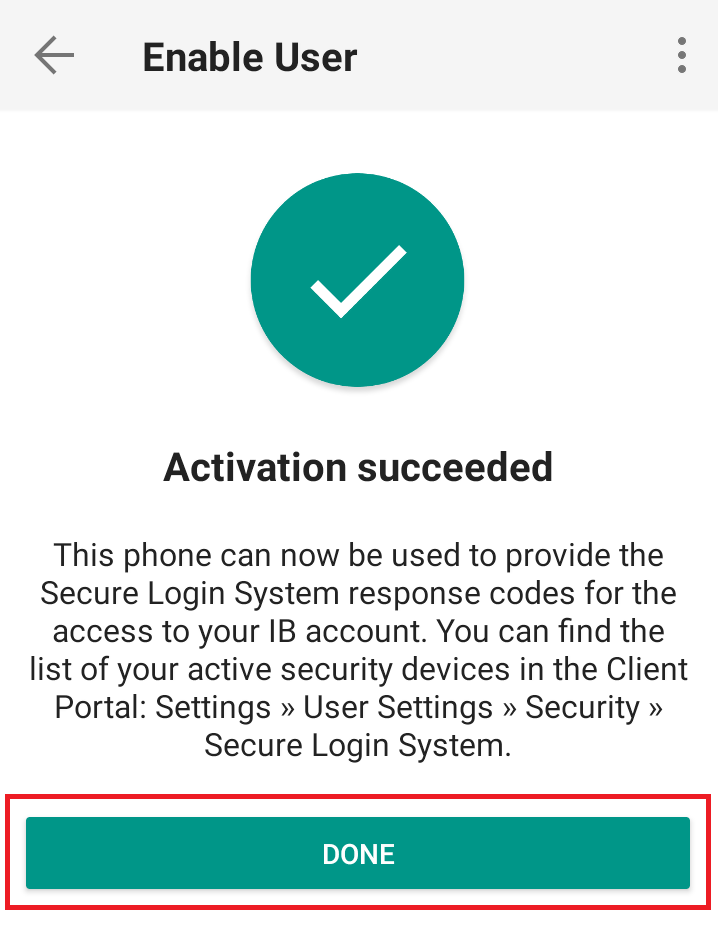
9) You will receive a message confirming the successful activation of IBKR Mobile Authentication (IB Key). Tap DONE to complete the procedure
Figure 9
Possible Issues and Solutions
- During the IBKR Mobile Authentication (IB Key) activation, I receive an error message "An error has occurred. Please try again."
Figure 14
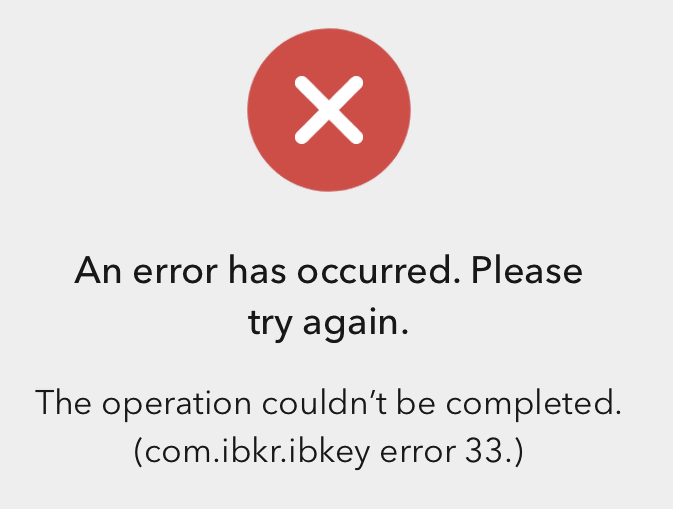
This error message (Figure 14) may indicate you are attempting to activate an IBKR Mobile Authentication (IB Key) instance that is already activated. Please try to log in to the Client Portal again. If you receive a notification on your smartphone once you have entered the credentials and you are able to complete the authentication once you tap on that notification, then your IBKR Mobile Authentication (IB Key) instance is already activated and you no longer need to follow the steps on this article.
Alternatively, the error message may be displayed when the QR code shown in the Client Portal was already used to attempt an activation and is expired. In this case, please log out of the Client Portal and log back in to obtain a fresh QR code.
References:
- See KB2260 for instruction on how to activate and operate IBKR Mobile Authentication (IB Key).
- See KB2748 for instructions on how to recover IBKR Mobile Authentication (IB Key).
- See KB3236 for instructions on how to enable notifications for the IBKR Mobile app.
- See KB3234 for troubleshooting missing IBKR Mobile notifications.
- See KB3073 for instructions on how to migrate the IBKR Mobile Authentication (IB Key) to a new smartphone.
I want to activate IBKR Mobile Authentication (IB Key) for Android with the QR Code from Client Portal
Requirements:
- Your Android Phone must not be rooted.
- The Android OS version must be 6.0 or later.
You can download the IBKR Mobile app on your smartphone directly from;
Google Play Store , 360 Mobile Assistant or Baidu Mobile Assistant.



Instructions:
1) On your Android phone tap on the Play Store  app.
app.
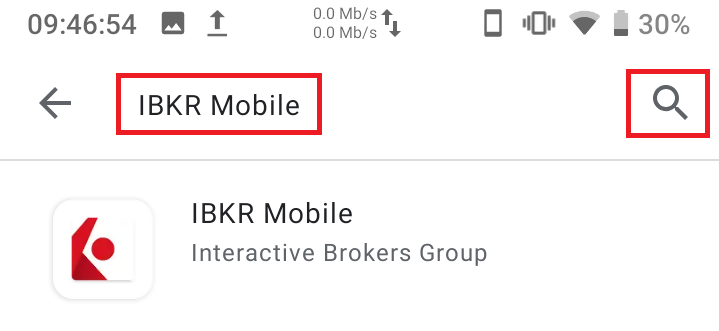
2) Tap on the search bar at the top, type IBKR Mobile then tap the magnifying glass to search.
Figure 2
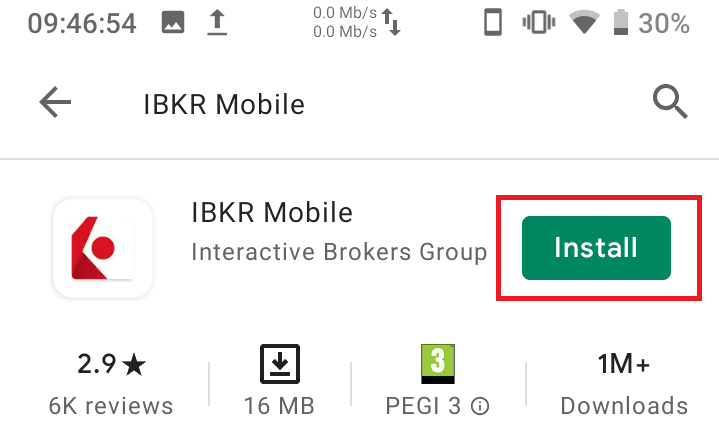
3) Locate and select the app IBKR Mobile from Interactive Brokers Group, then tap on Install to the right.
Figure 3
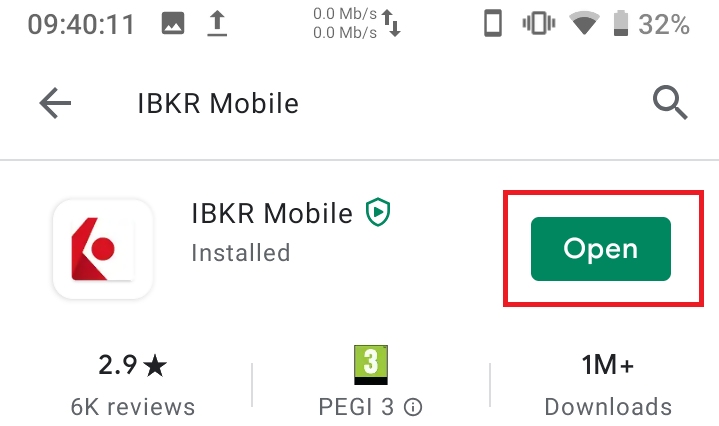
4) Once the installation completes, tap on Open to launch the IBKR Mobile app.
Figure 4
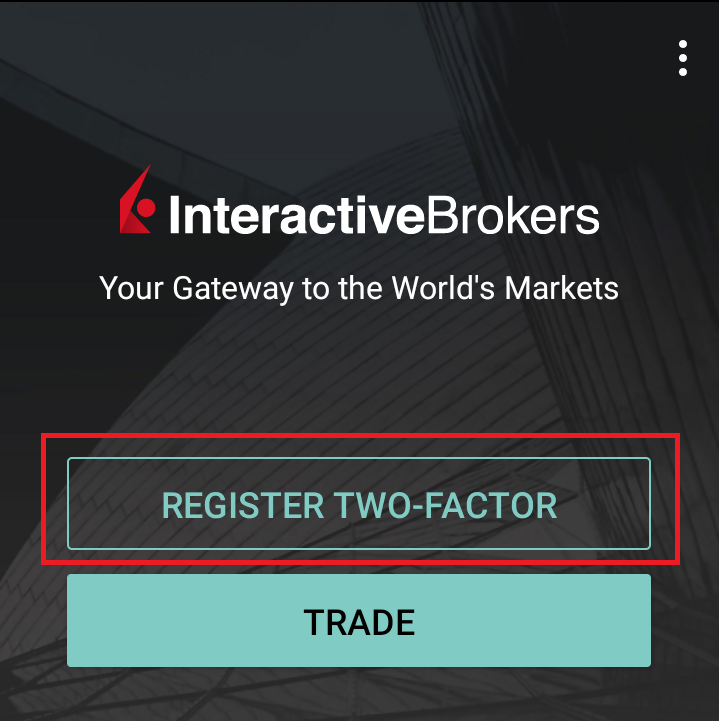
5) Tap REGISTER TWO-FACTOR
Figure 5
6) Tap SESSION ID
Figure 6
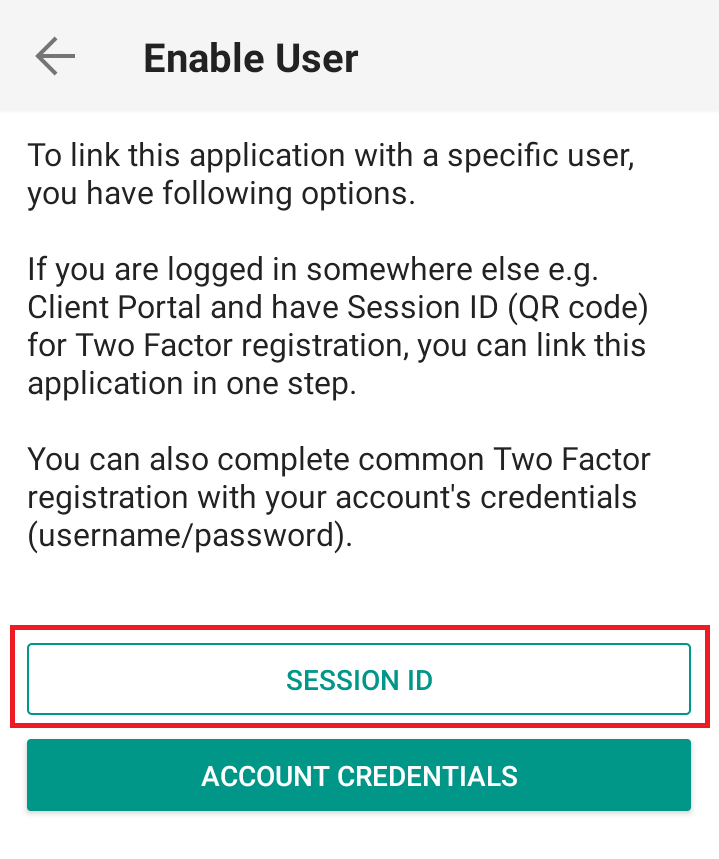
7) Tap QR CODE
Figure 7
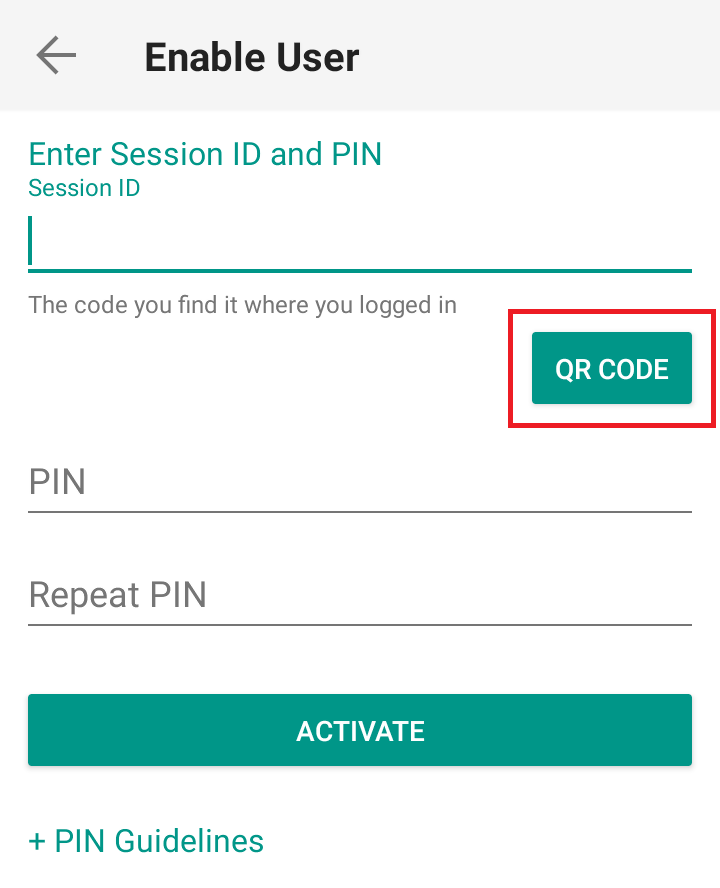
8) Tap Allow if asked for permission to use the phone camera.
Figure 8
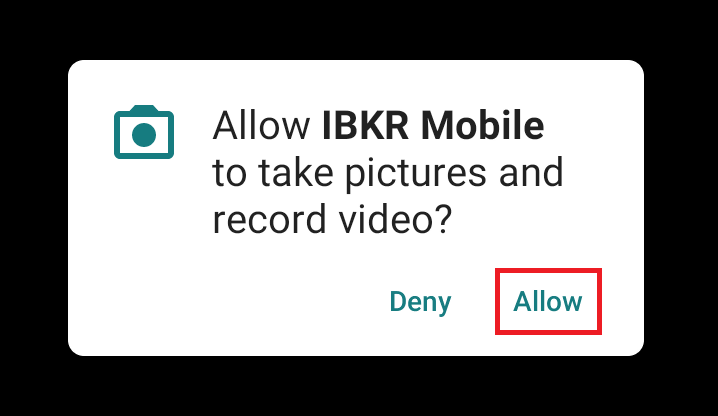
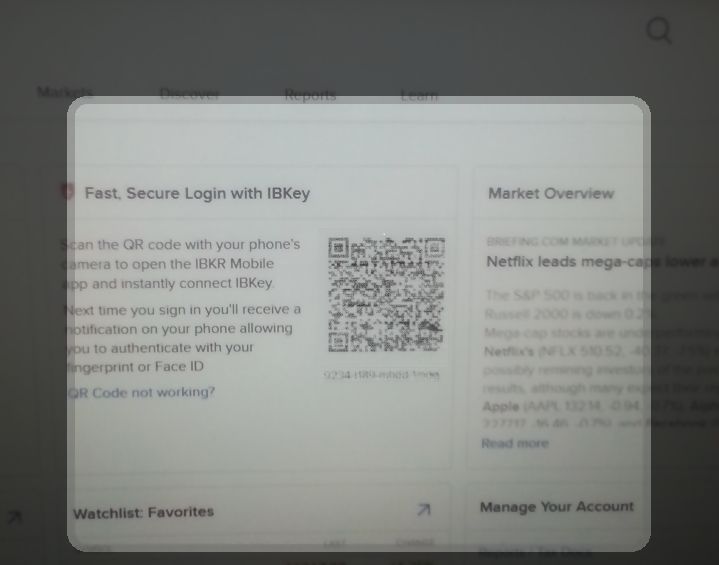
9) Point the lens of your smartphone camera towards the QR code. You don't need to "take a picture." When the code is in focus it is automatically captured. If your phone does not seem to recognize the QR code try to move your phone closer or farther away to the QR code in order to gain focus. If your phone does not recognize the QR code, please see the section Possible Issues and solutions at the bottom of this article.
Figure 9
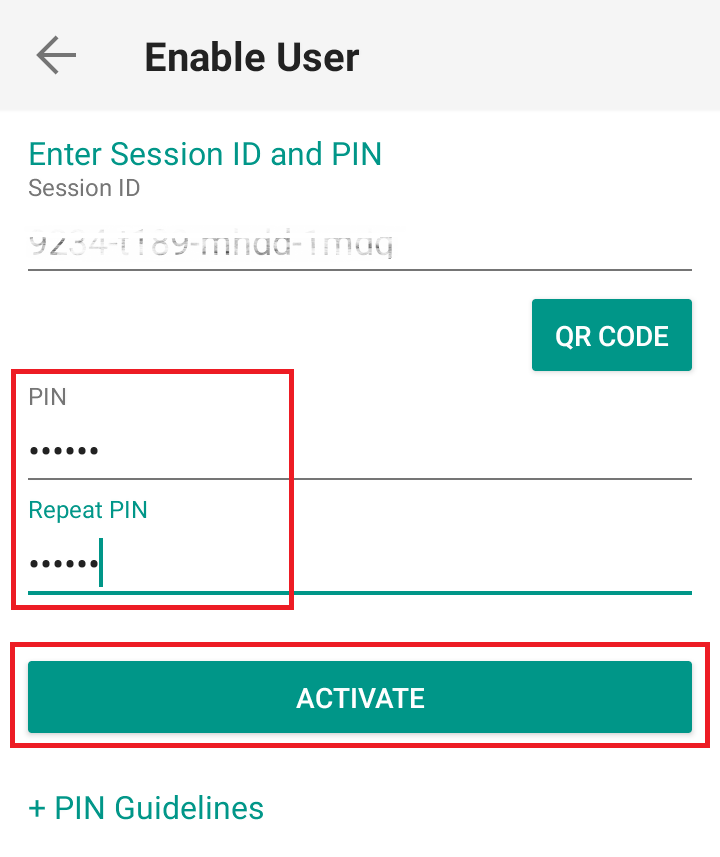
10) Create a PIN of your preference then tap ACTIVATE. The PIN must be at least 4 and up to 6 characters (letters, numbers and special characters allowed). Tap +PIN Guidelines or refer to KB2269 for additional guidelines.
Figure 10
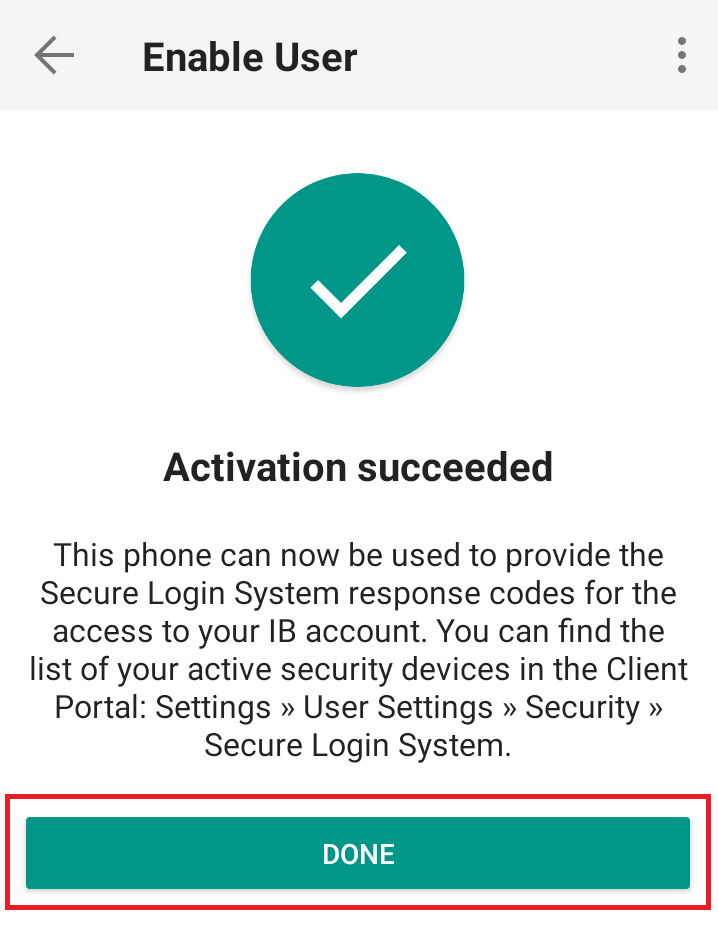
11) You will receive a message confirming the successful activation of IBKR Mobile Authentication (IB Key). Tap DONE to complete the procedure
Figure 11
Possible issues and solutions
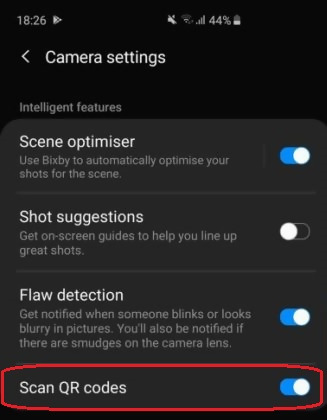
- My smartphone did not manage to read the QR code. What should I do?
Make sure you have activated the switch "Scan QR codes" from the Camera Settings of your smartphone (Figure 12)
Figure 12
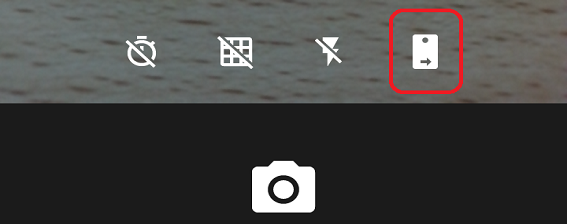
- My phone activates the front camera. How can I switch to the rear one?
Usually there is a specific button in the camera view to switch from front to rear lenses (Figure 13)
Figure 13
- During the IBKR Mobile Authentication (IB Key) activation, I receive an error message "An error has occurred. Please try again."
Figure 14
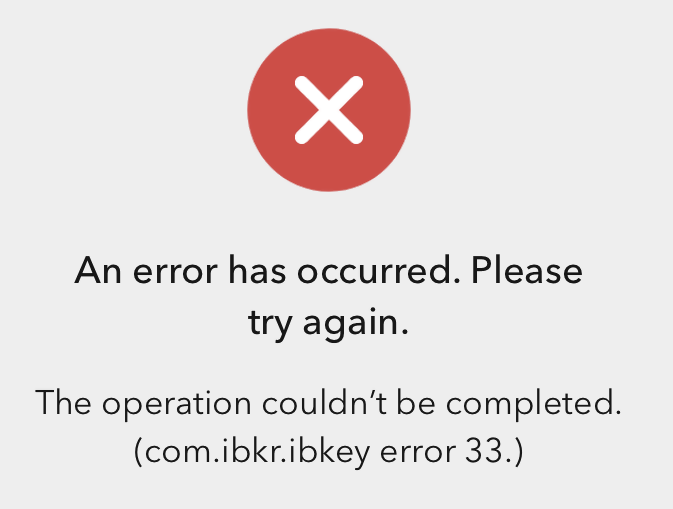
This error message (Figure 14) may indicate you are attempting to activate an IBKR Mobile Authentication (IB Key) instance that is already activated. Please try to log in to the Client Portal again. If you receive a notification on your smartphone once you have entered the credentials and you are able to complete the authentication once you tap on that notification, then your IBKR Mobile Authentication (IB Key) instance is already activated and you no longer need to follow the steps on this article.
Alternatively, the error message may be displayed when the QR code shown in the Client Portal was already used to attempt an activation and is expired. In this case, please log out of the Client Portal and log back in to obtain a fresh QR code.
References:
- See KB2260 for instruction on how to activate and operate IBKR Mobile Authentication (IB Key).
- See KB2748 for instructions on how to recover IBKR Mobile Authentication (IB Key).
- See KB3236 for instructions on how to enable notifications for the IBKR Mobile app.
- See KB3234 for troubleshooting missing IBKR Mobile notifications (IB Key).
- See KB3073 for instructions on how to migrate the IBKR Mobile Authentication (IB Key) to a new smartphone.
I want to activate IBKR Mobile Authentication (IB Key) for iPhone with the QR Code from Client Portal
You may have seen a QR code when you logged into Client Portal. In this article we will cover the steps for activating IBKR Mobile Authentication (IB Key) using that code.
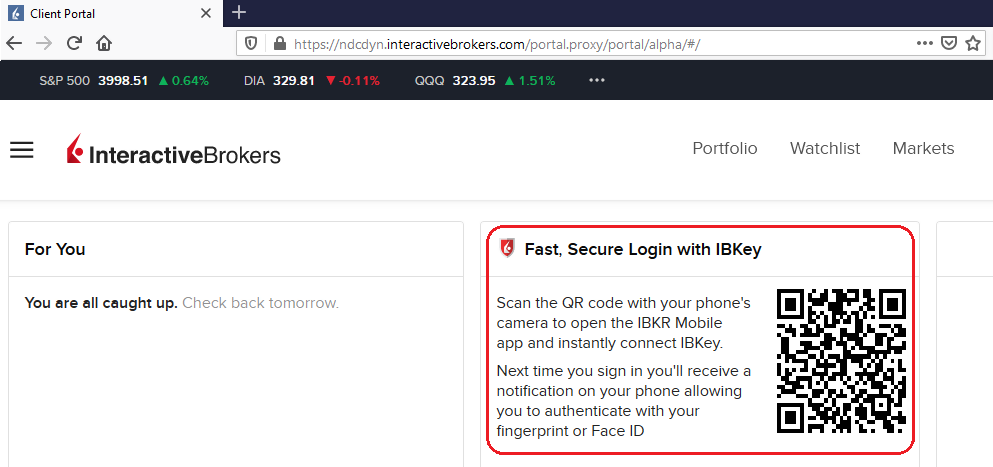
1) Log into Client Portal. You will see a banner recommending that you activate IBKR Mobile Authentication (IB Key) by scanning the accompanying QR Code:
Figure 1
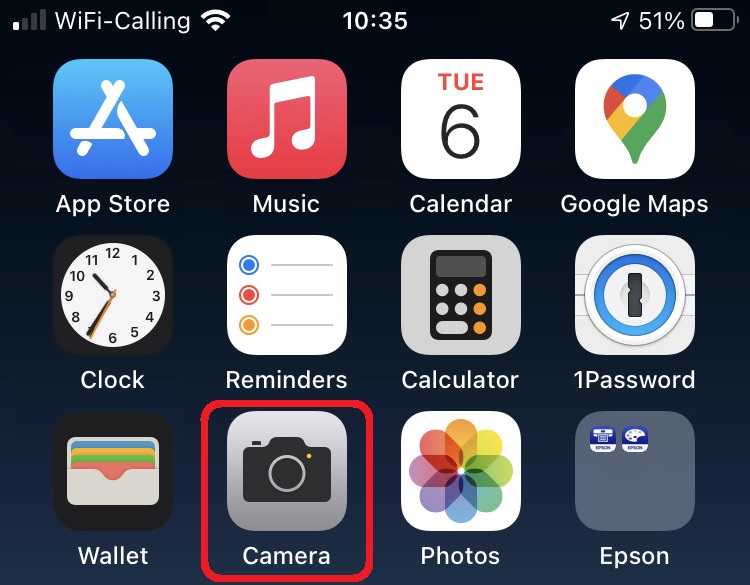
2) On your smartphone, launch the "Camera" app.
Figure 2
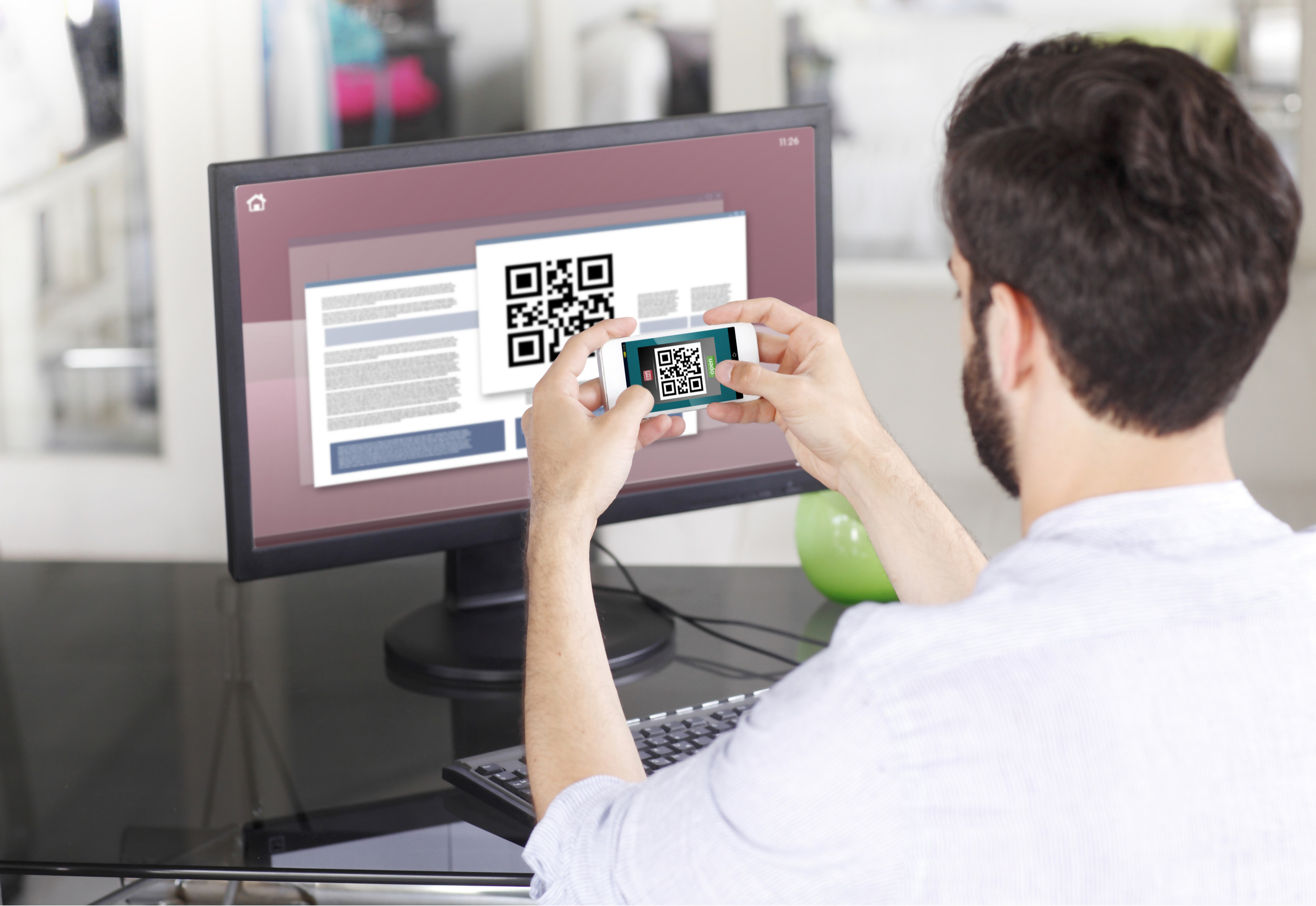
3) Point the lens of your smartphone camera towards the QR code. You don't need to "take a picture." When the code is in focus it is automatically captured. If your phone does not seem to recognize the QR code try to move your phone closer or farther away to the QR code in order to gain focus. If your phone does not recognize the QR code, please see the section Possible Issues and solutions at the bottom of this article.
Figure 3
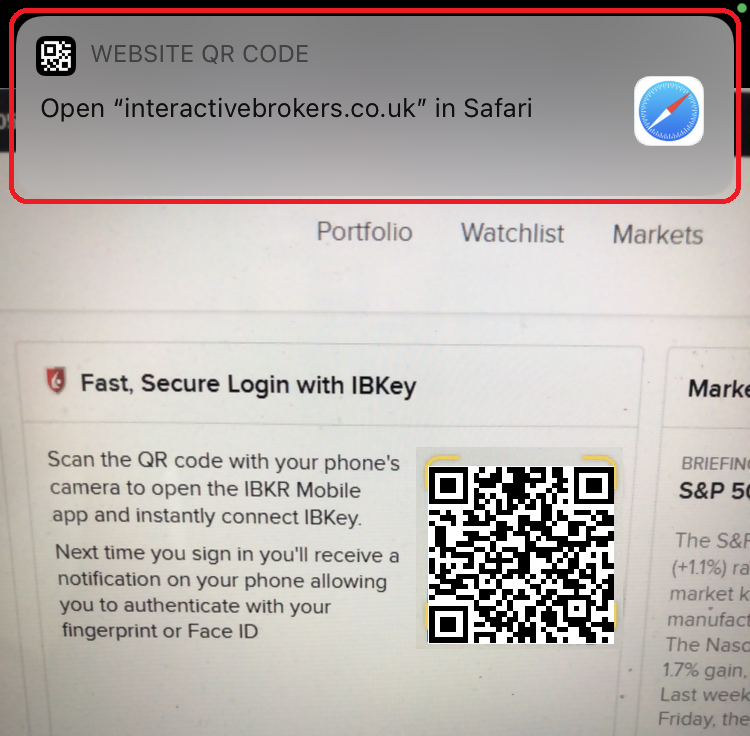
4) If your device was able to read the QR code successfully, you will see a banner on the top of your smartphone screen.
- If the banner asks you to open the IBKR web site on your smartphone browser (as in Figure 4.1), please proceed directly to next step, 5)
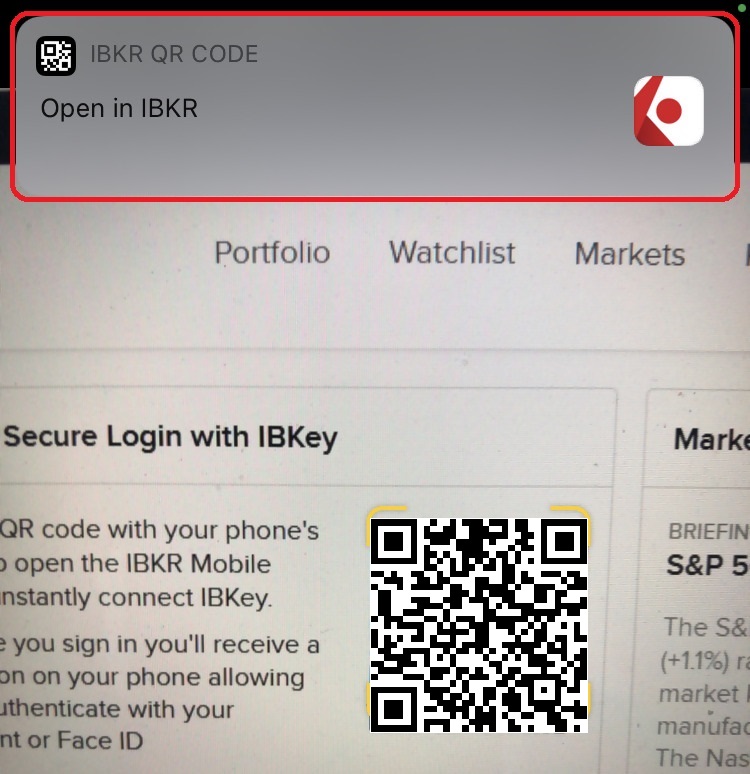
- If the banner asks you to open the IBKR Mobile app (as in Figure 4.2), please jump to step 8)
Figure 4.1 Figure 4.2
5) Tap on the banner on the top of your smartphone screen, asking you to open the IBKR Web site. You will be redirected to the AppStore.
Figure 5
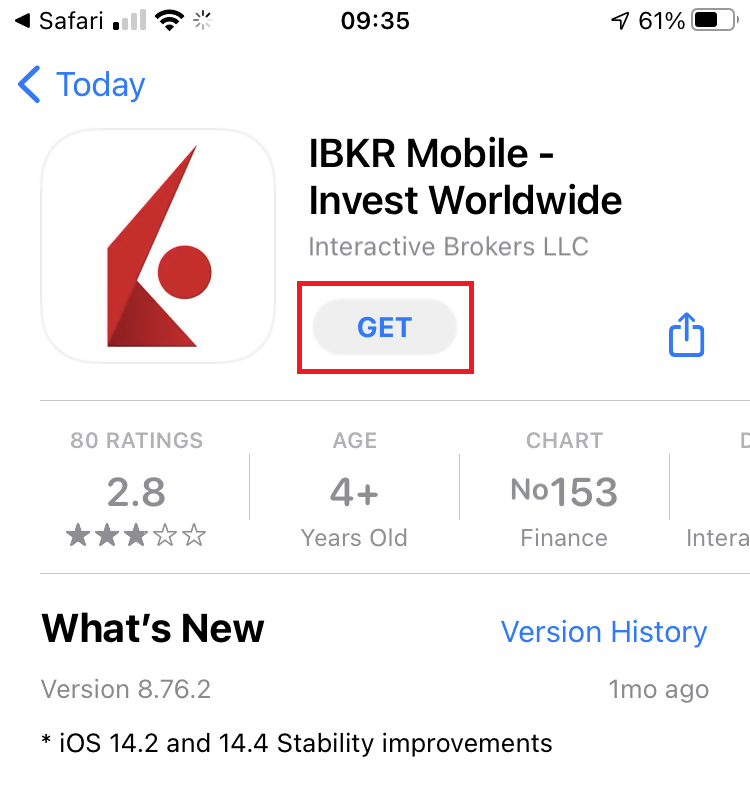
6) Tap the download icon GET to install IBKR Mobile on your phone.
Figure 6
7) Once the installation is complete, do not launch the IBKR Mobile app. Open your camera and again focus on the QR code displayed in Client Portal.
Figure 7
8) Tap on the banner on the top of your screen, asking you to open the IBKR Mobile app.
Figure 8
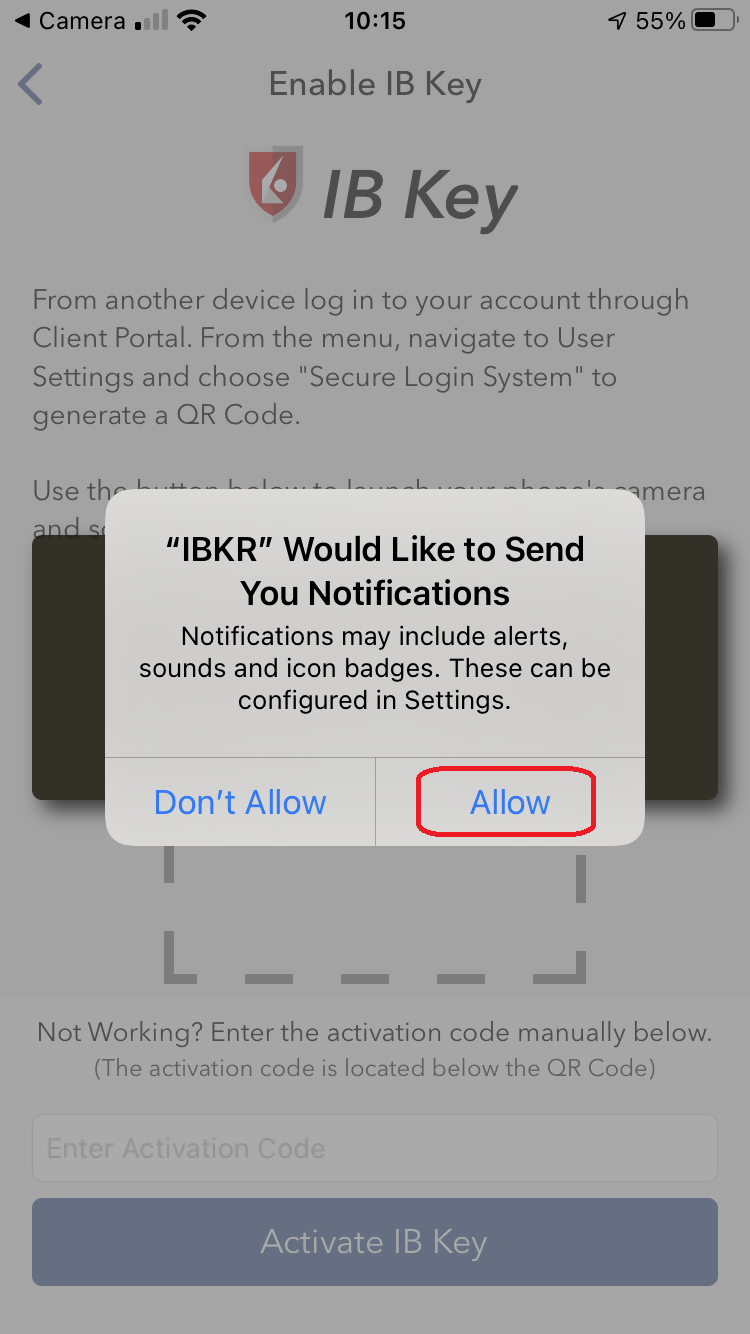
9) Tap Allow if asked whether to allow or disallow notifications for IBKR Mobile.
Figure 9
10) You will be asked to provide the security element you use to unlock your phone (FaceID, Fingerprint or Passcode).
Figure 10
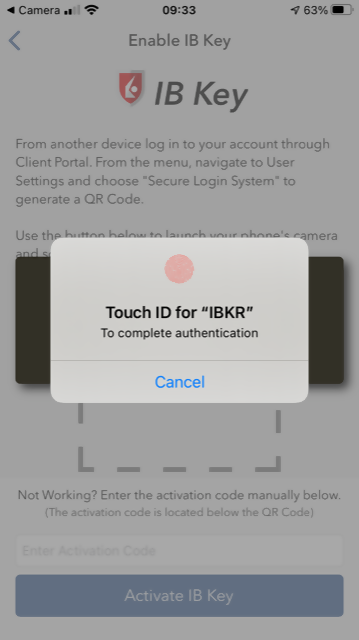
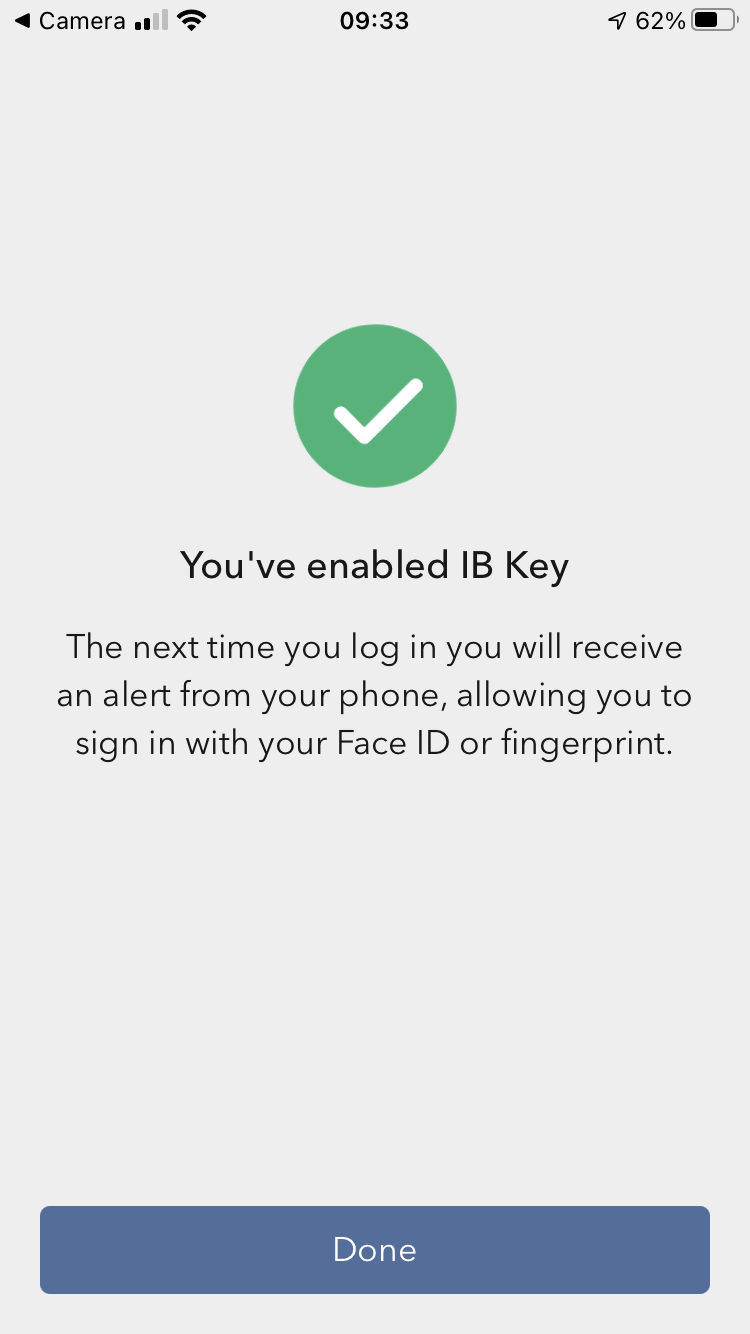
11) You will receive a message confirming the successful activation of IBKR Mobile Authentication (IB Key). Tap Done to complete the procedure
Figure 11
Possible issues and solutions
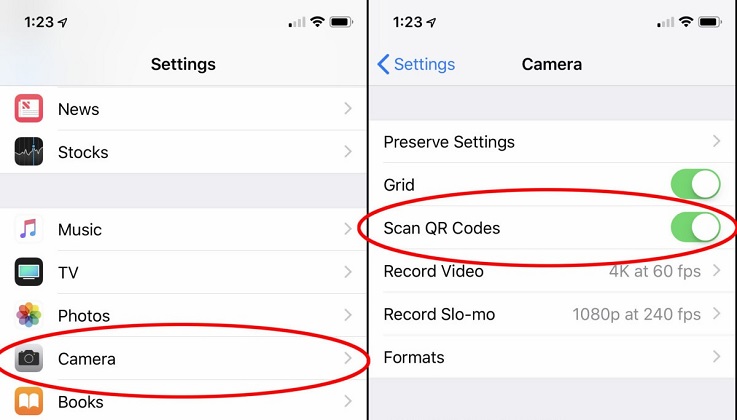
- My smartphone did not manage to read the QR code. What should I do?
Make sure you have activated the switch "Scan QR codes" from the Camera Settings of your smartphone.
Figure 12
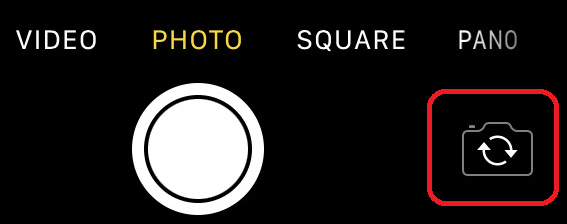
- My phone activates the front camera. How can I switch to the rear one?
Usually there is a specific button in the camera view to switch from front to rear lenses.
Figure 13
- During the IBKR Mobile Authentication (IB Key) activation, I receive an error message "An error has occurred. Please try again."
Figure 14
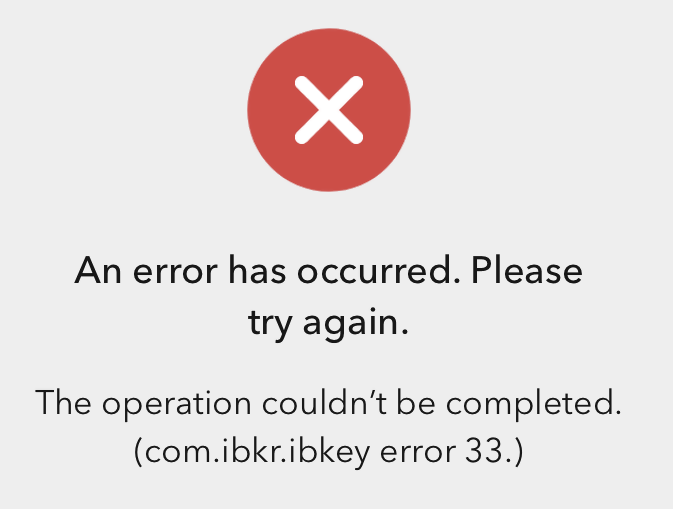
This error message may indicate you are attempting to activate an IBKR Mobile Authentication (IB key) instance that is already activated. Please try to log in to the Client Portal again. If you receive a notification on your smartphone once you have entered the credentials and you are able to complete the authentication once you tap on that notification, then your IBKR Mobile Authentication (IB Key) instance is already activated and you no longer need to follow the steps on this article.
Alternatively, the error message may be displayed when the QR code shown in the Client Portal was already used to attempt an activation and is expired. In this case, please log out of the Client Portal and log back in to obtain a fresh QR code.
References:
- See KB2260 for instruction on how to activate and operate IBKR Mobile Authentication (IB Key).
- See KB2748 for instructions on how to recover IBKR Mobile Authentication (IB Key).
- See KB3236 for instructions on how to enable notifications for the IBKR Mobile app.
- See KB3234 for troubleshooting missing IBKR Mobile notifications.
- See KB3073 for instructions on how to migrate the IBKR Mobile Authentication (IB Key) to a new smartphone.
Best Security Practices for IBKR Clients
Overview:
IBKR goes to great lengths to keep client accounts secure. This document provides recommendations to safely operate and maintain your trading operations with Interactive Brokers.
Table of Contents
- Monitor your account
- Maintain Accurate Account Information
- Employ Safe Computing Practices
- Protect your Data
- Handle with caution pop-ups, unknown emails, and links
- Handle passwords securely
- Mandatory Secure Login System (SLS)
- IP Restrictions
1. Monitor your account
- Regularly check your account balances and positions through TWS and the daily statements available in Client Portal.
- Immediately report anything suspicious by contacting Client Services through any real-time method (Live Chat or Phone Call) listed under ibkr.com/support .
2. Maintain Accurate Account Information
- In the event that we detect unusual or suspicious activity, being able to contact you is essential.
- Accordingly, you should always ensure that the contact information you have provided (e.g. telephone numbers, email address) is always accurate.
- To update your contact information, log in to our Client Portal. From the main menu, select Settings > User Settings and go to the Communication panel.
3. Employ Safe Computing Practices
- Lock your computer if you're leaving it for a period of time by setting up a password protected screensaver. Always turn off your computer when you have finished using it. This recommendation is imperative for mobile computers and highly recommended for shared machines.
- Avoid accessing your brokerage account from public computers. Some of those may have been targeted by hackers and have a keystroke-capture software. If you must use a public computer, remember the following:
- Use the virtual keyboard on the login window to avoid having your keystrokes captured.
- Log out after accessing your account.
- Never leave the computer unattended while logged in.
- Clear the browser cache after logoff so that no sensitive information remains stored on the computer.
- Regularly check for security updates and patches for your operating system and use the most current version of your browser.
- Create separate profiles (user/password protected) if your computer is shared with a third party.
4. Protect your Data
- Do NOT share personally identifiable information like your SSN, Credit Card number when answering an unsolicited email, phone call, text message, or instant message. In case of a doubt, ask for a name and a callback number, as well as an internal reference number for the communication.
- Do not share files unless it's absolutely necessary. It's a smart idea to disable the file and printer sharing features, but if you decide to use these, make sure that you configure the access permissions with strong passwords, and only share for specific users.
- Consider the encryption of your email communication:
- It's important since it protects you from a data breach, and from the hacker to read your messages (the hacker won't have access to the information).
- Either configure your email settings to encrypt your messages, or use an end-to-end encrypted email service (e.g. ProtonMail).
5. Handle with caution pop-ups, unknown emails, and links
- Beware of phishing - phishers try to trick you into clicking on a link that may result in a security breach. Make sure that for sensitive information and login, you mouse over links and/or verify the website's address in your browser's address bar.
- We recommend that you use a pop-up blocker (sometimes integrated in your browser) and set its security filter to the highest possible level. Then either add the IBKR website to your list of "trusted" sites, or disable your pop-up blocker while using our website.
- Use email safely, and delete without opening messages that don't originate from a trusted source as they may contain harmful attachments or links, or may be an attempt to fraudulently obtain sensitive information. Turn off the "preview pane" in your email system as this function can allow some viruses to be executed even if you never open the email. Make sure that you add to your address book the IBKR email addresses.
6. Handle passwords securely
- Use the maximum characters available and avoid simple or duplicate alphabetic and numeric sequences or passwords containing personal information.
- Do NOT share your password with anyone.
- Change your password frequently and do not use the same password for multiple systems.
- Do not leave notes on your monitor, keyboard, desk or drawer to help you remember your passwords.
- Use a password manager to store your passwords. This software will not only allow you to generate complex passwords, but as well to store them securely.
7. Mandatory Secure Login System (SLS)
- The Secure Login System provides an extra layer of security to your IBKR account at no charge through the use of a free physical security device or IBKR Mobile Authentication. The enrollment in our SLS program is mandatory.
- IBKR offers the following solutions:
- SMS (automatic enrollment at account opening).
- IB Key Authentication via IBKR Mobile (available to all our clients - requires a smartphone).
- Digital Security Card + (available to accounts with a balance greater than 500K USD).
- We support multi-2FA, meaning whenever possible, we recommend users who have an active DSC+ to also activate IB Key on their smartphone.
- Click here for an Overview of our SLS Program (KB 1131)
- Click here for an details on IBKR Mobile Authentication (KB 2260)
8. IP Restrictions
- To prevent the login to your IBKR account from an unauthorized computer, enable IP Restrictions via the Client Portal.
- With IP Restrictions active, login to your account on any of our platforms (Client Portal, TWS and IBKR Mobile) will only be permitted if the device you are using is connected to the IP address(es) you've previously designated.
- Click here for further instructions on IP Restrictions
